
If you’re working on a Mercedes-Benz 7G-Tronic Plus with a failed VGS4-0 NAG2 (4-4) TCU, you know that installing a donor unit requires cloning the IMMO and coding data.
Today, let’s talk about choosing between Yanhua ACDP Module 16 and Module 46—and how to get the job done smoothly with ACDP2!
Module 16 or Module 46: Which One Should You Get?
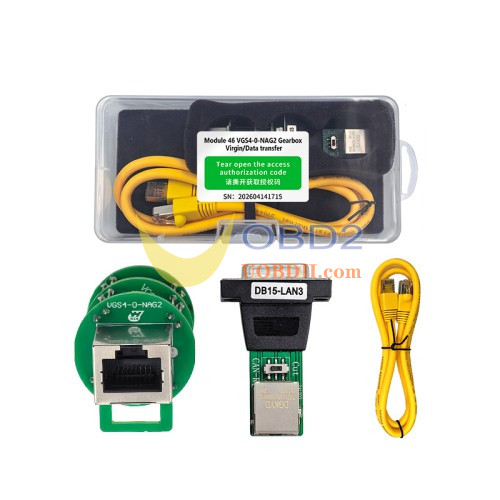
- Choose ACDP Module 46 if you want an all-in-one, dedicated solution for VGS4-0 NAG2 (4-4) virginizing, transferring, and coding.
- Choose ACDP Module 16if you work on a wide variety of Benz transmissions (like VGS-FDCT dual-clutch, 722.8 FCVT, or older 722.9 VGS2/VGS3 units).
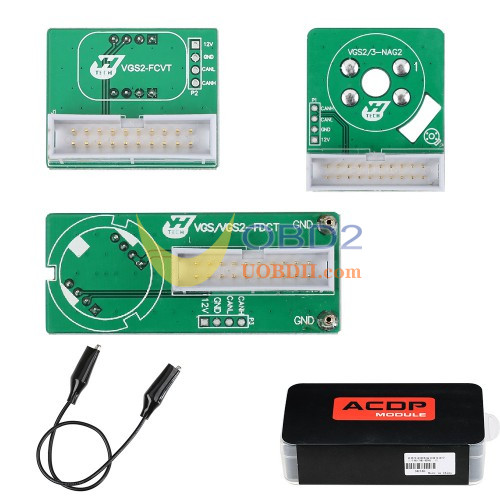
Pro Tip: Already have Module 16 hardware? You don’t need to buy a whole new Module 46 hardware kit! Just buy Module 46 License (A107) and use your existing board.
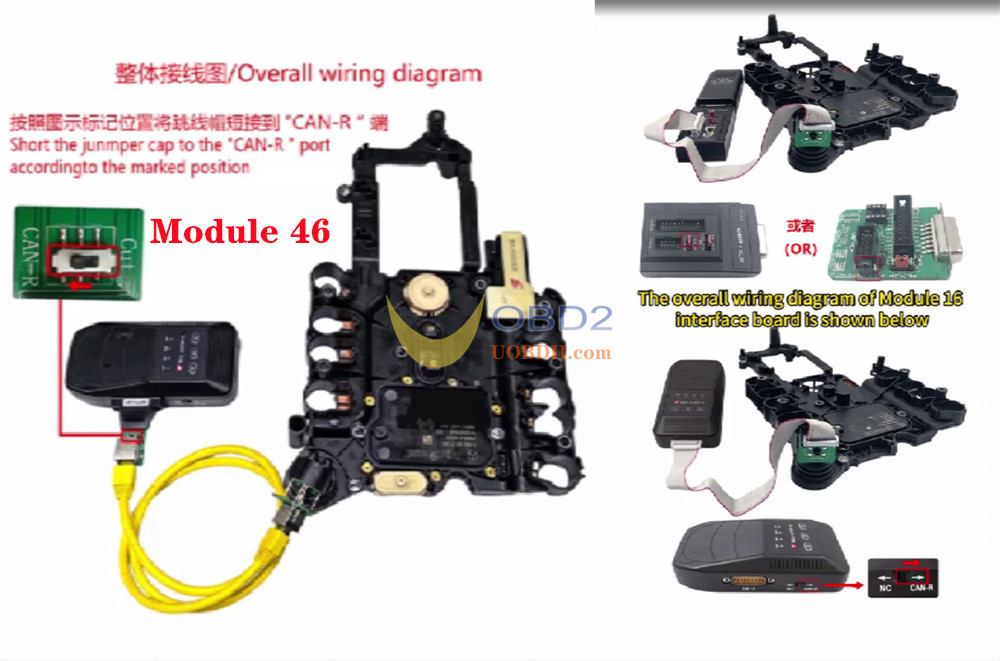
Quick Hardware Connection
1.Power up your ACDP2 host.
2.Hook up the VGS4 NAG2 interface board to your original TCU and ACDP2 key programmer correctly.
3.Don’t forget this! Move the jumper cap on the interface board to CAN-R.
The 5-Step Cloning Walkthrough
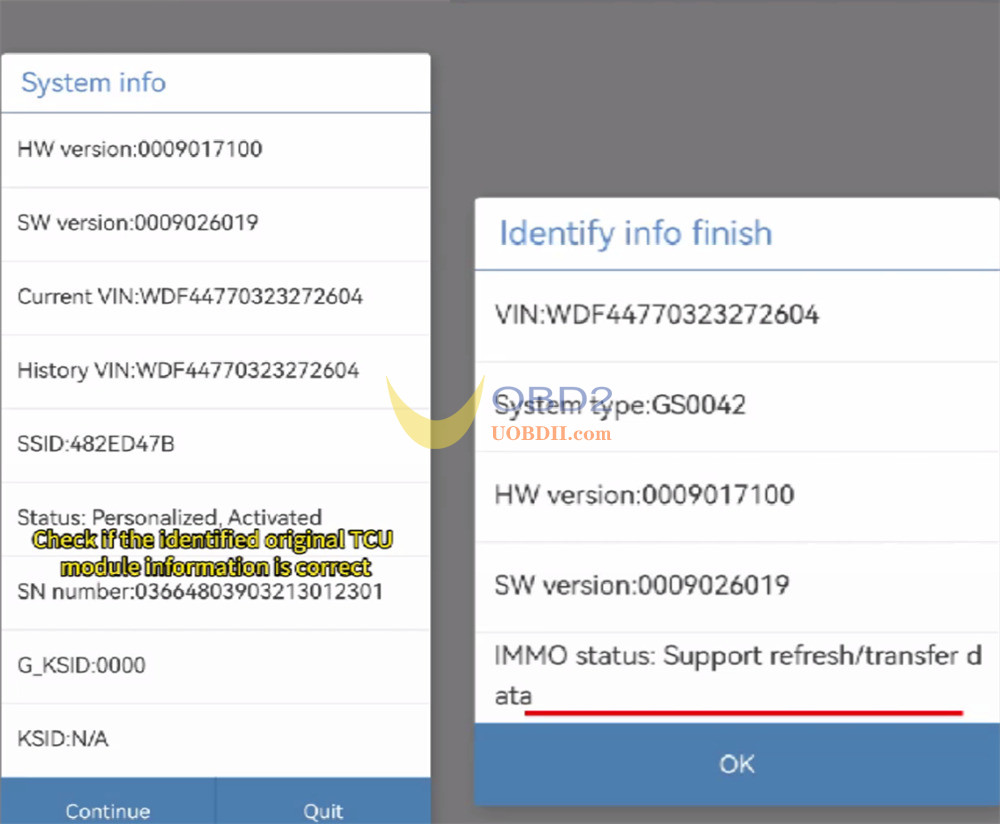
1.Check Original Info:
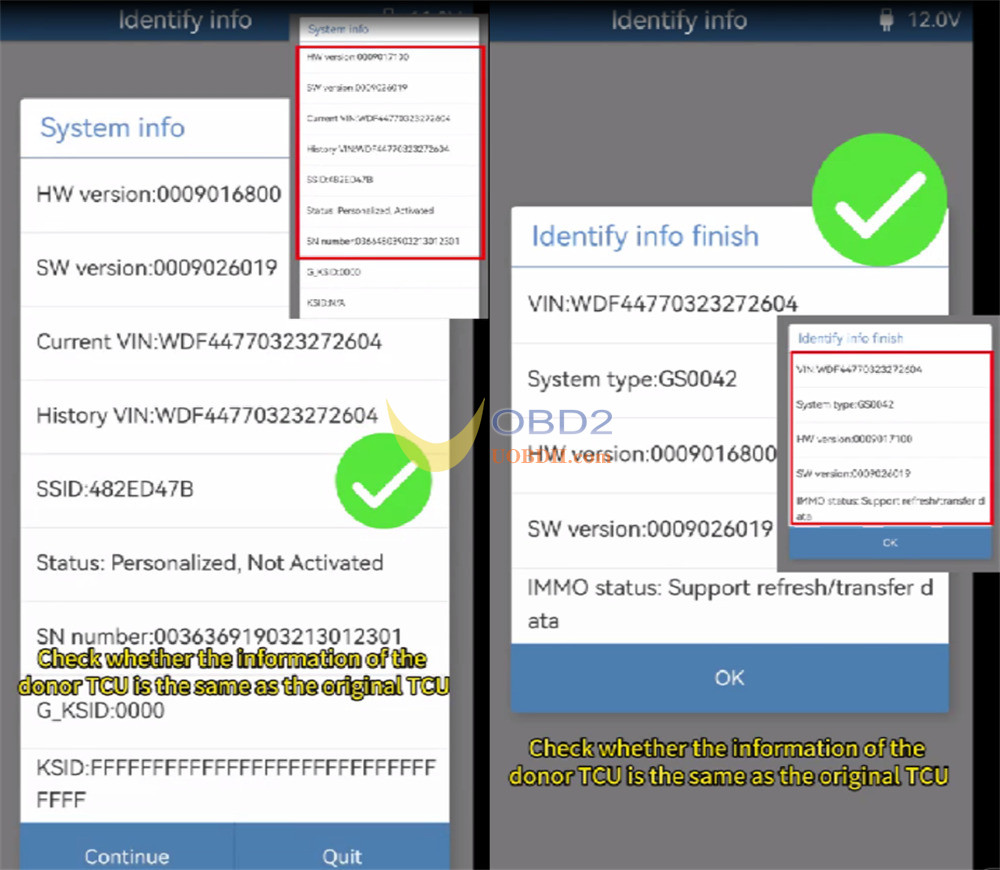
Go to BENZ -> Gearbox refresh -> VGS4 NAG2 -> Identify Info.
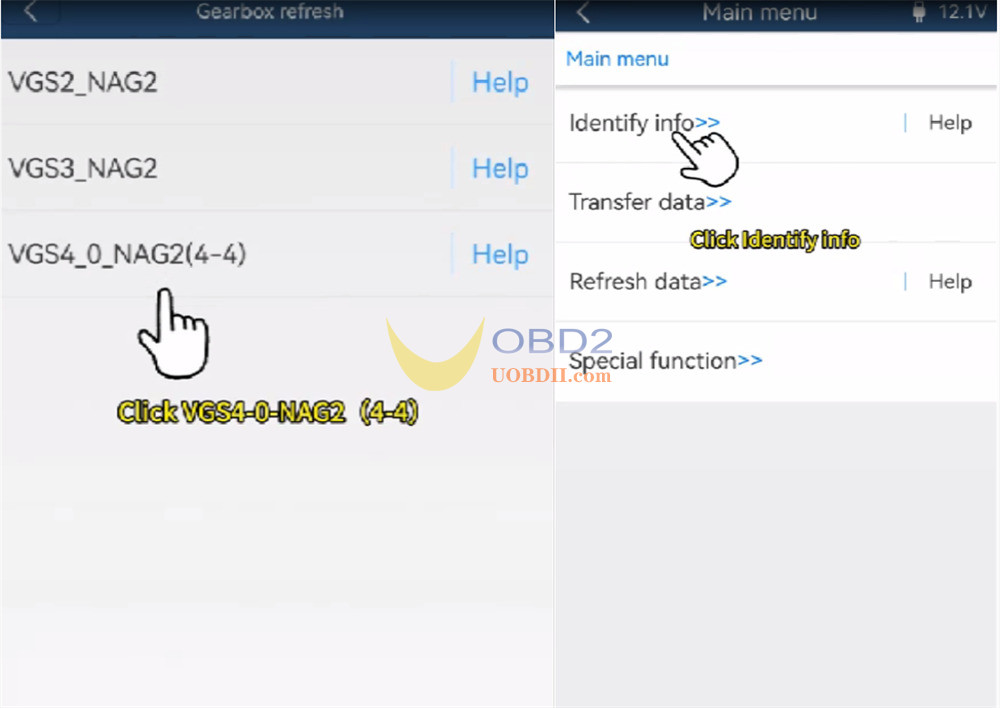
Make sure IMMO status says it supports data transfer.
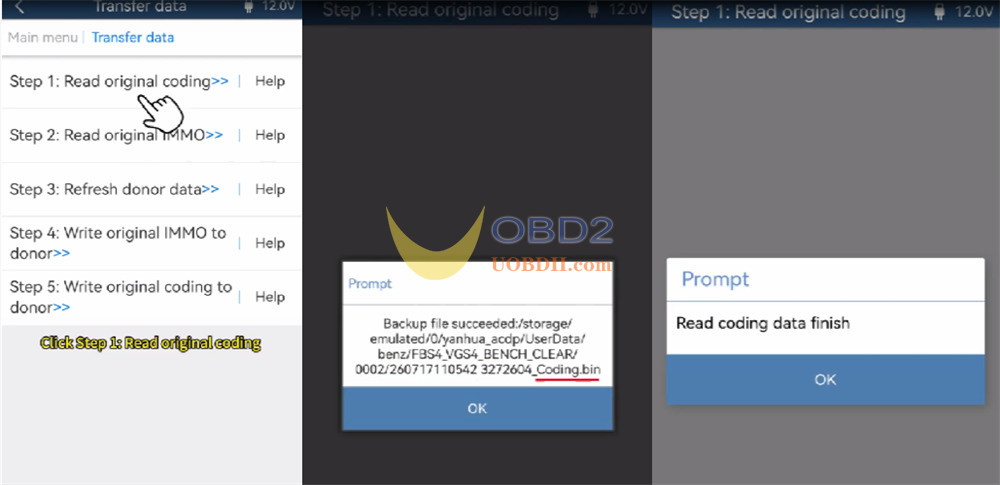
2.Read Original Coding:
Click Step 1, back up your coding file (…coding.bin).
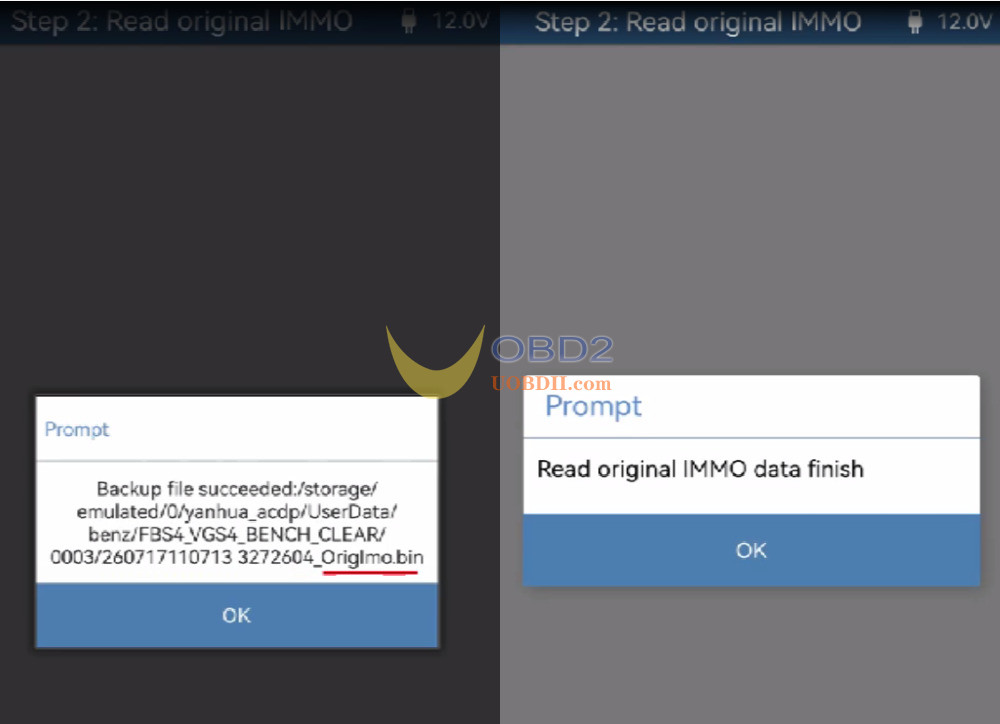
3.Read Original IMMO:
Click Step 2, back up your original IMMO file (…OrigImo.bin).
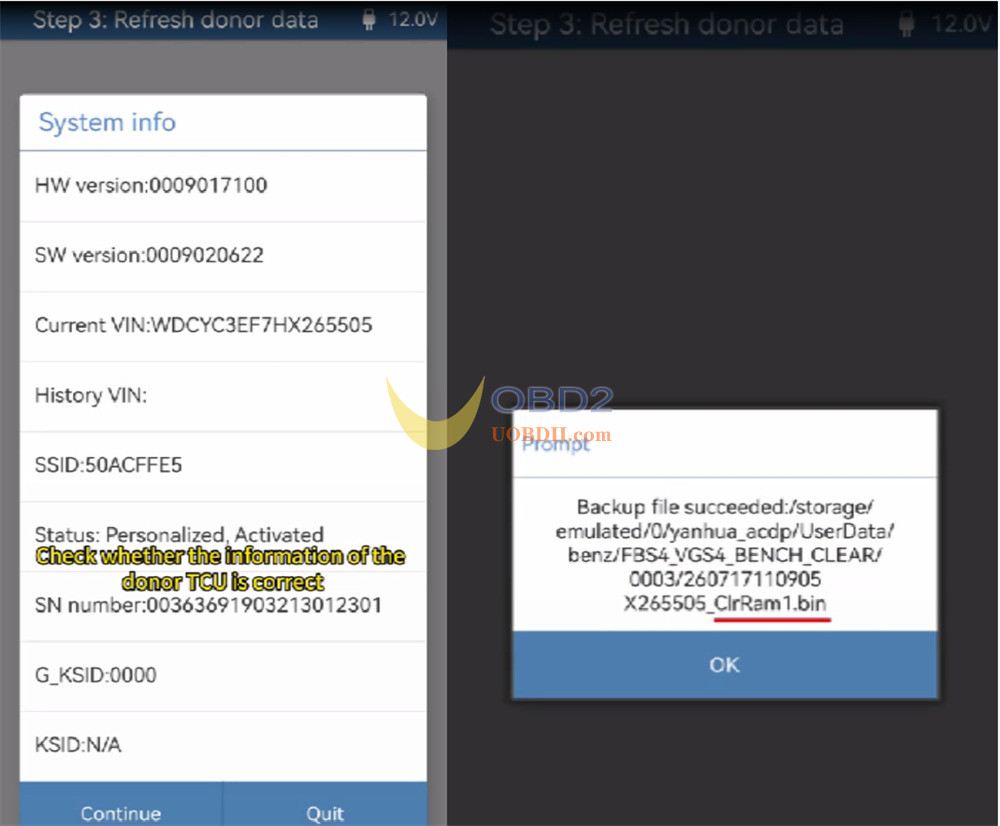
4.Refresh Donor TCU Data:
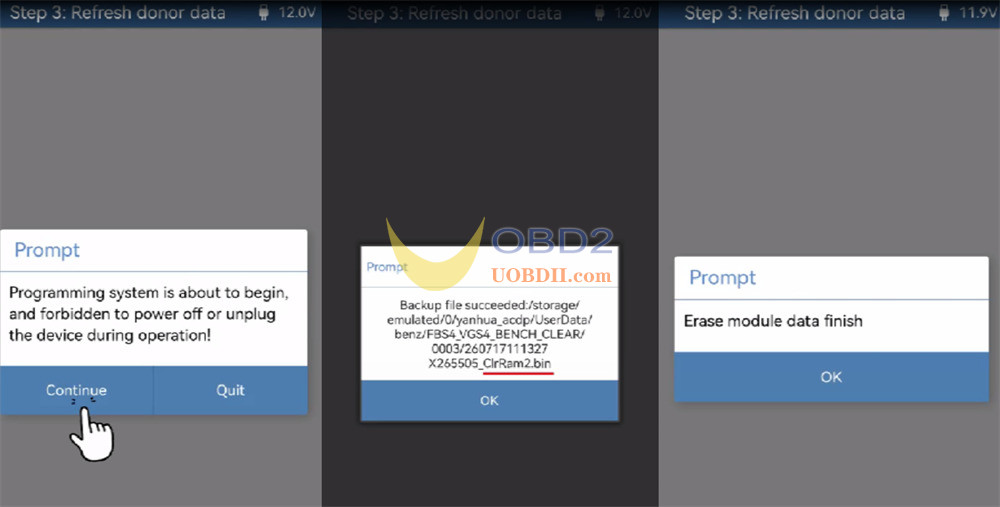
Swap in your donor TCU. Click Step 3. Save system backups (…ClrRam1.bin / …ClrRam2.bin), and Yanhua ACDP2 will wipe the donor clean.
5.Write Original IMMO & Coding to Donor TCU:
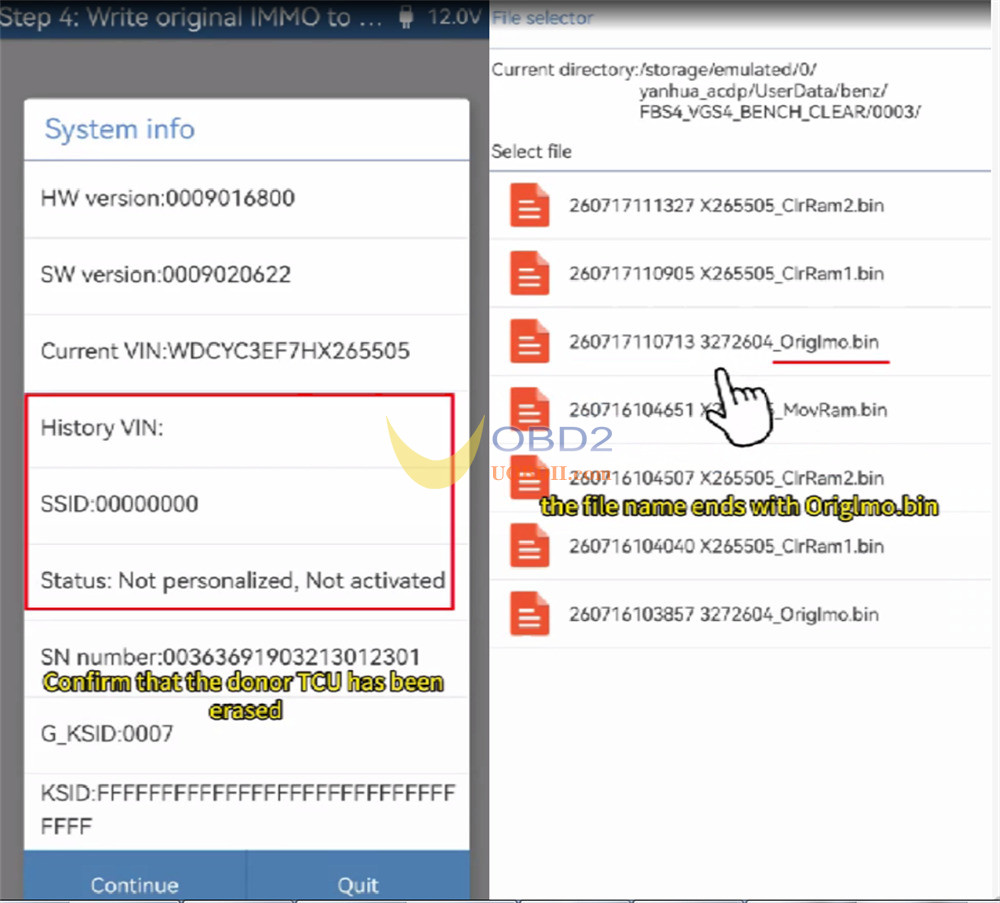
- Click Step 4, confirm the donor TCU has been erased
Select …OrigImo.bin, and write it over.
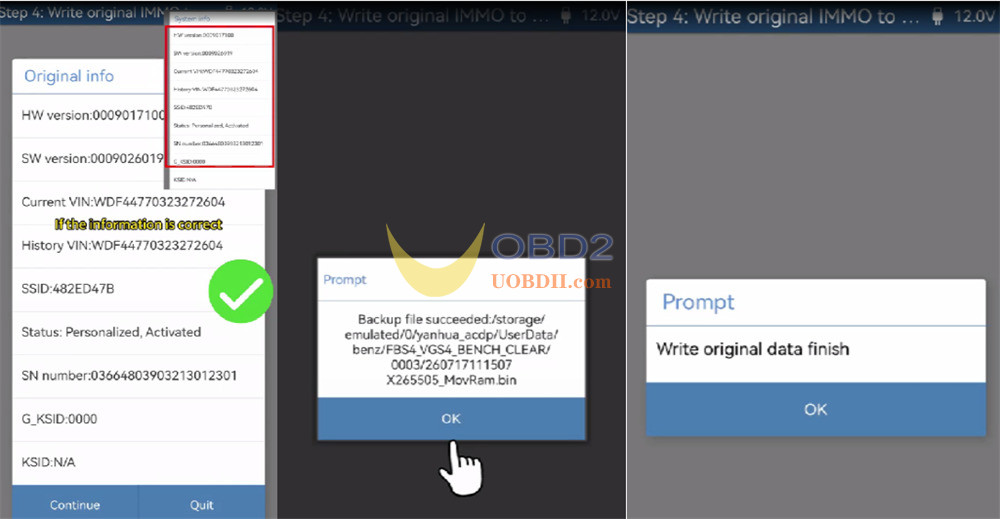
- Click Step 5, select …coding.bin, and flash the original coding.
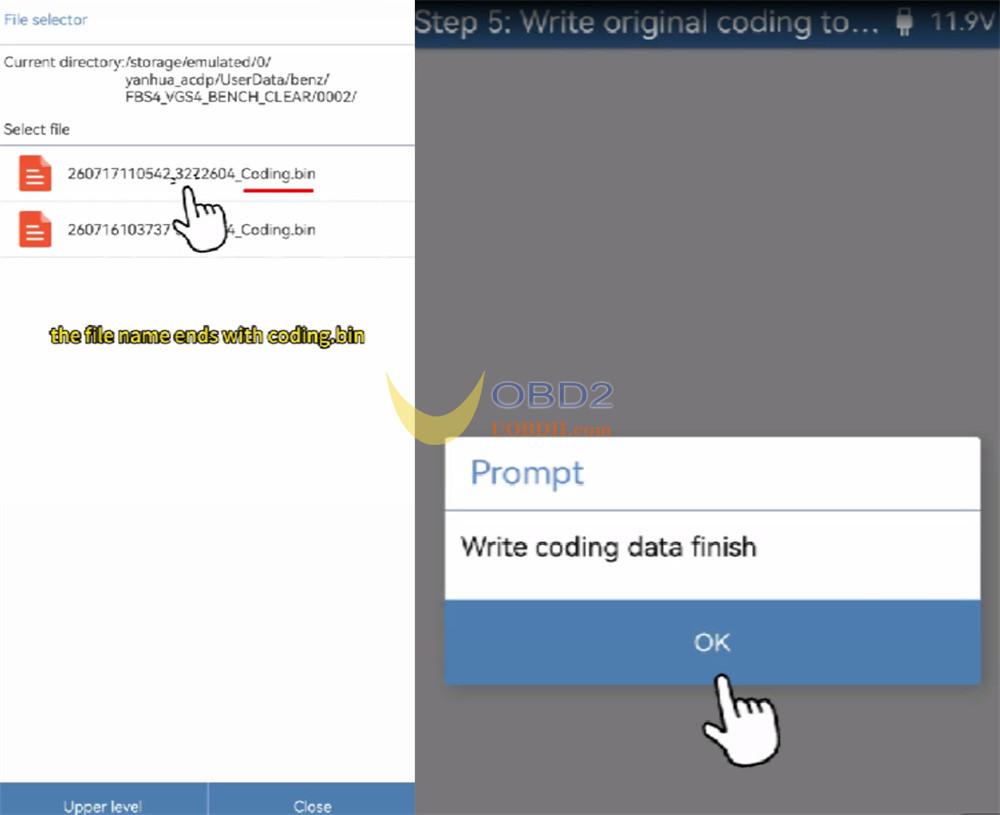
Finally, run Identify Info again to double-check that the donor TCU now shows the original VIN and IMMO status. Easy as that!
Read also:
OBDSTAR X300 Classic G3 with C4-07 Kit Virgin Mercedes-Benz Used VGS4 NAG2 722.9 TCM
OBDSTAR X300 Classic G3 with C4-07 Kit Virgin Mercedes-Benz Used VGS4 NAG2 722.9 TCM
