

This is a step-by-step instruction about how to use KEYDIY KD-X4 to add a VW Audi MQB49 5D key.
Required Equipment:
- KEYDIY KD-X4 5-in-1 Key Programmer
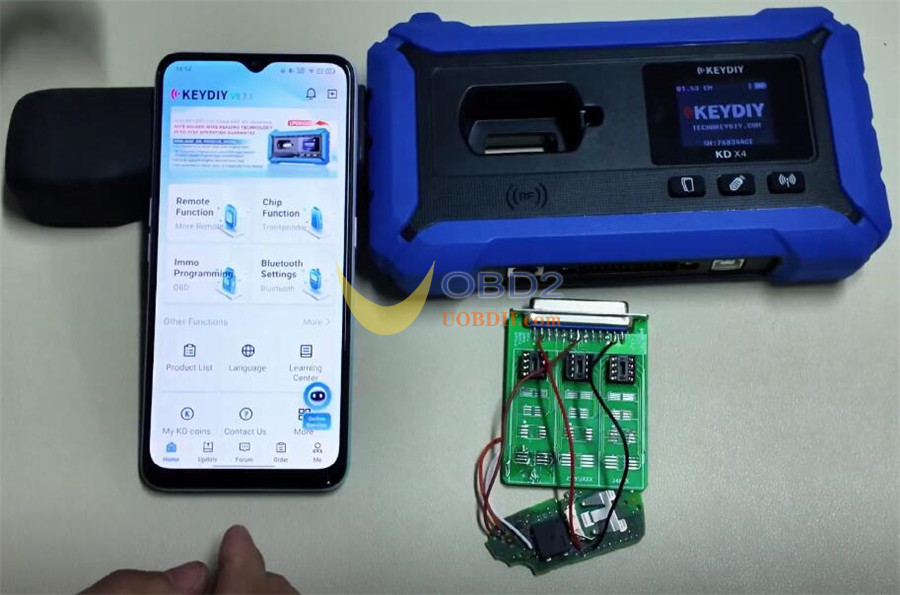
- KEYDIY KD-X4 8-pin Adapter Board
- Target 5D transponder key blank
- Original vehicle key (equipped with a 5D chip)
- Soldering tools and connecting wires
Required Software/Firmware:
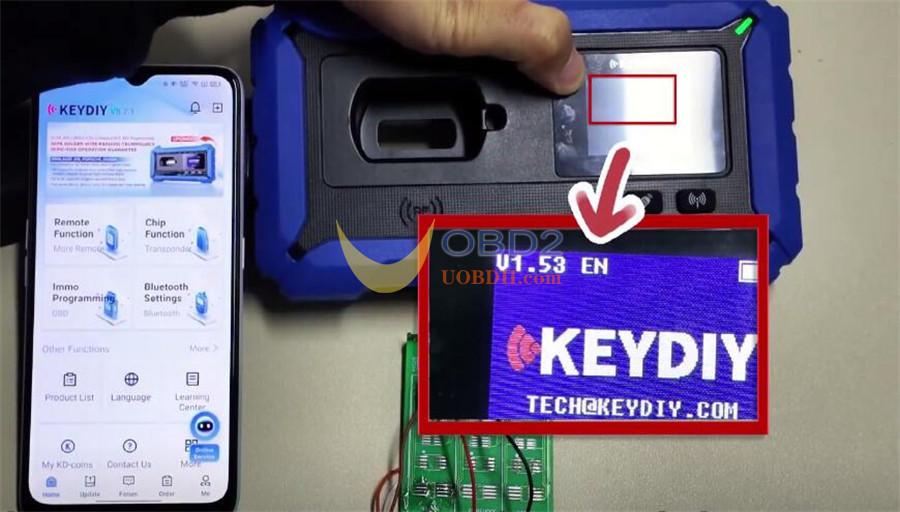
- KEYDIY Mobile App: Version 8.7.1 or higher
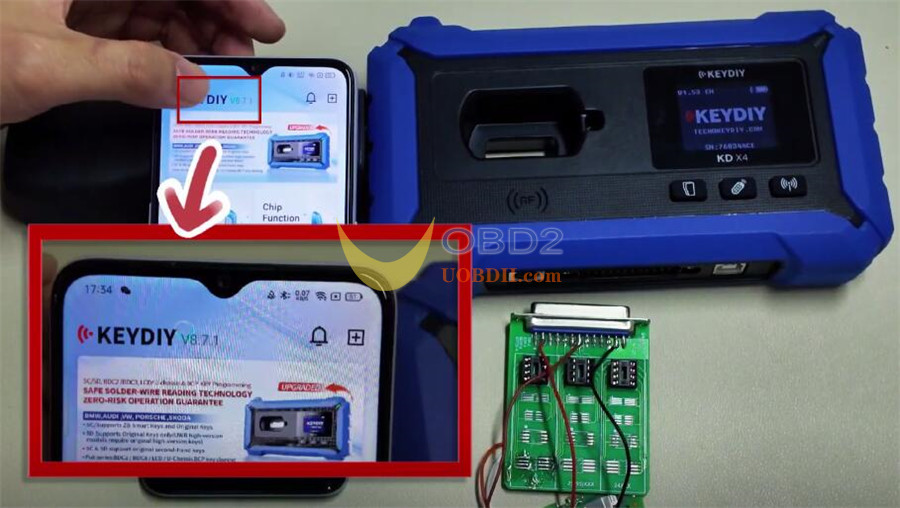
- KD-X4 Firmware: Version 1.53 or higher
Step‑by‑Step Instructions:
- Connect Device
Open the KEYDIY app on your mobile device.
Turn on Bluetooth and pair with the KD-X4 unit by going to:
Bluetooth Settings → KD Remote Control Devices
Confirm the connection is active under “Paired Devices.”
(Figures 4‑5)
2.Navigate to Function
From the app’s home screen, tap “Immo Programming.”
Then follow:
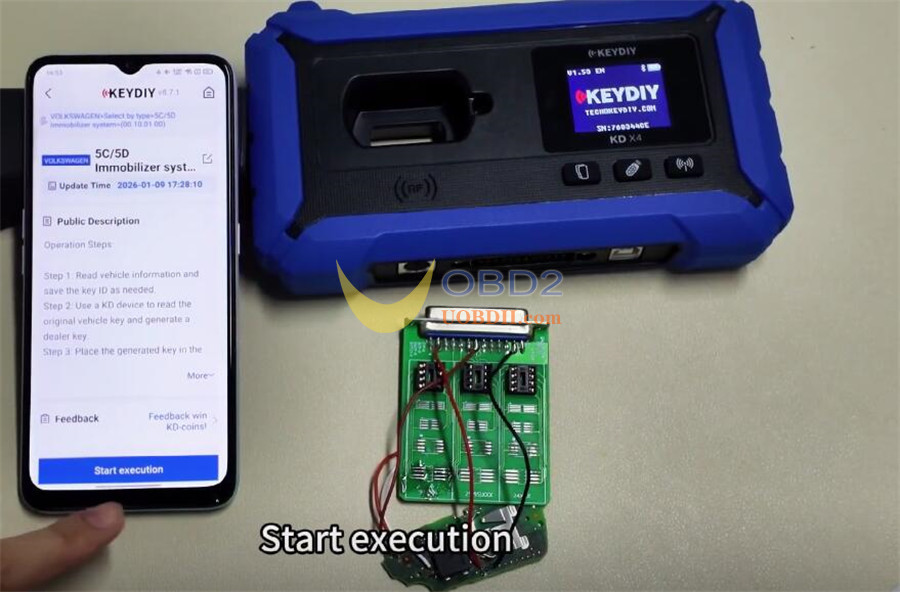
*VOLKSWAGEN → Select by Type → 5C/5D Immobilizer System → Start Execution.*
3.Begin the Process
Select “Read the original car key and generate a dealer key.”
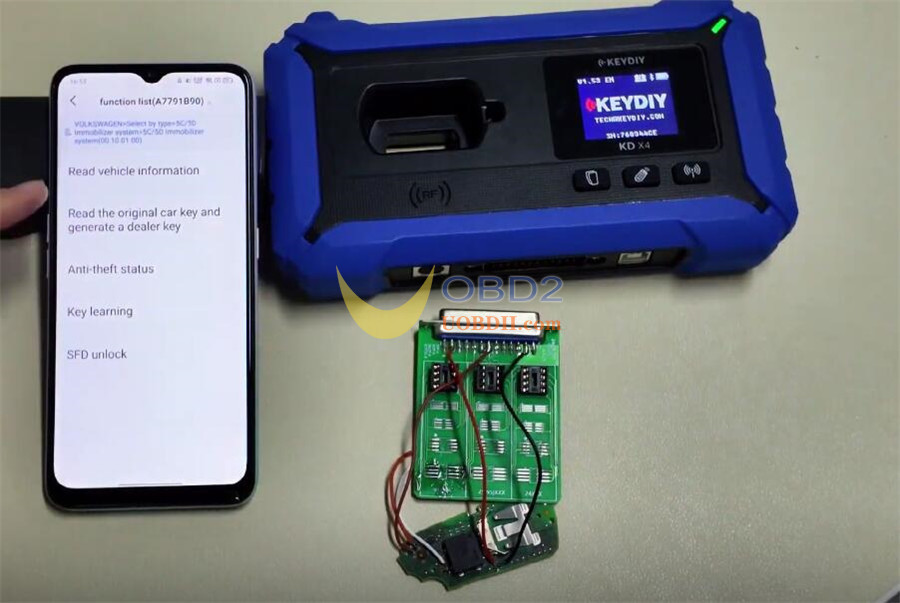
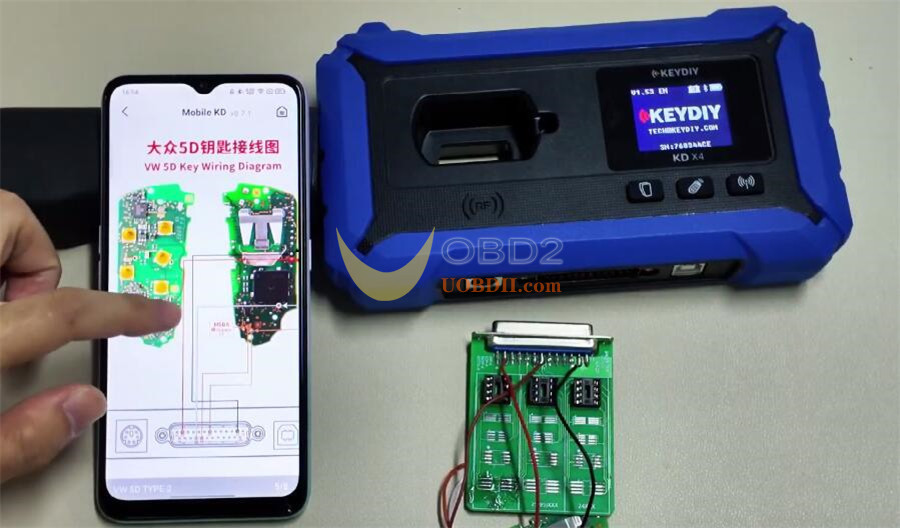
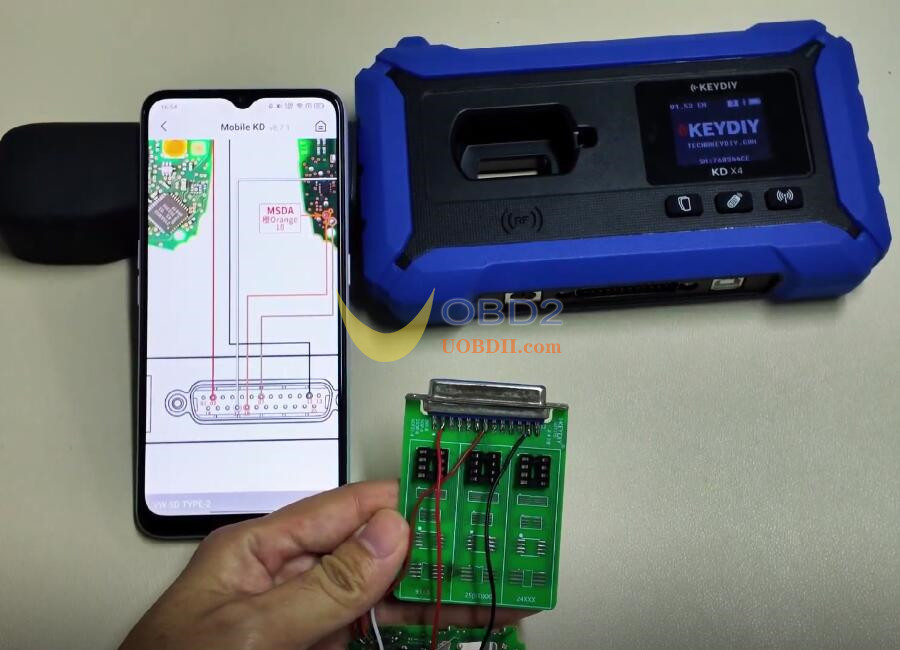
The app will display a detailed wiring diagram. Proceed based on this diagram.
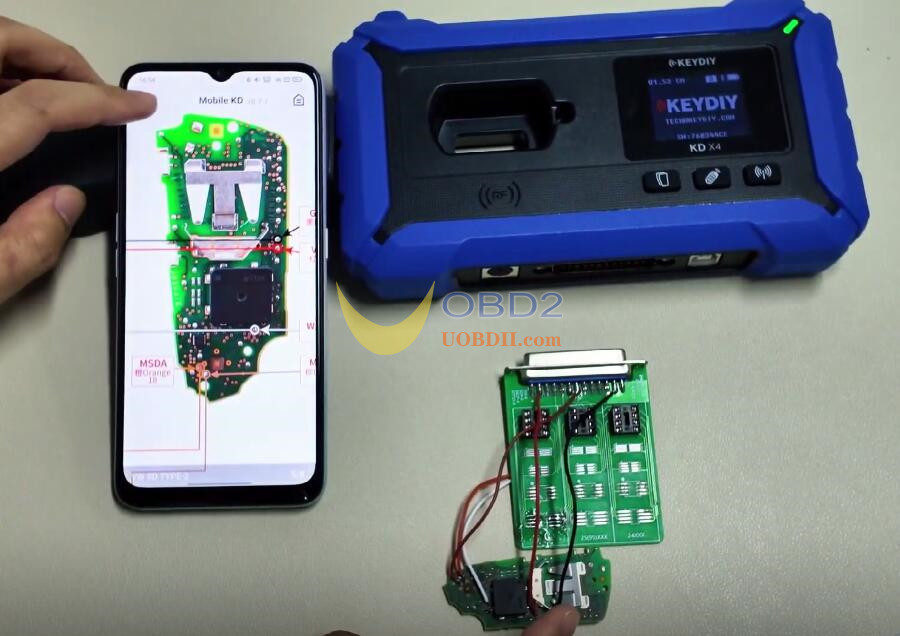
4.Set Up Wiring
Using the on‑screen diagram:
Connect wires to the three designated pins on the top row of the adapter board (front side).
Make two additional connections as shown.
Solder the wires from the adapter board to the corresponding pads on the key blank’s PCB.
Double‑check all connections before continuing.
5.Read Original Key Data
Insert the original vehicle key into the adapter socket.
Tap “Read Chip Data.”
Once successful, the key data will upload and a unique Service Code will appear.
Write down this code.
(Figures 11‑12)
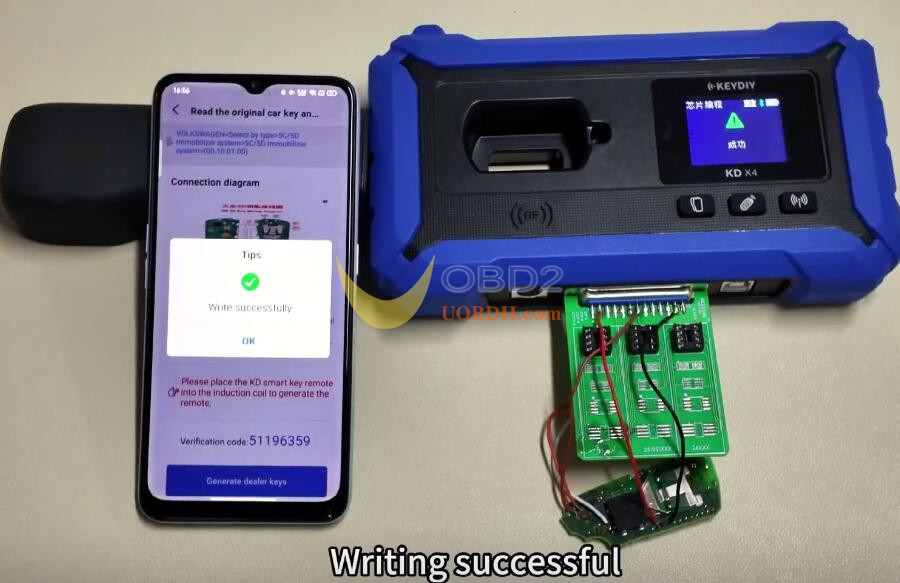
6.Program New Blank Key
With all wiring still in place, insert the new key blank into the adapter.
In the software, choose “Original Key (Non‑Vehicle).”
Important:
- The “KD ZB Smart Key” option supports only 5C chips.
- For 5D keys, you must follow the procedure outlined here.
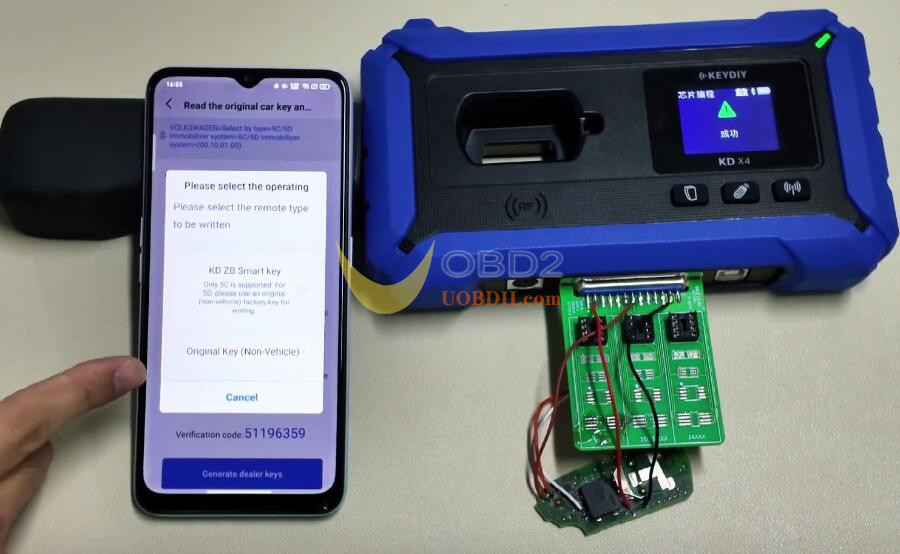
Start the write process. A “Write successfully” message confirms the key blank has been programmed.
7.Match Key to the Vehicle Immobilizer
Carefully disconnect all wiring and reassemble the newly programmed key.
Go to the vehicle and use either:
KD–X4’s built‑in “Key Learning” function, or an external KD–Mate key programmer.
Follow the on‑screen instructions to synchronize the new key with the immobilizer system (both new and original keys will be required).
Note: For 2024+ model‑year vehicles, you may need to unlock SFD (Secured Feature Deactivation) before performing key learning.
8.Verify Result
Check if the newly programmed key can start the vehicle’s engine successfully
Done!
Read also:
