

To switch the language on your MUCAR 892BT or MUCAR 892BT PRO diagnostic tool, follow these steps:
1.Power on your MUCAR device and wait for the Android system to load.
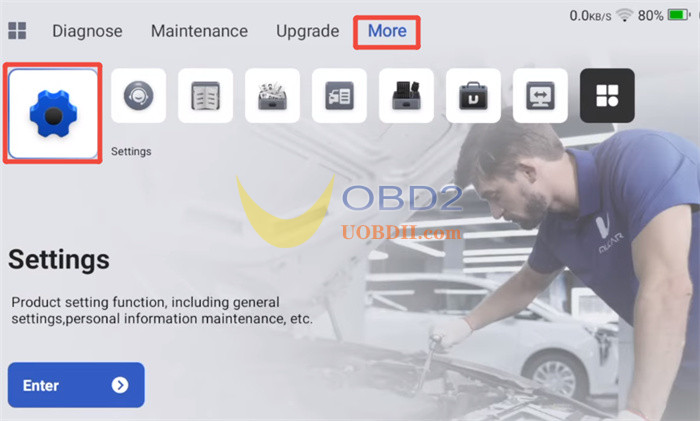
2.From the main home screen, navigate to the More tab at the top menu, tap Settings (or the gear icon)
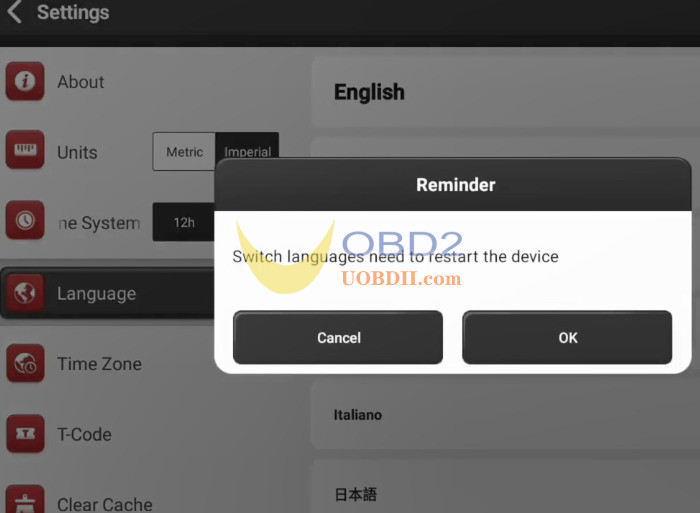
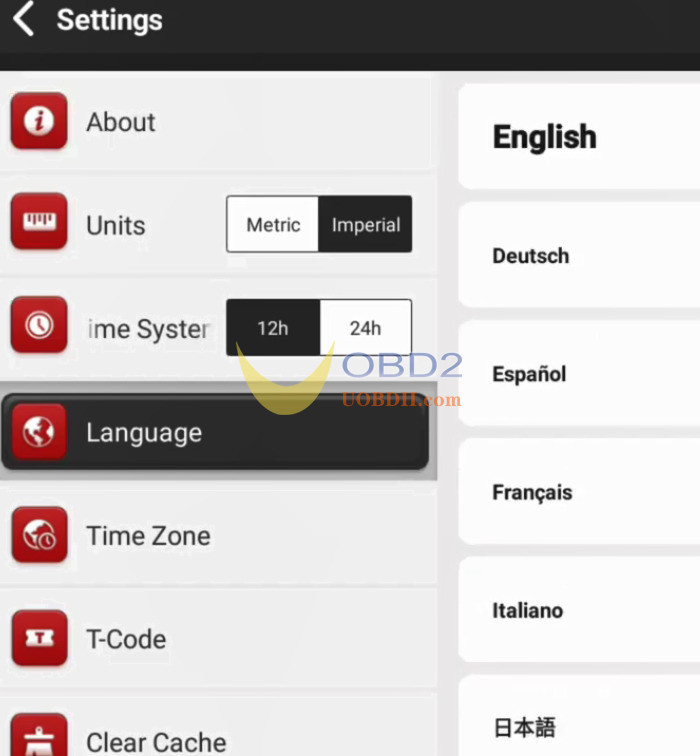
3.Scroll down to select the Language option
4.Browse the list of 28 supported languages
English, German, Spanish, French, Italian, Portuguese, Japanese, Russian, Polish, Turkish, Dutch, Hungarian, Traditional Chinese, Korean, Greek, Slovak, Romanian, Arabic , Croatian, Slovenian, Finnish, Czech, Swedish, Danish, Persian, Serbian, Vietnamese, Bulgarian
5.Tap on your desired language. The device interface will update immediately.
Note:
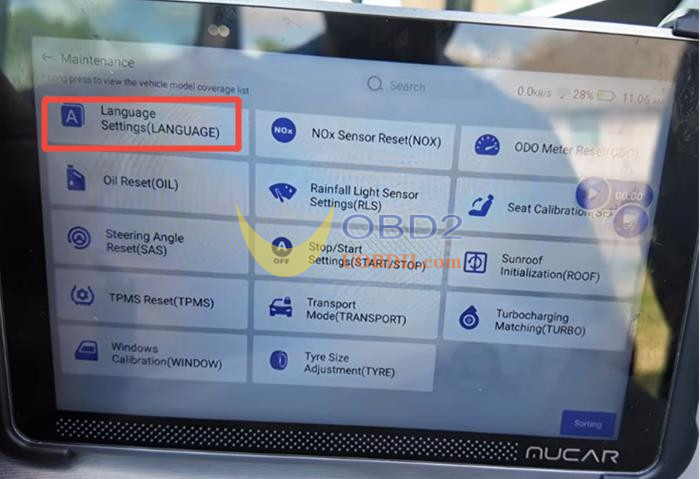
The “Language Change” or “Language Settings” option inside 892BT / 892BT PRO Maintenance menu is used to switch the language on the vehicle’s dashboard cluster—it does not change the scanner tablet’s display language.
Read also:
MUCAR 892BT VS 892BT PRO: What is a Topology Scan and Do You Need?
