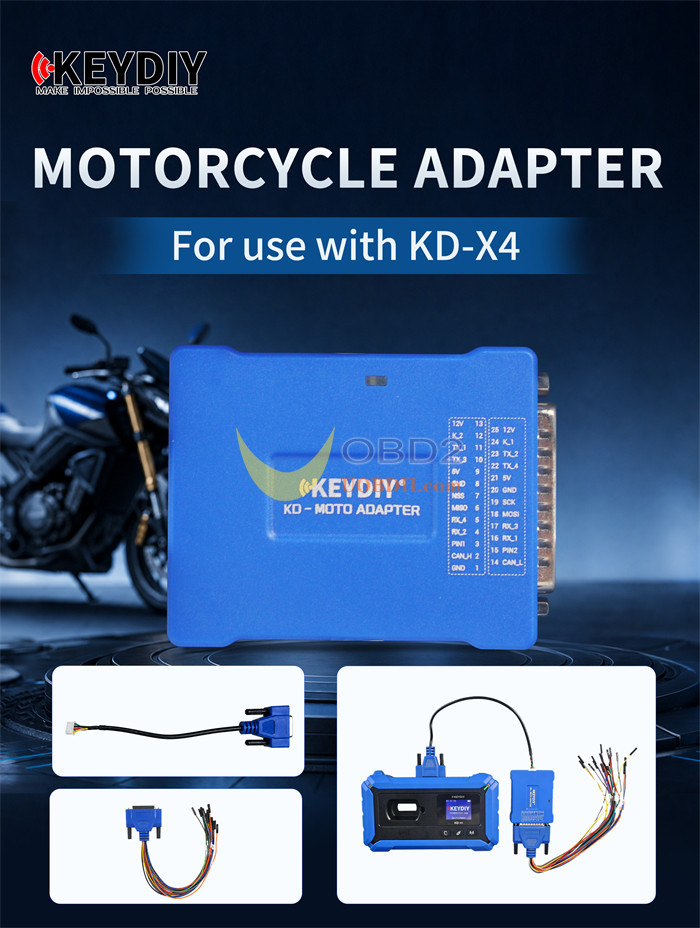
With the new KEYDIY KD-MOTO Motorcycle Adapter, KD-X4 key programmer can add key and all keys lost programming for most HONDA, Yamaha, and 3rd-Gen Ducati motorcycles (all 8A smart-key models). This post demonstrates the complete procedure for a Honda ADV350 (DV350K1ZN2).
KD-MOTO Motorcycle Adapter Key Features:
- Direct Hardware Link:Connects straight to KD-X4 device using custom-fit wiring harnesses.
- Reliable Data Transfer:Ensures stable communication during bench reading and smart key matching routines.
- Multi-Brand Support:Handles smart key systems across Honda, Yamaha, and Ducati motorcycle lines.
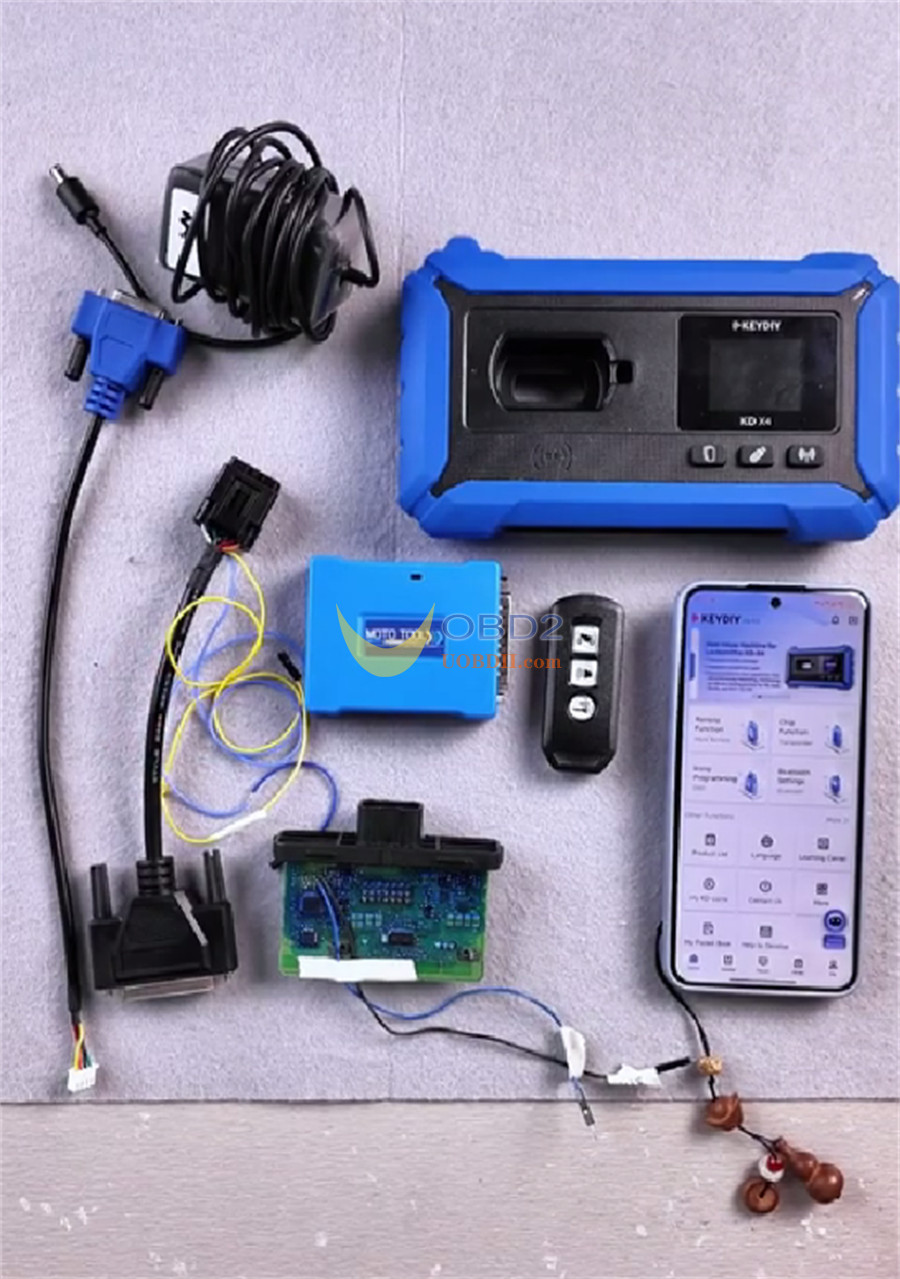
Requirement:
- Original Honda Motorcycle IMMO Control Unit
- KEYDIY KD-X4 5-in-1 Key Programmer
- KD-MOTO Motorcycle Adapter
- KD ZB51-3 Universal Smart Key
- Dedicated Harnesses & Jumper Wires
- 12V DC Power Supply
Step 1: Generating Smart Key
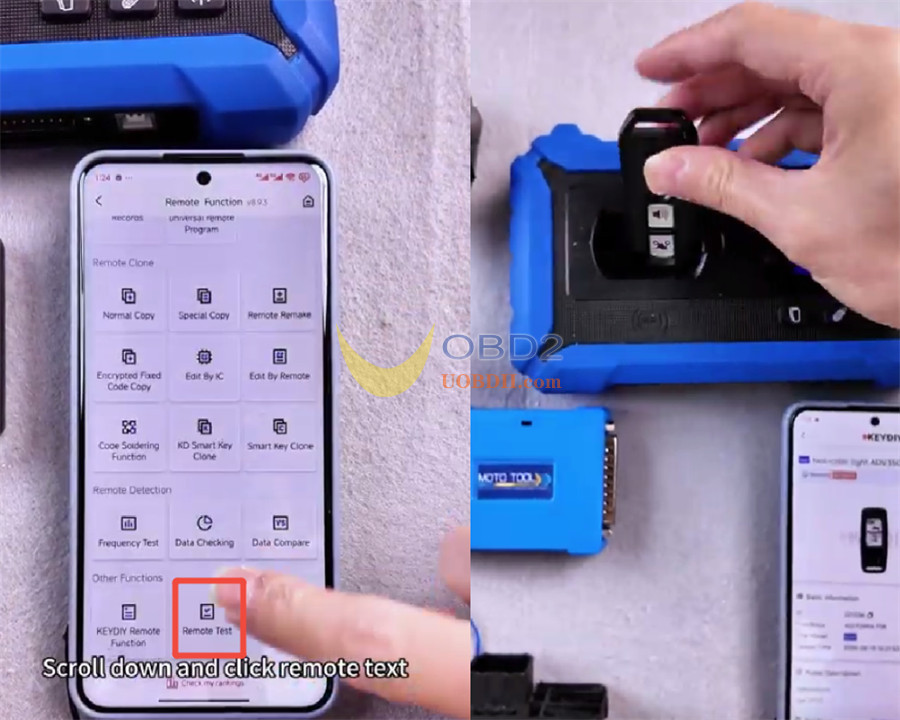
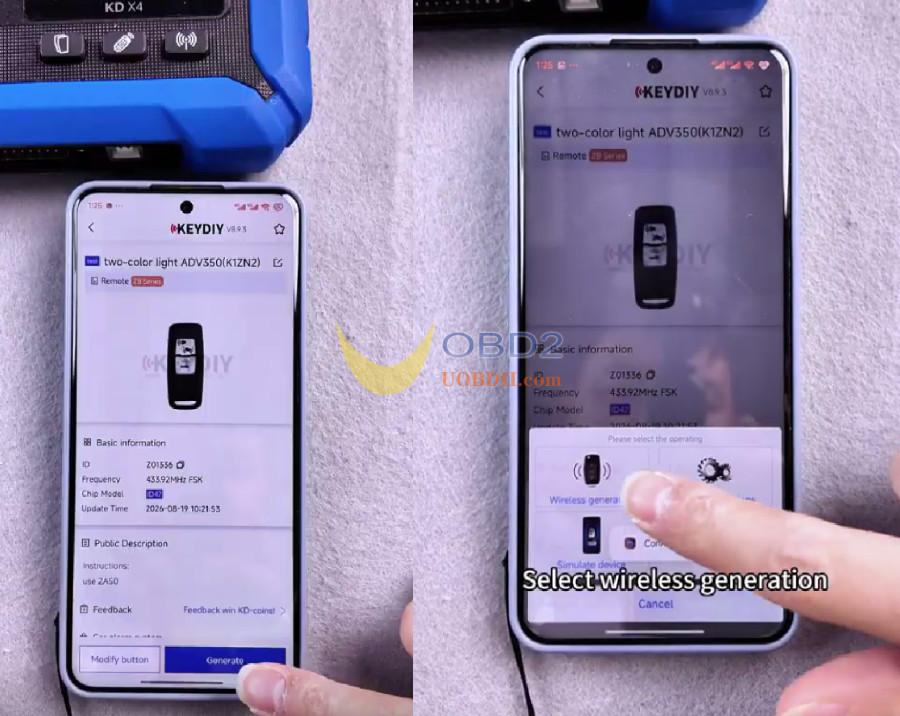
- Open the Mobile KDapp and go to Remote Function -> Remote Test -> test -> two-color light ADV350 (K1ZN2).
- Place KD ZB51-3 smart keyonto KD-X4 induction coil.
- Select Generate-> Wireless generation to write the system data.
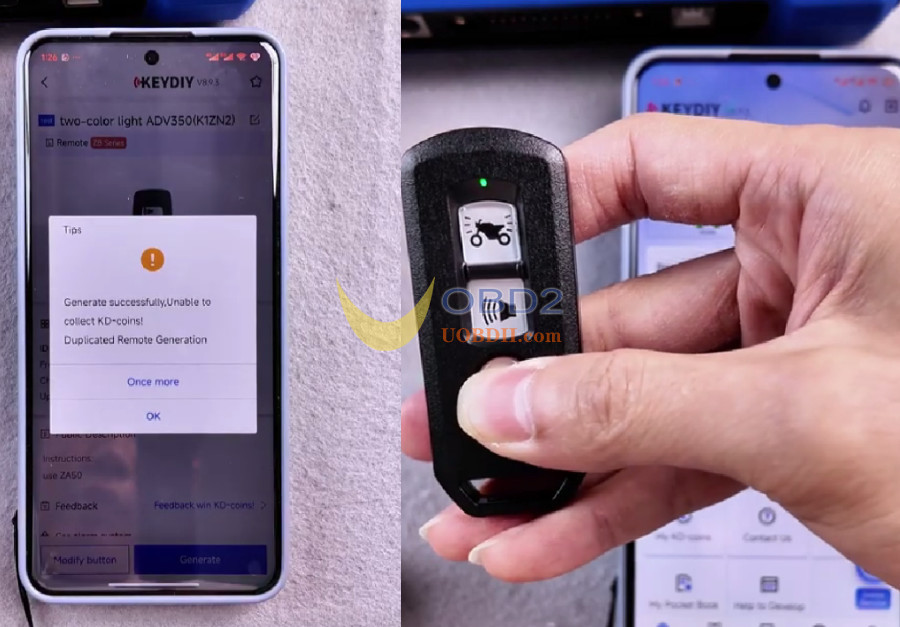
- Long-press the smart key button to verify status: red LED indicates Induction OFF, green LED indicates Induction ON. The key must be set to Induction ON before proceeding.
Step 2: Wiring & PIN Code Data Extraction
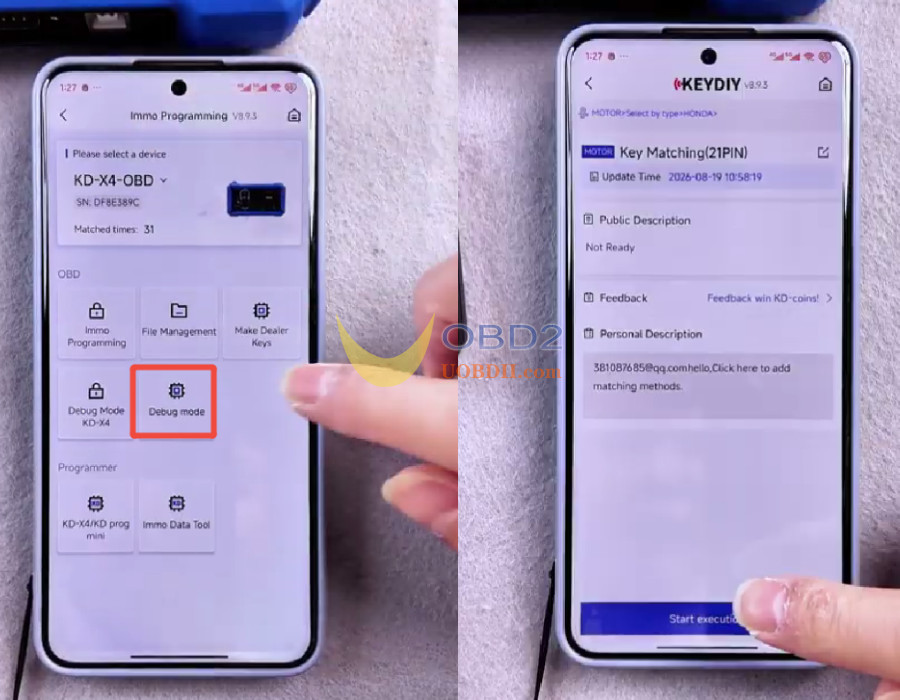
- Navigate to IMMO Programming-> Debug mode -> MOTOR -> HONDA -> Key Matching (21 PIN) -> Start execution.
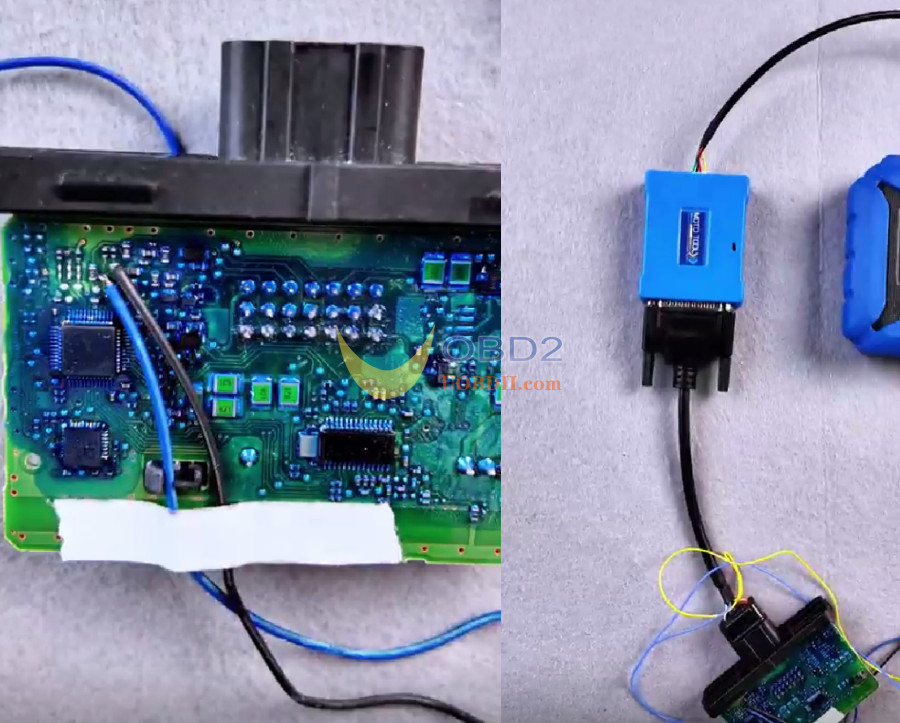
- Check the wiring diagram in the app and solder the TOOLSand RST points on the circuit board.
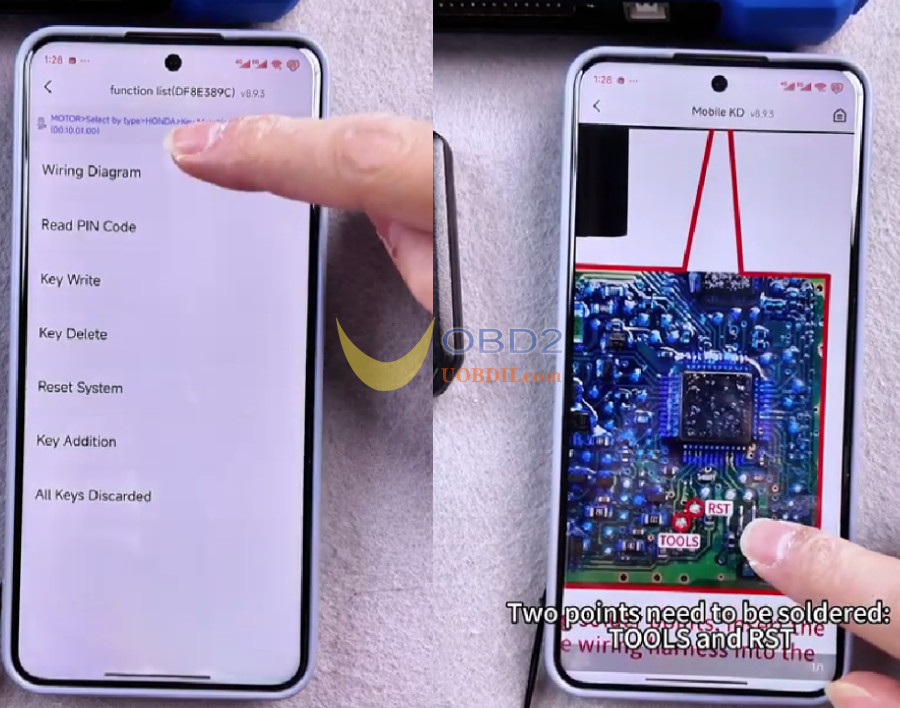
- Connect the board to KD-MOTO Adapterusing the jumper wires, attach the adapter connecting cable to KEYDIY KD-X4, and connect the 12V power supply.
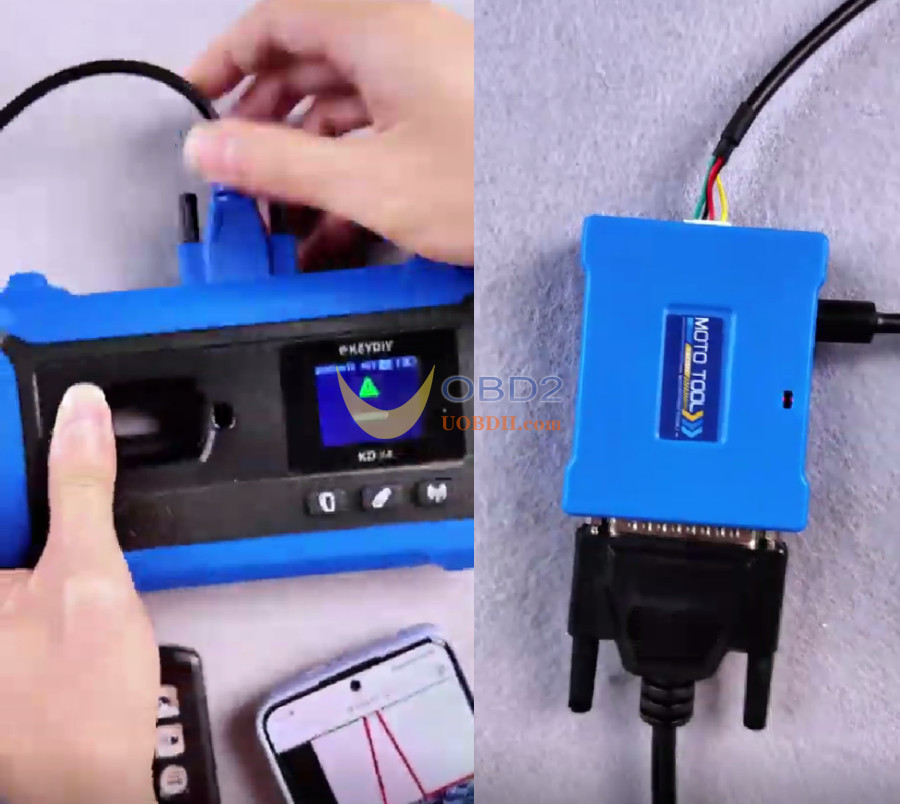
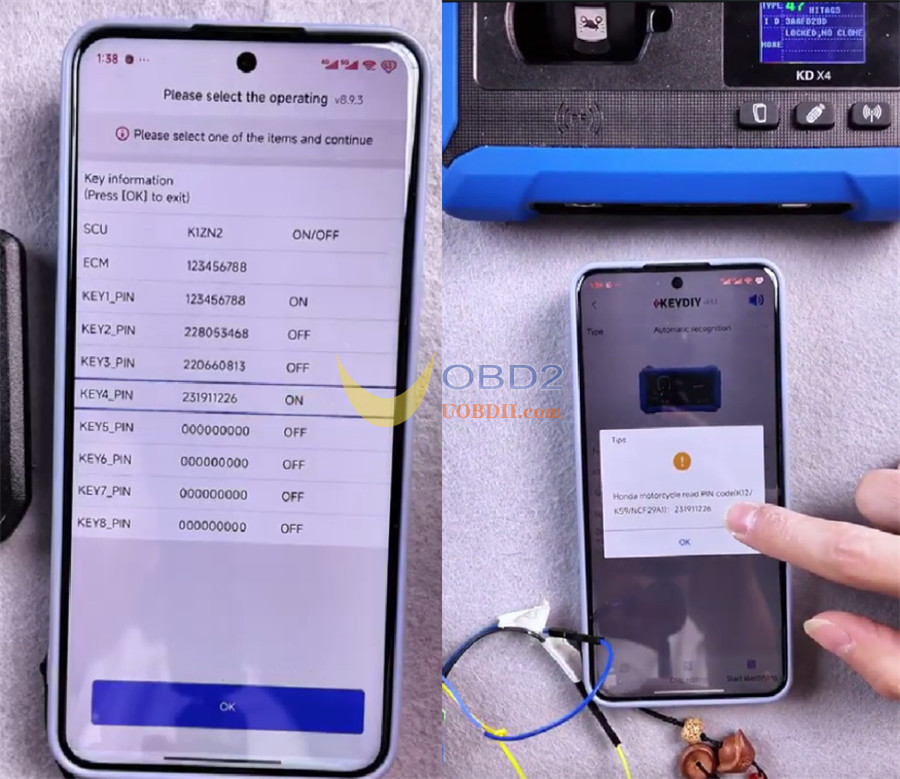
- Select Read PIN Codeand save the displayed security code.
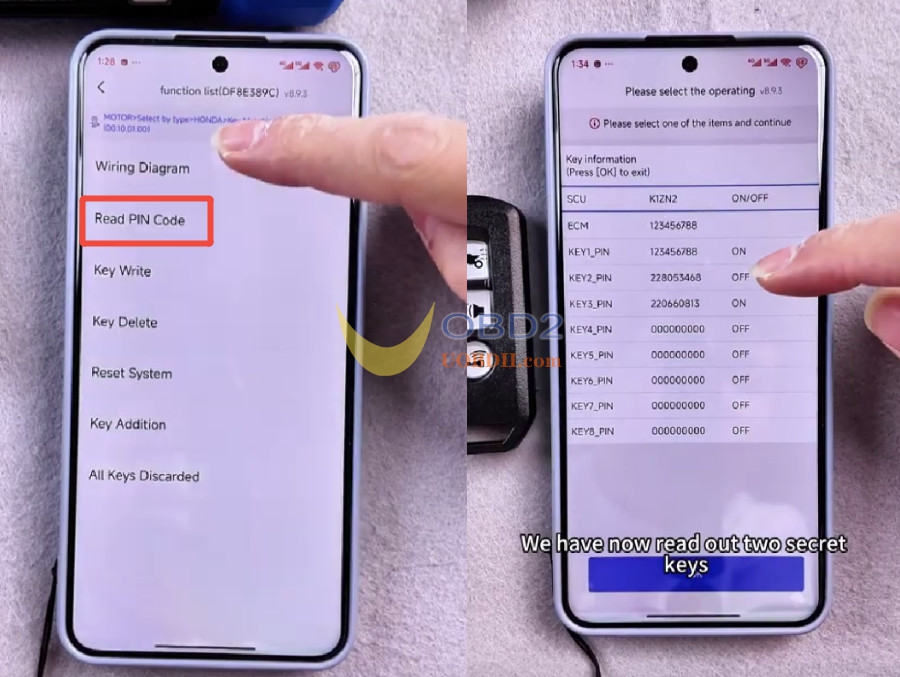
Step 3: Key Matching & Identification
- Select All Keys Discarded.
- Enter the recorded PIN code to complete the key matching sequence.
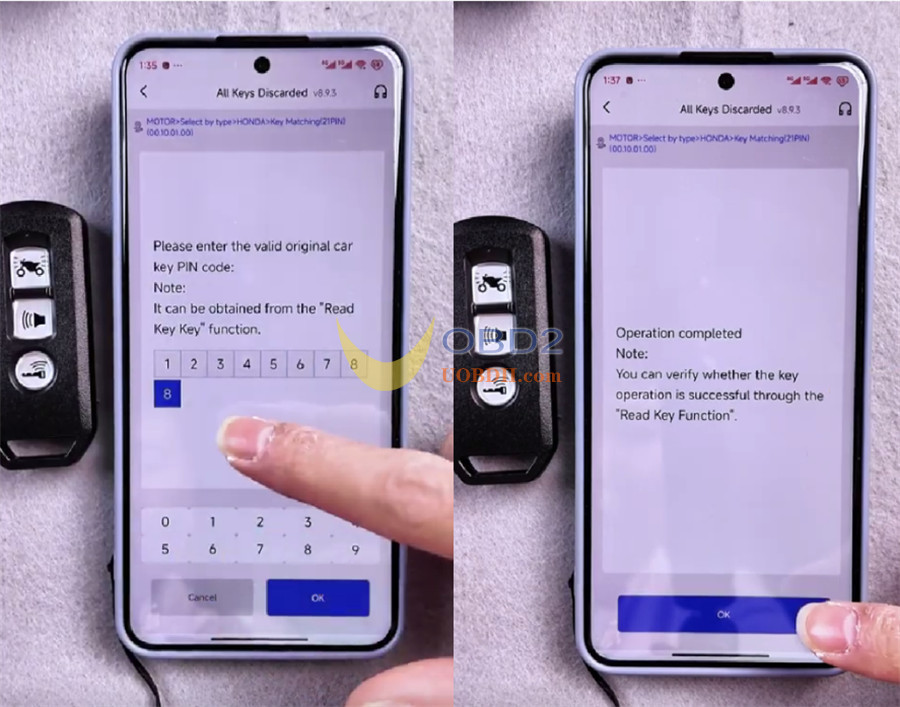
- Select Read PIN Codeagain to confirm the new key matches system data.
- Return to the main menu and enterChip Function.
- Place the programmed KEYDIY KD ZB51-3 smart keyon the induction coil of KEYDIY KD-X4 programmer and run Automatic Detection Clone -> Start identifying.
- Tap the identified chip type to verify that the PIN code matches the recorded system memory.
Beyond ADV series motorcycles, KEYDIY KD-MOTO Adapter delivers broad coverage across a wide range of Honda and Yamaha motorcycles, as well as all 3rd-Generation Ducati 8A smart-key models.
Honda Motorcycles
- ADV:2019–2020, 2021–2024
- AirBlade:2018–2020, 2021–2024
- CBR 1000:2021–2024
- Click / Click-I:2018–2020, 2022–2024
- Forza:2018–2020, 2021–2024
- Lead:2018–2020, 2021–2024
- PCX / PCX Hybrid:2017–2020, 2020 (Hybrid), 2021–2024
- Scoopy:2018–2020, 2021–2024
- SH Series:SH 2017–2019, SH 2020, SH 2021–2024, SH 300i 2017–2020, SH 350i 2021–2024, SH Mode 2017–2020, SH Mode 2022–2024
- Super Cub:2020, 2021–2024
- Vario:2018–2020, 2022–2024
- Vision:2018–2020, 2021–2024
- X-ADV:2017–2020, 2021–2024
Yamaha Motorcycles
- AEROX / LEXI / Qbin
- Freego S / Latte / Grande Hybrid
- Janus Limited / Janus Premium
- NMAX / SMAX / NMX
- Nvx 155 / Nvx 255 ABS / Nvx Doxou
- XMAX
- MX King 150
- Grand Filano
3rd-Gen Ducati
- Supports all 8A smart-key models.
Note: BMW motorcycles and 2nd-gen Ducati 4D smart key models will be added in the future gradually.
