

How to export Yanhua ACDP/ ACDP2 data folder to others?
Two methods are available: via Android or IOS devices.
The general steps are similar across platforms, the main difference is the app version requirements.
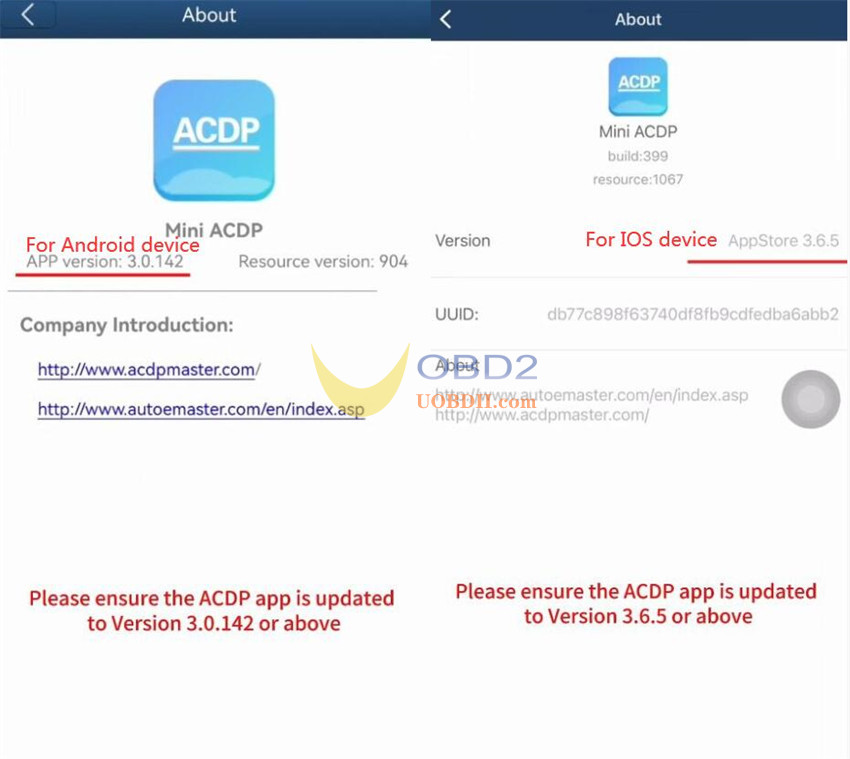
Step 1: Check App Version
Open Mini ACDP app.
Tap Me-> About.
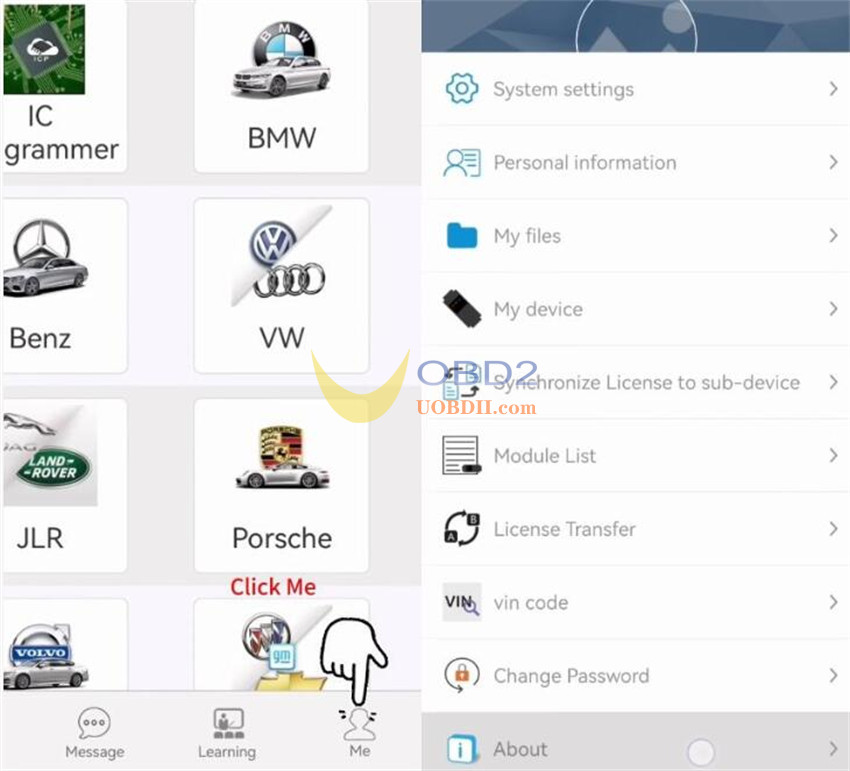
Ensure your app version meets the following:
- Android: Version 3.0.142 or above
- iOS: Version 3.6.5 or above
Step 2: Export Folder
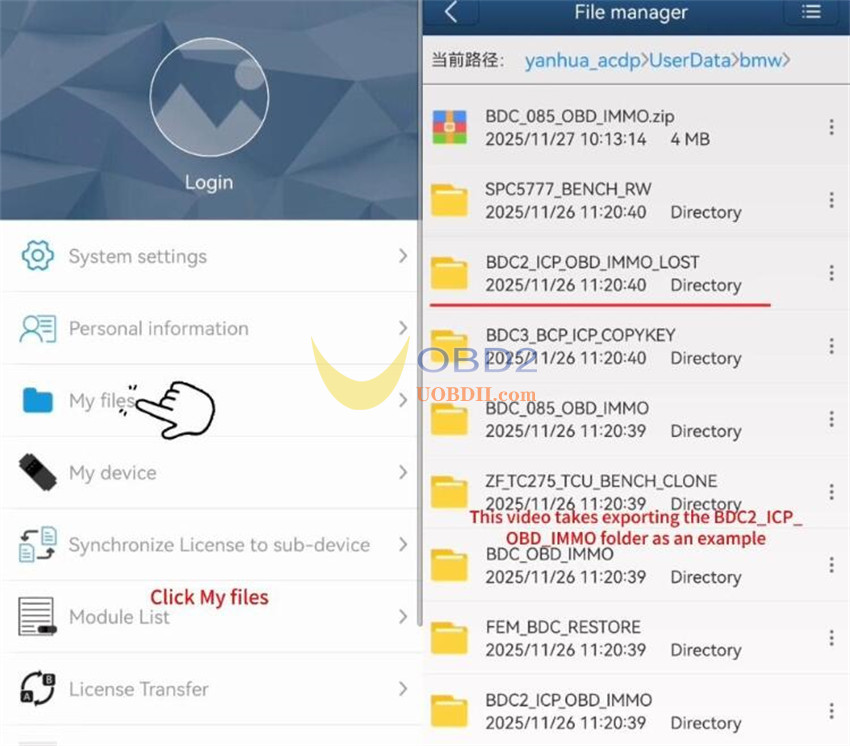
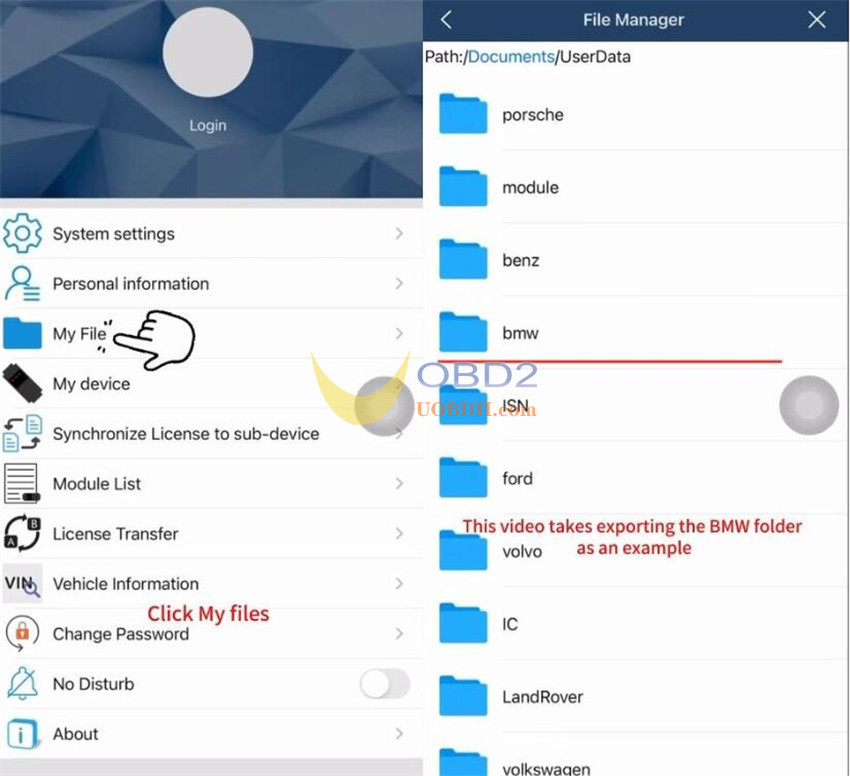
Tap “My files” to view all vehicle model folders you have worked with.
Locate the target folder and compress it as needed.
Share the compressed file via a third-party app (e.g., WeChat).
1.Android Example: Exporting “BDC2_ICP_OBD_IMMO_LOST”
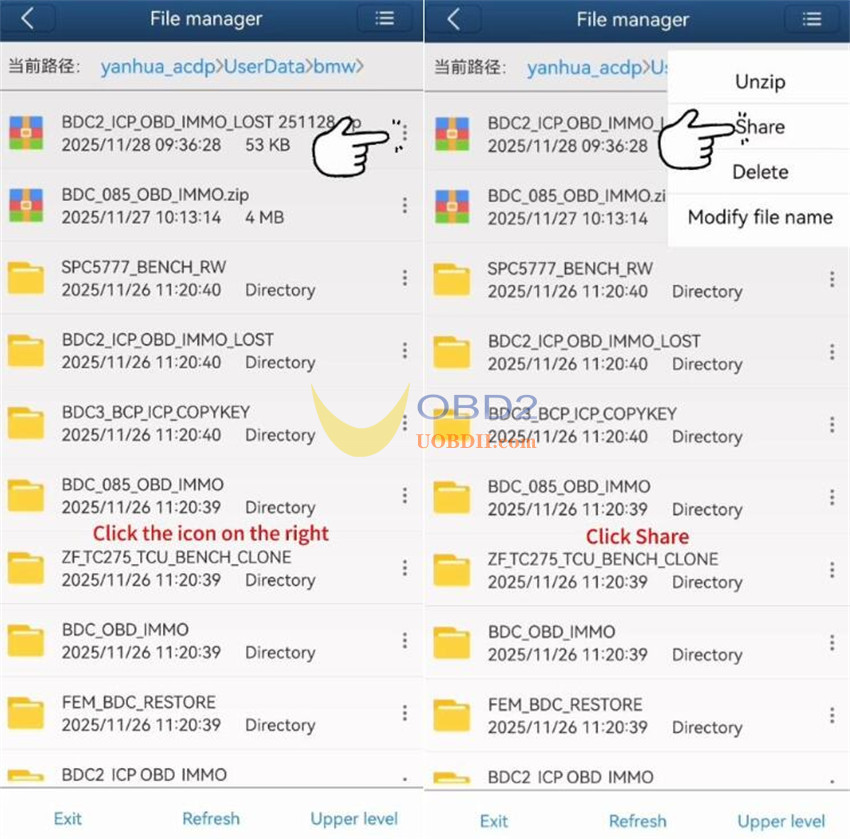
In “My files”, find the “BDC2_ICP_OBD_IMMO_LOST” directory.
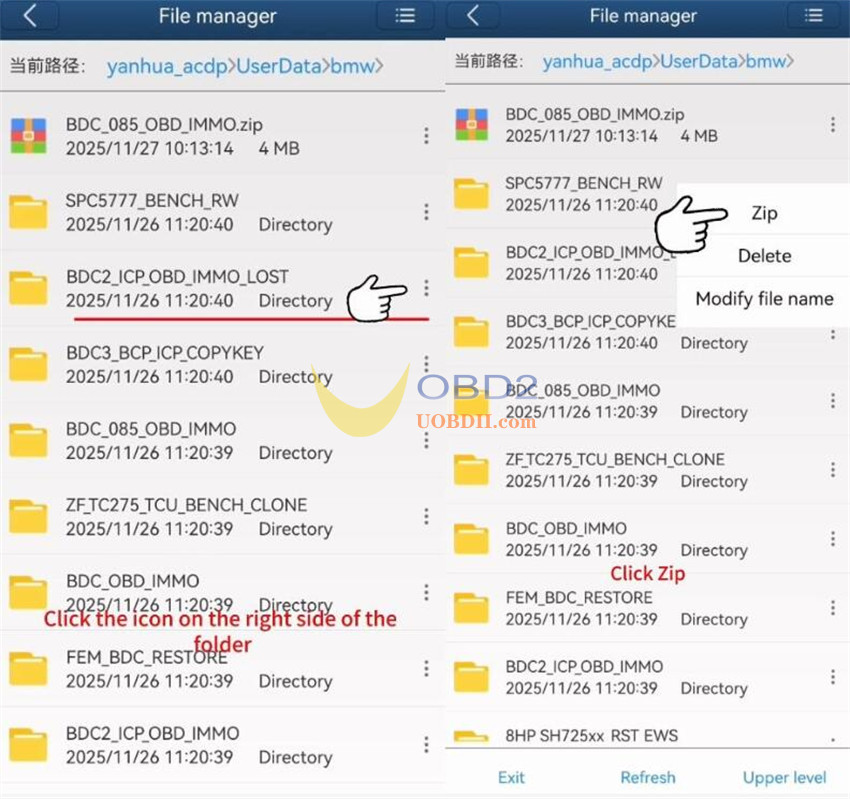
Tap the three dots on the right and select “Zip”.
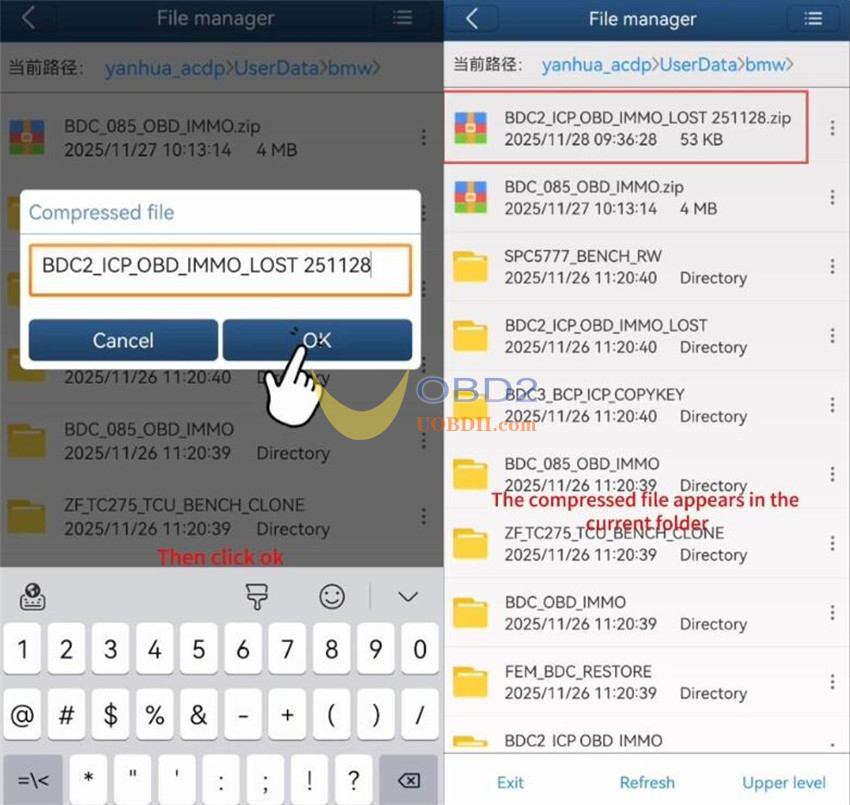
Enter a file name to start compression.
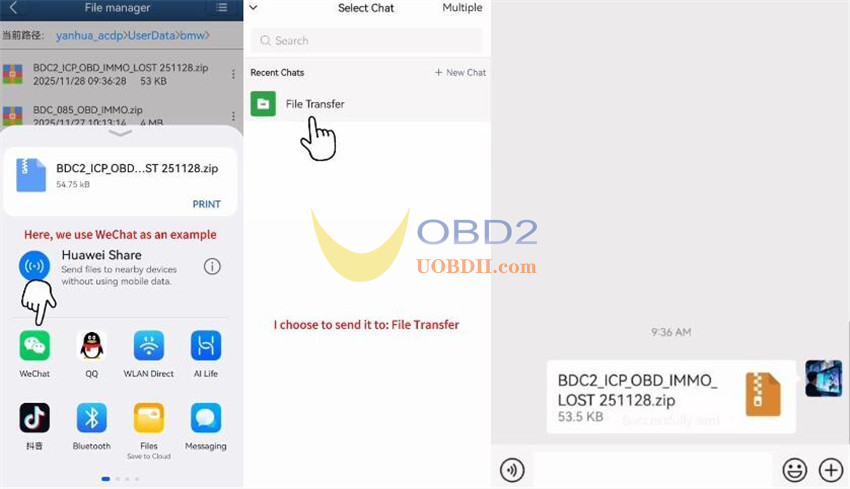
Tap the three dots next to the compressed file and choose “Share”.
Select WeChat → File Transfer to send the file.
2.iOS Example: Exporting “BMW” Folder
In “My files”, locate the “bmw” folder.
Long-press it and tap “Zip”.
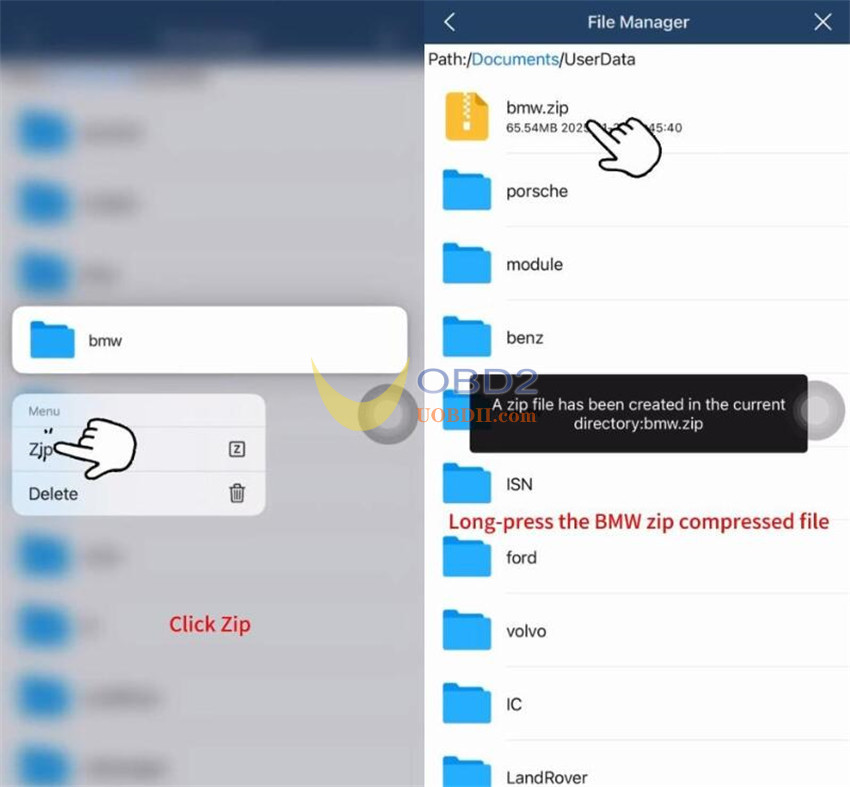
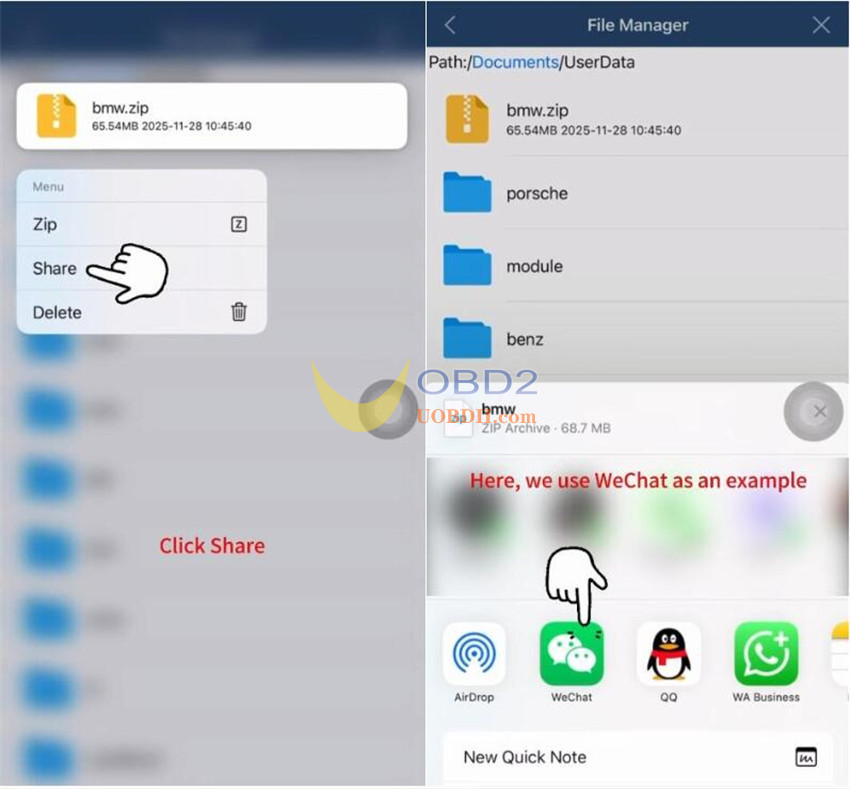
Once compressed, long-press the ZIP file and select “Share”.
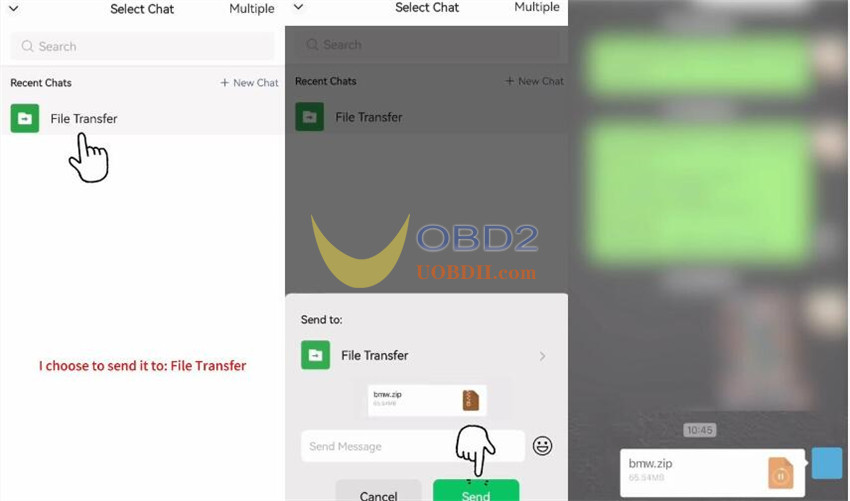
Choose WeChat and send via File Transfer.
Done! With this guide, you can export your Yanhua ACDP2 folder to others easily.
