
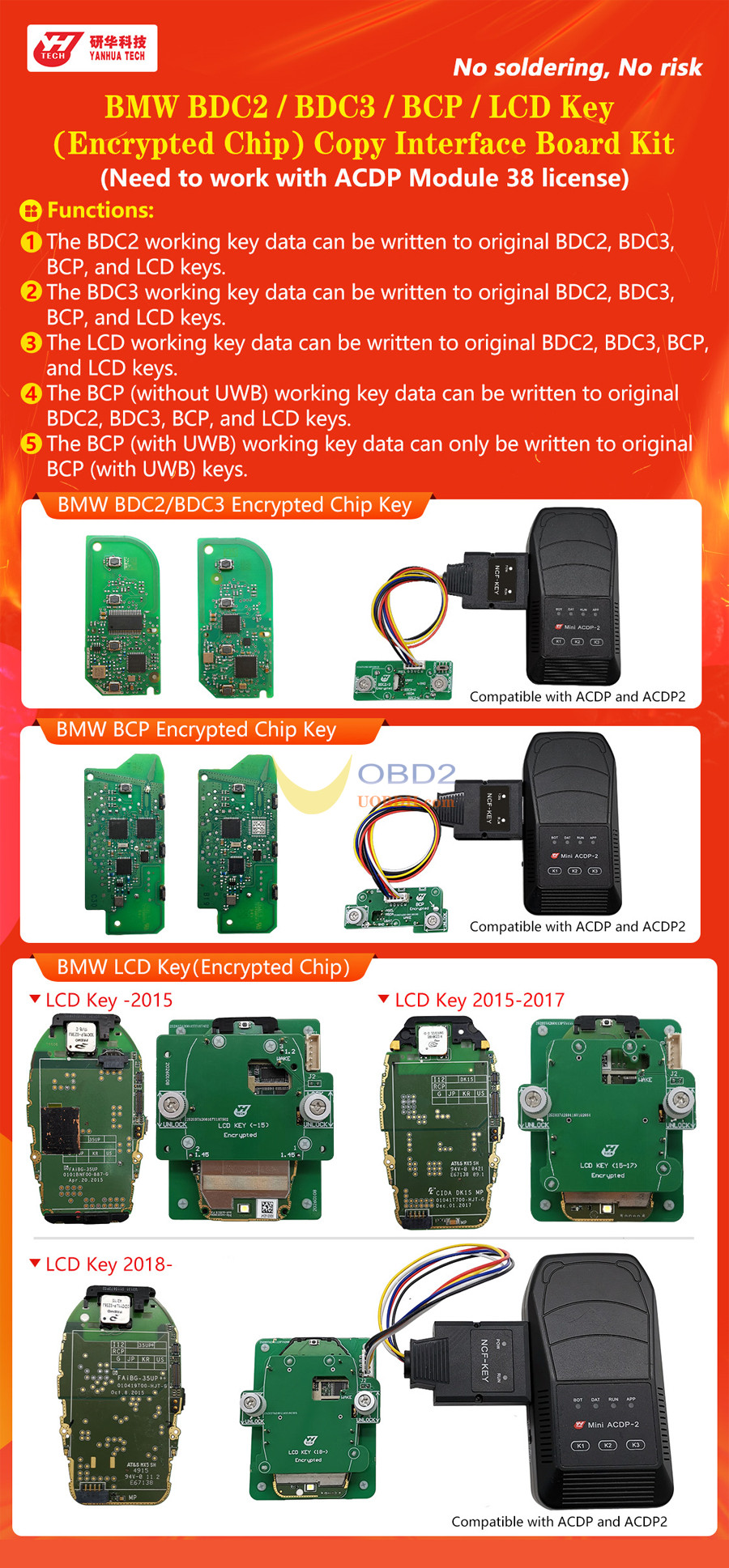
With the latest update, Yanhua Mini ACDP2 supports bench-mode key cloning for BMW BDC2, BDC3, LCD (encrypted), and BCP (UWB/non-UWB) modules. Below is a walkthrough using a BDC3 key.
What You’ll Need
- Mini ACDP / ACDP2
- Module 38 (license activated)
- Yanhua BDC2/BDC3 Encrypted Key Adapter
- Original key + blank replacement key
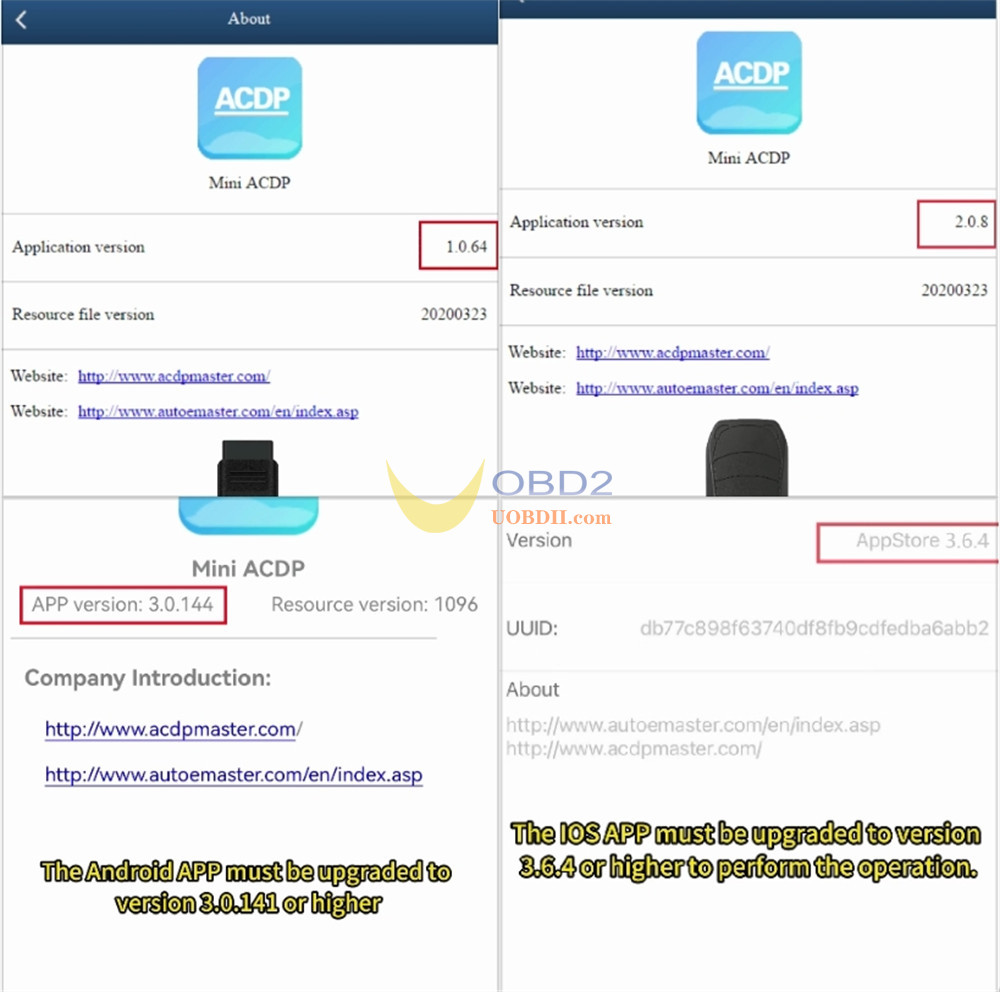
Minimum Software Versions
- ACDP PC: 1.0.64+
- ACDP2 PC: 2.0.8+
- Android: 3.0.141+
- iOS: 3.6.4+
Step-by-Step
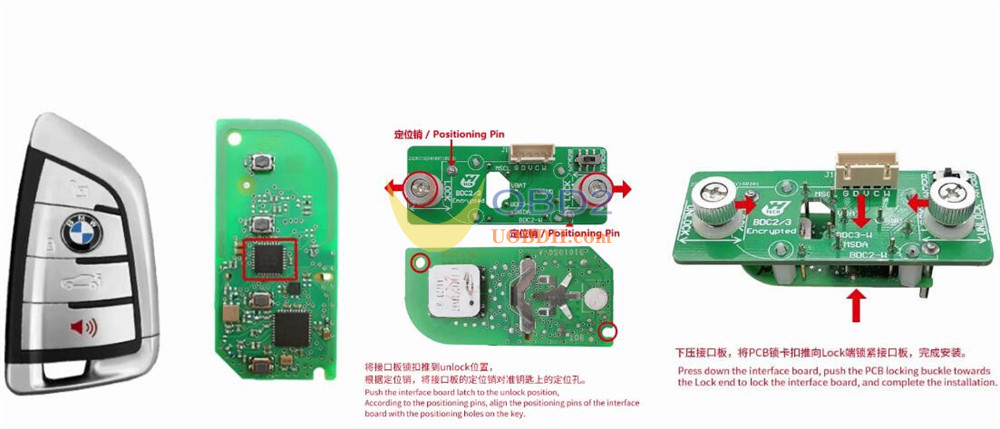
- Open & Mount the Key
Open the BDC3 key housing.
Set interface board latch to UNLOCK.
Align pins with key PCB and press down.
Lock the latch to LOCK.
- Connect Hardware
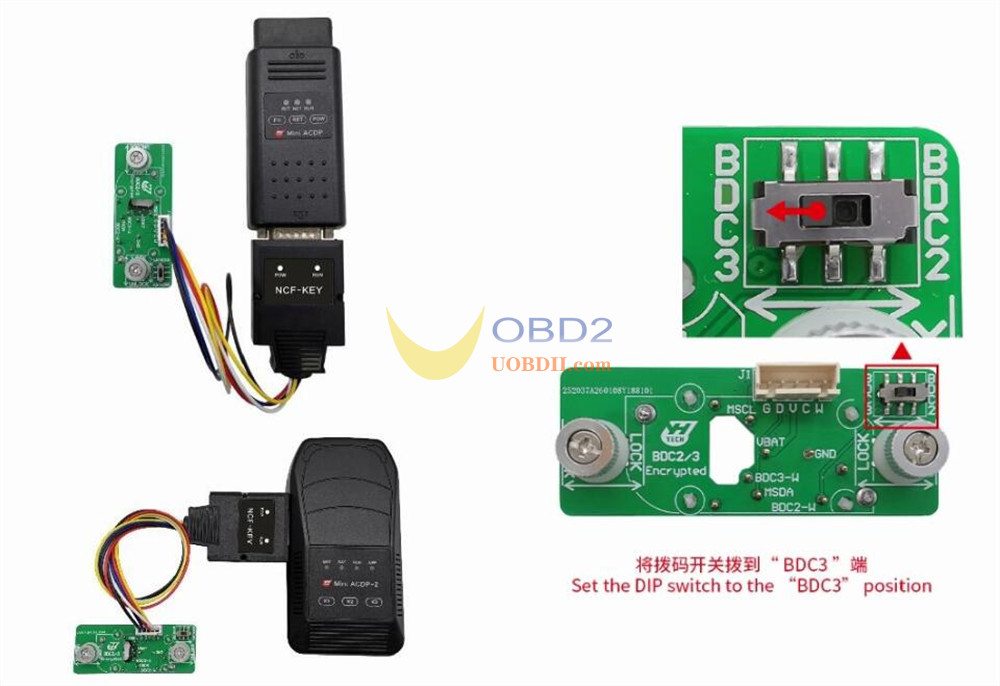
Link Yanhua ACDP2 → Interface Board (with key) → Adapter.
Switch DIP to BDC3.
- Navigate Software
Open ACDP app.
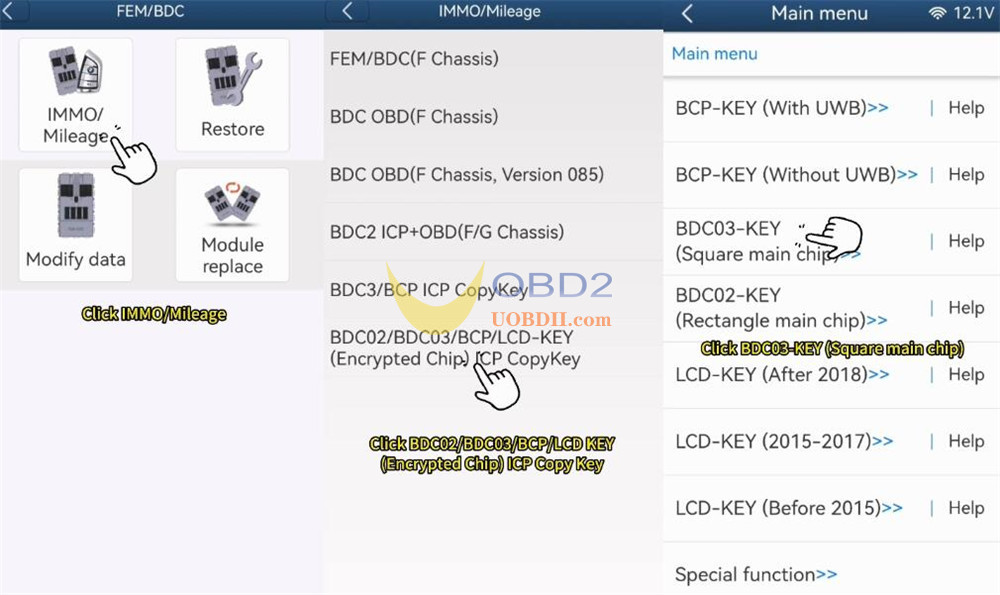
Path: BMW > FEM/BDC > IMMO/Mileage > BDC02/03/BCP/LCD key (encrypted) ICP Copy Key
→ BDC03-key (square/encrypted).
- Read & Backup Original
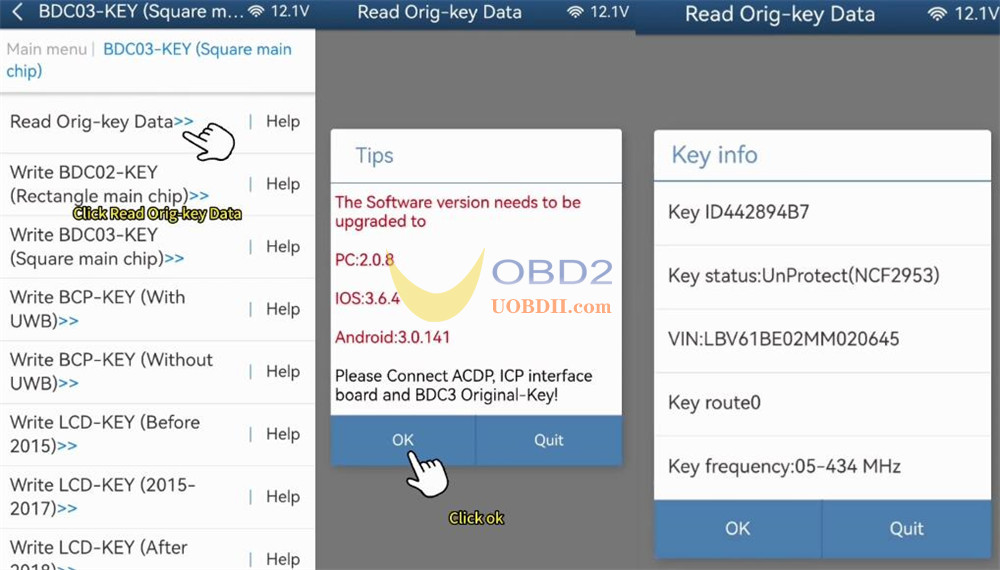
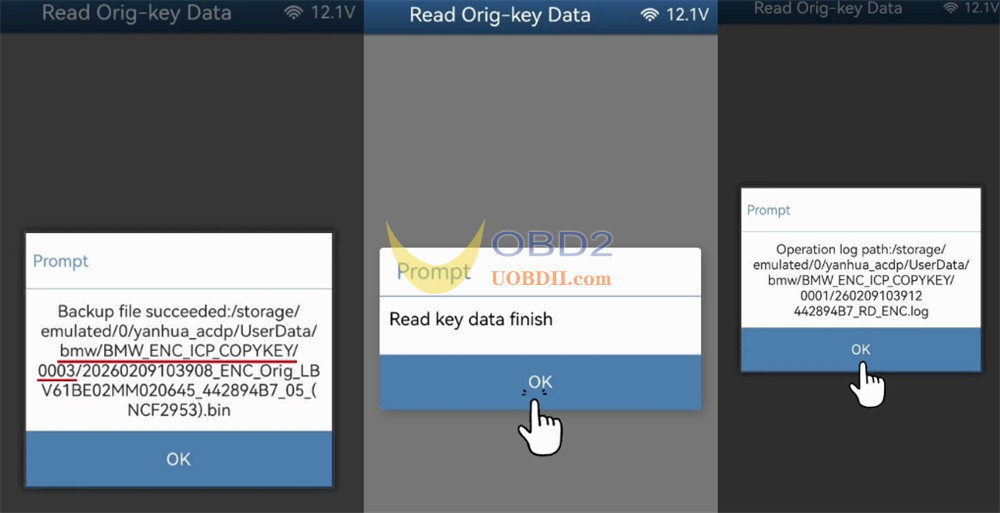
Read original key data.
Confirm VIN and details.
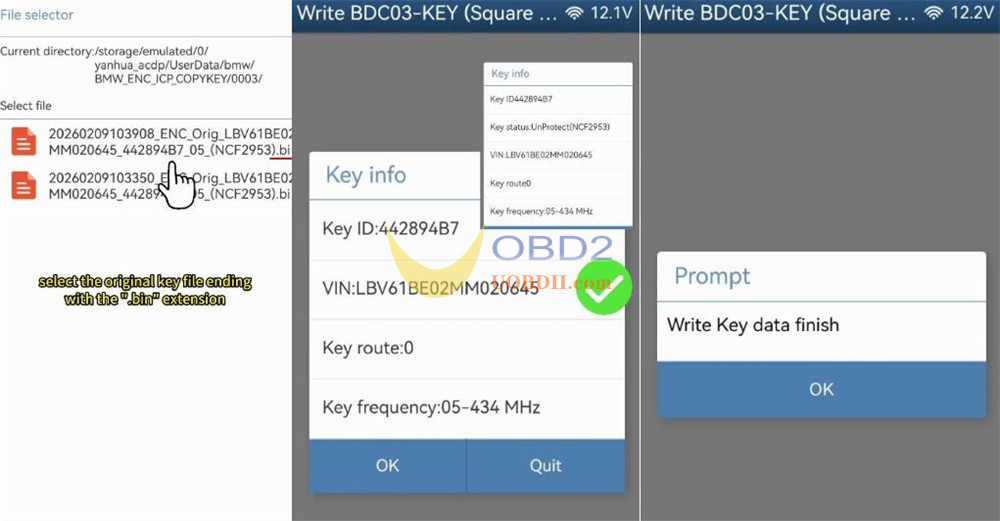
Backup .bin file – note file path and timestamp.
- Write to New Key
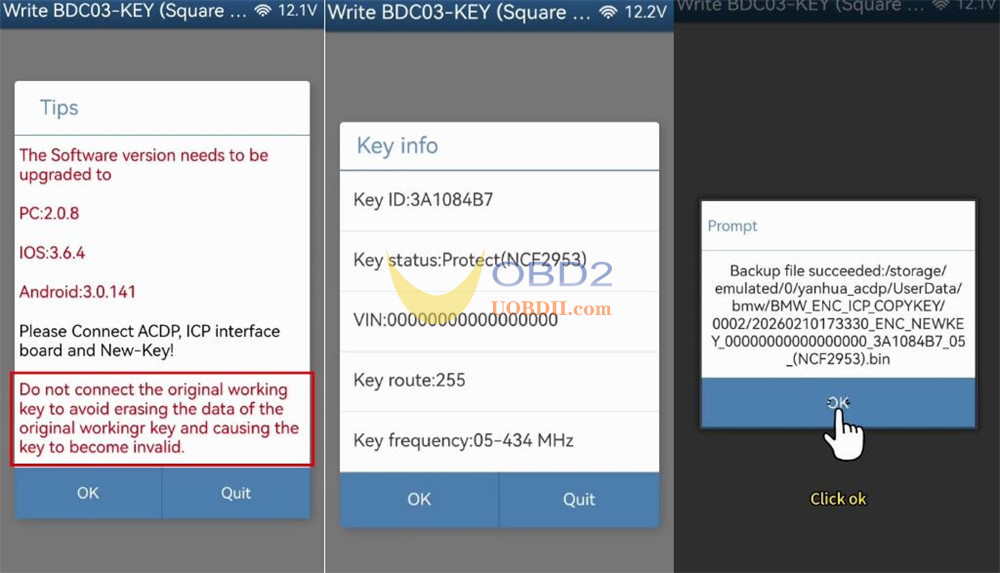
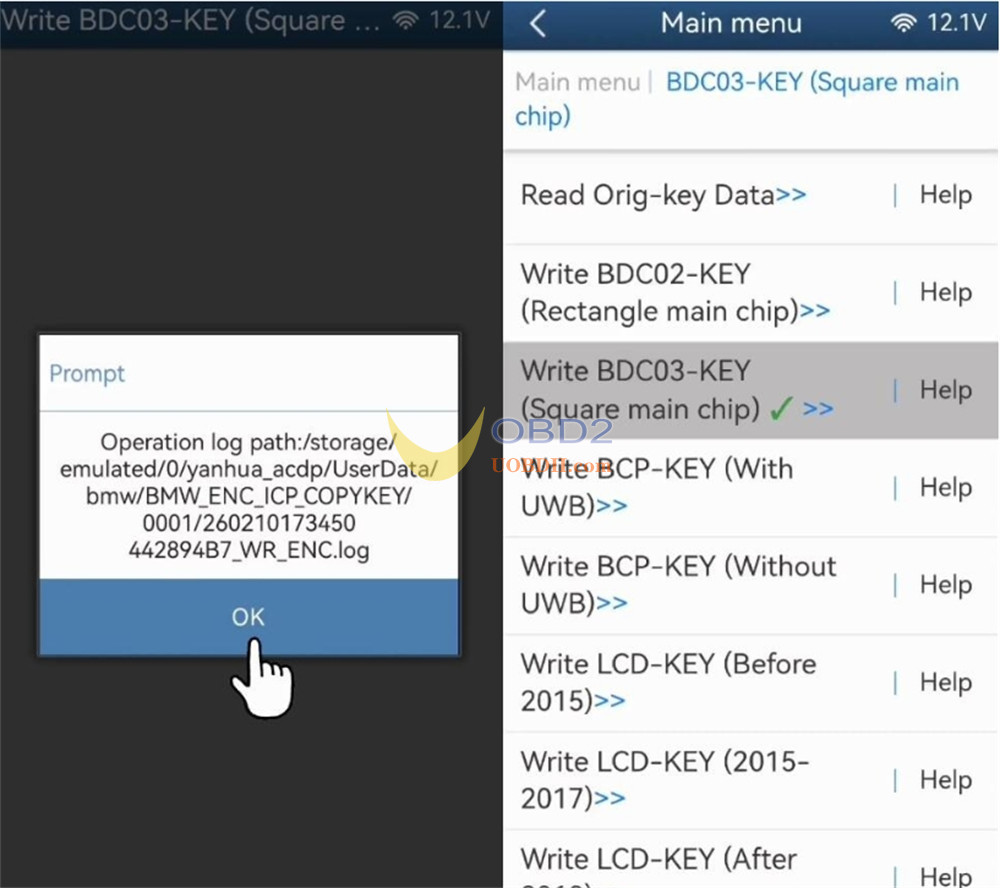
Select Write BDC03 key (encrypted).
Remove original key, insert new blank key.
⚠️ Never reconnect the original key during write – risk of permanent disable.
Confirm new key info and back up its data.
- Finalize
Upload original .bin backup.
Verify data match.
Write to new key.
Wait for success confirmation.
Cloned key data is auto-saved by Mini ACDP2.
Read also:
