


In this guide, we will walk you through the step-by-step process of performing an All Keys Lost (AKL) data capture on a 2025 Lexus ES200 using EoneBoss TLK3.
Why Use EoneBoss TLK3 for All Keys Lost?
TLK3 is an advanced data collection tool designed specifically to support Toyota, Lexus, and Subaru smart key systems.
Its primary advantage is eliminating the guesswork for locksmiths. By communicating directly with the vehicle’s ignition switch and PKE (Passive Keyless Entry) antennas, it extracts the precise technical layout of the required key. Once the data is captured, you can confidently generate a EoneBoss ET Smart Key or any compatible aftermarket key.
Supported Chip Transponders:
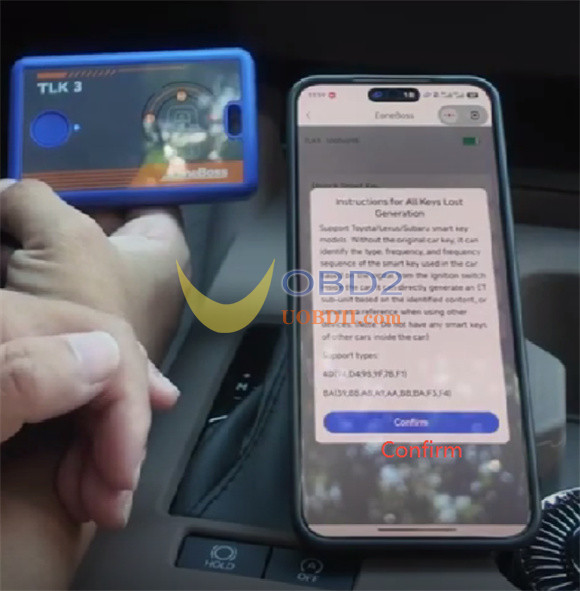
- Current Support:4D (94, D4, 98, 9F, 78, F1) and 8A (39, 88, A9, A8, AA, B8,BA, F3, F4) chip types
- Future Updates:4A chip support is currently in development.
Step-by-Step Data Capture Guide:
Important Pre-Check Note: Before starting the procedure, make sure there are no other smart keys from different vehicles inside the car. External transponder signals will interfere with the data collection process.
Step 1: Connect EoneBoss TLK3 to App
Open the official EoneBoss App on your smartphone or tablet.
Select TLK3 from the device menu.
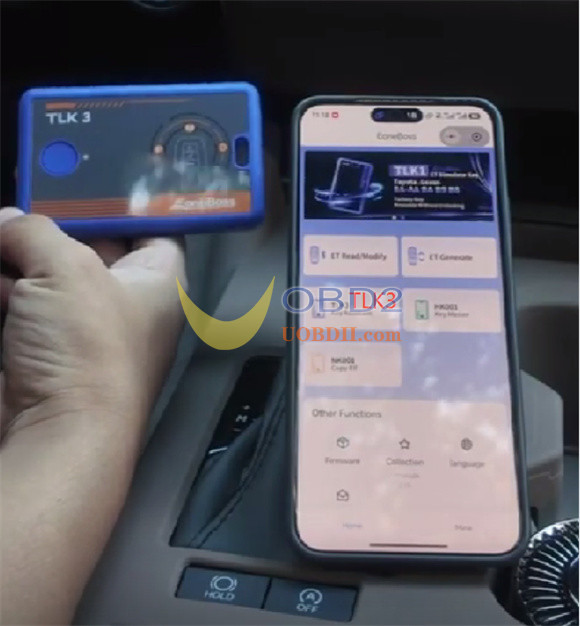
Press and hold the power buttons on TLK3 hardware for 3 seconds to initiate the Bluetooth connection.
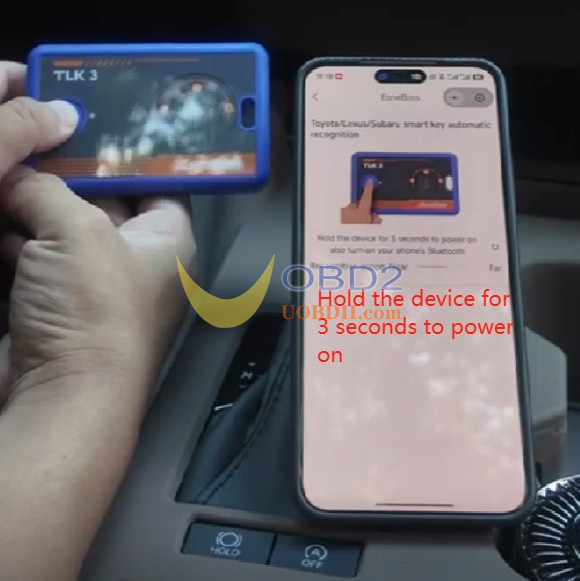
Select the All Keys Lost Generation option in the app menu.
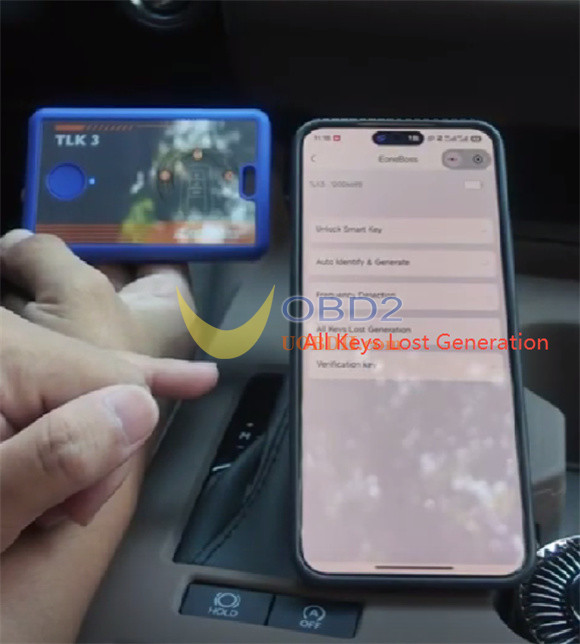
Pay attention to the instruction for all keys lost generation
Click “Confirm” to continue
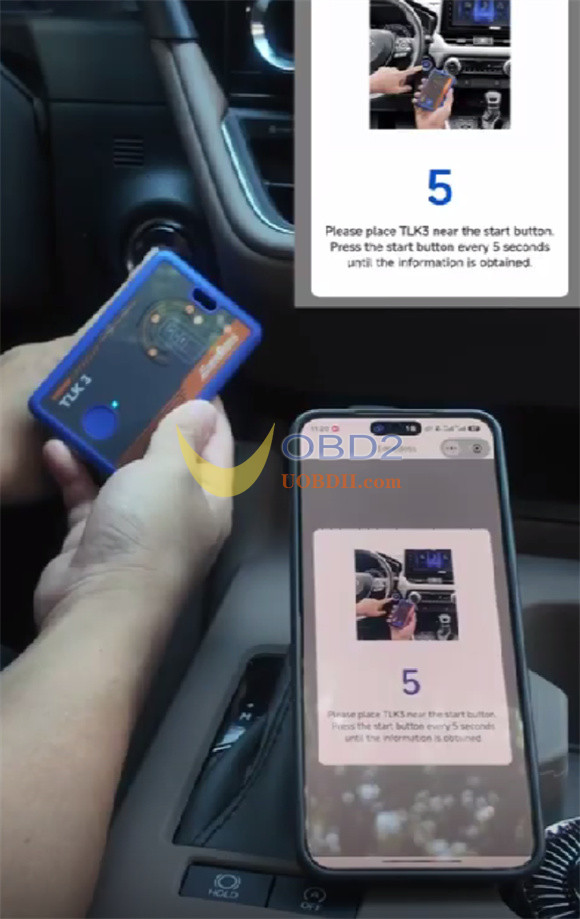
Step 2: First Data Capture (Ignition Switch)
Hold your TLK3 device directly next to the vehicle’s Engine Start-Stop button.
Press the vehicle’s Start-Stop button to trigger the car’s initial wireless interrogation signal.
The app will quickly capture the first data packet and automatically advance to the next screen.
Step 3: Second Data Capture (PKE Antenna)
Next, move TLK3 to the secondary antenna location inside the cabin. For the 2025 Lexus ES 200, place TLK3 near the gear shift lever.
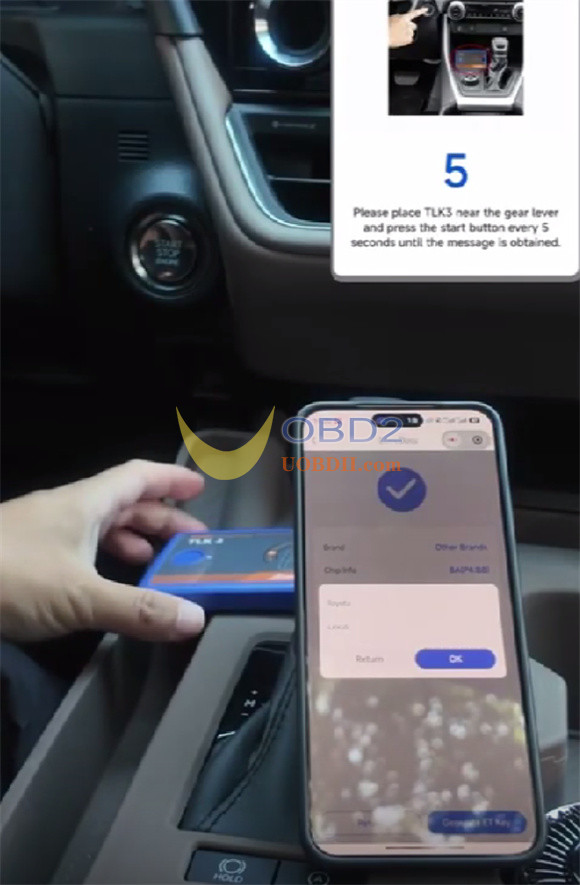
Note: Because different car models place their internal PKE antennas in different areas, you may need to adjust the placement of EoneBoss TLK3 key generation tool depending on the vehicle you are servicing.
Press the vehicle’s Start-Stop button once more while holding the device in position.
Step 4: Read and Generate Key
Confirm the vehicle make in the app (Select Lexus).
The app will immediately display the exact key profile calculated from the vehicle.
For the 2025 Lexus ES 200, the app will display:
- Brand: Lexus
- Chip Type:8A (P4:B8)
- Correct Operating Frequency
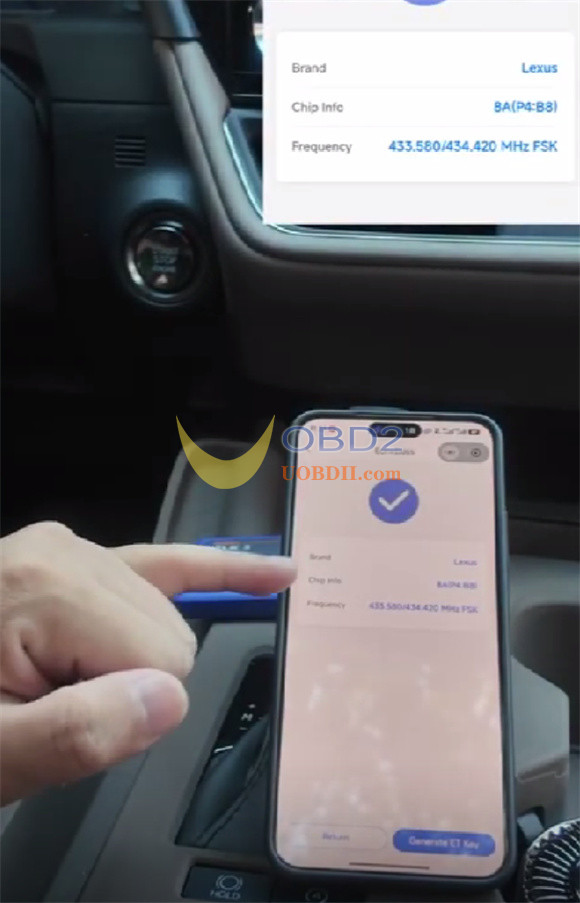
With this precise data successfully pulled, you can now safely select Generate ET Smart Key or use the data to write to another preferred brand key to finish the programming cycle.
Video guide:
