


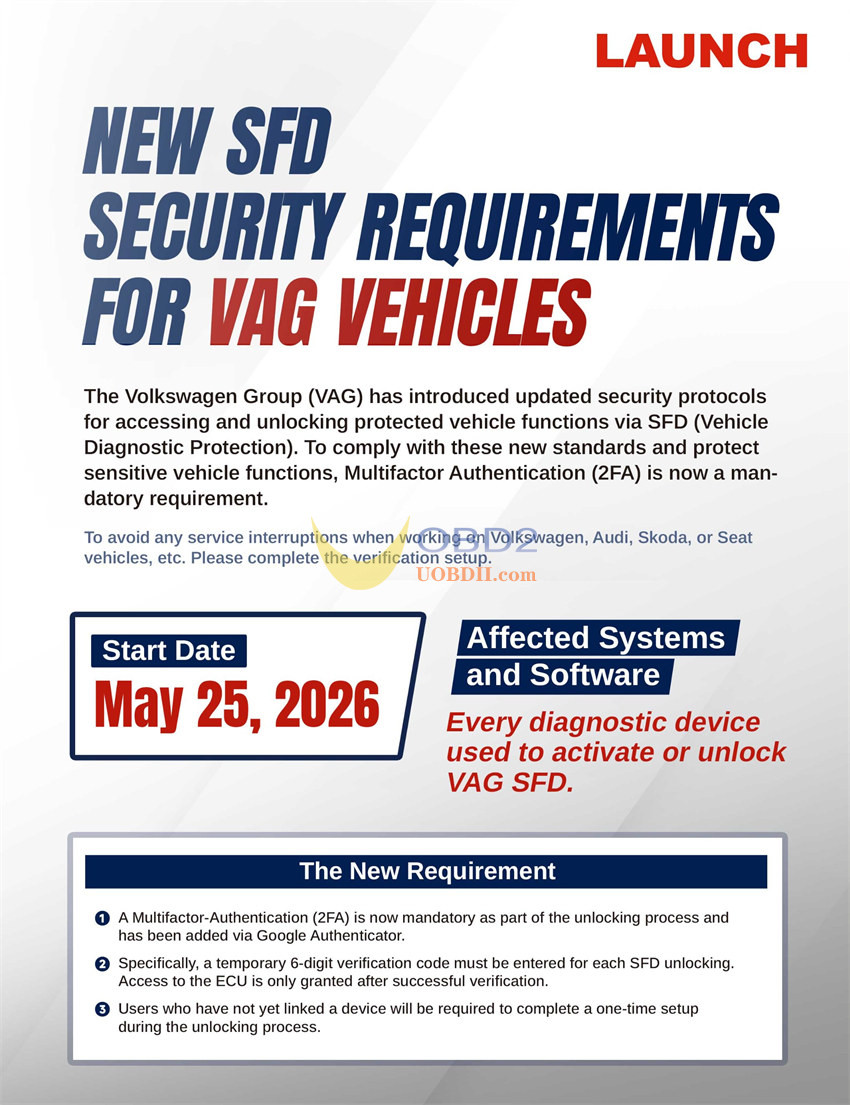
Since May 25, 2026, Volkswagen Group (VAG) is implementing a mandatory Two-Factor Authentication (2FA) protocol for activating/unlocking protected features (SFD) across all Volkswagen, Audi, Skoda, and Seat vehicles. Users of Launch X431 diagnostic scanners must comply with this new security measure to avoid service interruptions.
Key Changes:
- Requirement:Google Authenticator app (available on iOS and Android).
- Function:Generates a temporary 6-digit code required for every SFD unlock.
- Setup:A one-time device linkage via QR code is required during the first use.
Compatible Launch X431 Tools:
- 7-inch Tools:
- 8-inch Tools:
- 1-inch and above:
X431 PRO5, PAD V, PAD VII, PRO3 APEX, PRO3S+ V5.0 Elite, PRO3S+ Elite, PRO3 V+ Elite …
Standard Operating Procedure: SFD Unlock via 2FA
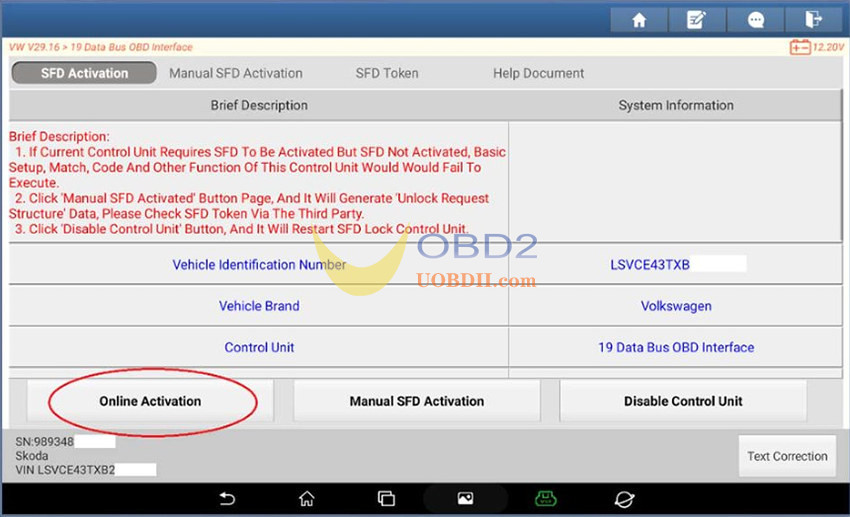
1.Start Process: Select the SFD-Unlock function on your Launch X431 diagnostic tool.
Path: SFD Activation-> Online Activation
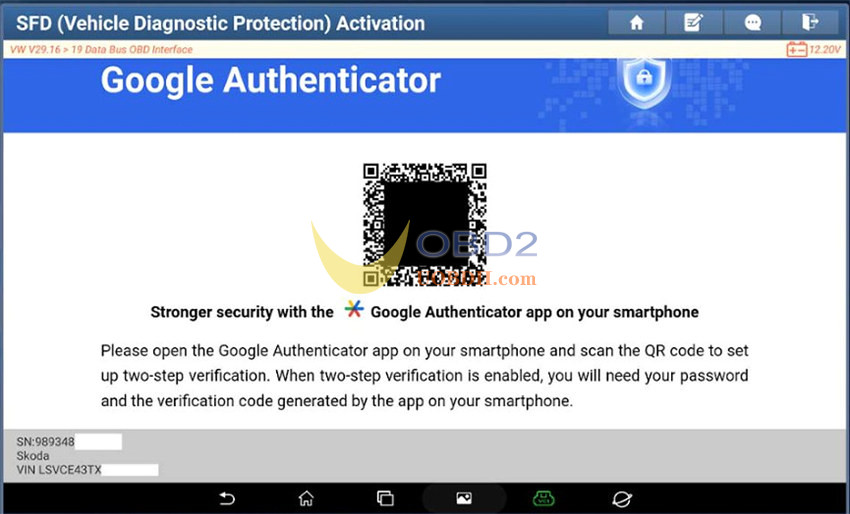
2.Initial Linkage: If prompted, scan the on-screen QR code using the Google Authenticator app on your mobile device. (Note: This step is only required once per tool).
3.Generate Security Code: Locate the 6-digit security code generated within the authenticator app.
4.Input Security Code: Enter the 6-digit code into the Launch interface and confirm.
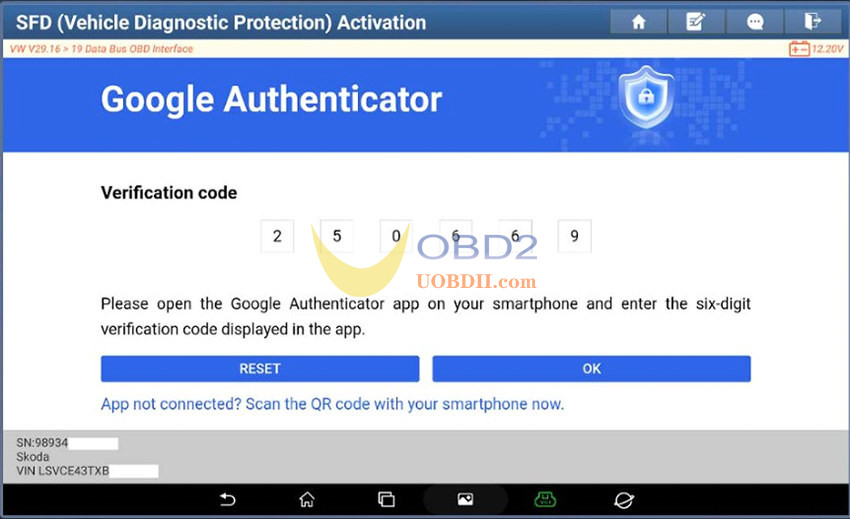
5.Proceed: SFD is now unlocked. You may continue with standard diagnostic and repair procedures.
