


CG has officially rolled out a major upgrade for CG FC200 ECU Programmer as of March 2026. With the release of version 1.3.5.0, J2534 capability has been added, offering compatibility with UDS, CAN, and KWP2000 protocols.
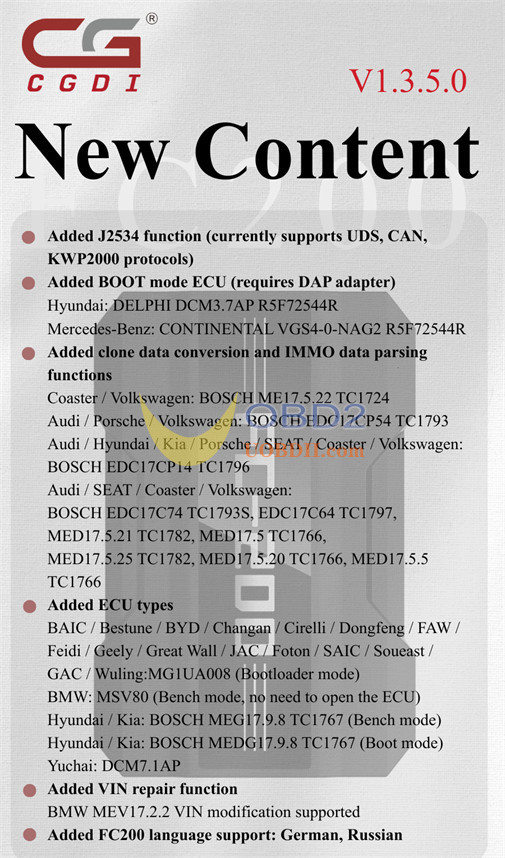
FC200 V1.3.5.0 Update Details
1.Added J2534 function (currently supports UDS, CAN, KWP2000 protocols)
2.Added BOOT mode ECU (requires DAP adapter)
- Hyundai: DELPHI DCM3.7AP R5F72544R
- Mercedes-Benz: CONTINENTAL VGS4-0-NAG2R5F72544R
3.Added clone data conversion and IMMO data parsing functions
- Coaster / Volkswagen: BOSCH ME17.5.22 TC1724
- Audi / Porsche / Volkswagen: BOSCH EDC17CP54 TC1793
- Audi / Hyundai / Kia / Porsche / SEAT / Coaster / Volkswagen: BOSCH EDC17CP14 TC1796
- Audi / SEAT / Coaster / Volkswagen:
- BOSCH EDC17C74 TC1793S, EDC17C64 TC1797, MED17.5.21 TC1782, MED17.5 TC1766,
- 5.25 TC1782, MED17.5.20 TC1766, MED17.5.5 TC1766
- SEAT / Coaster / Volkswagen: BOSCH ME17.5.20 TC1767, EDC17U01 TC1766
- Audi / Porsche / Volkswagen: BOSCH EDC17CP44 TC1797
- Audi / Porsche / SEAT / Coaster / Volkswagen: BOSCH EDC17CP04 TC1796
- Audi / SEAT / Volkswagen: BOSCH MED17.1 TC1796, MED17.5.2 TC1767
- Audi / Volkswagen: BOSCH EDC17CP24 TC1796, EDC17C54 TC1797
- Volkswagen: BOSCH EDC17CP74 TC1793S
4.Added ECU types
- BAIC / Bestune / BYD / Changan / Cirelli / Dongfeng / FAW / Feidi / Geely / Great Wall / JAC / Foton / SAIC / Soueast / GAC / Wuling:
- MG1UA008 (Bootloader mode)
- BMW: MSV80 (Bench mode, no need to open the ECU)
- Hyundai / Kia: BOSCH MEG17.9.8 TC1767 (Bench mode)
- Hyundai / Kia: BOSCH MEDG17.9.8 TC1767 (Boot mode)
- Yuchai: DCM7.1AP
5.Added VIN repair function
BMW MEV17.2.2 VIN modification supported
- 6.Added FC200 languagesupport: German, Russian
7.Fixed issue:
Flash writing failure in BOOT mode for some Toyota 76F00xx ECUs
How to Use J2534 Function of CG FC200?
Purpose:
In the absence of a PCM hardware box, FC200 can serve as a PCM hardware box to establish communication with modules and operate in conjunction with PCM Flash software.
Requirements:
- FC200 ECU Programmer
- FC200 softwareversion V1.3.5.0 or higher
Steps:
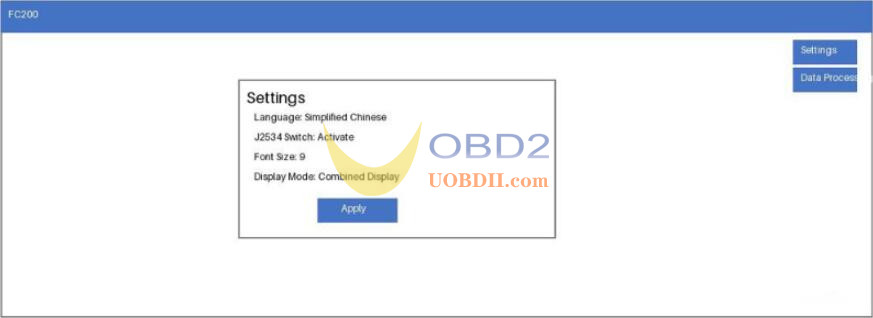
1.After installing the software, navigate to “Settings”, enable the J2534 switch, and then click “Apply”.
2.The following items must be available:
- PCM software (compatible with both original and cracked versions)
- A PCM security dongle
- PCM drivers
Note: These items are not supplied by CG. Users are responsible for purchasing them separately.
3.Wiring:
Follow the standard FC200 wiring instructions.
OBD data reading is supported on vehicles equipped with an OBD port.
