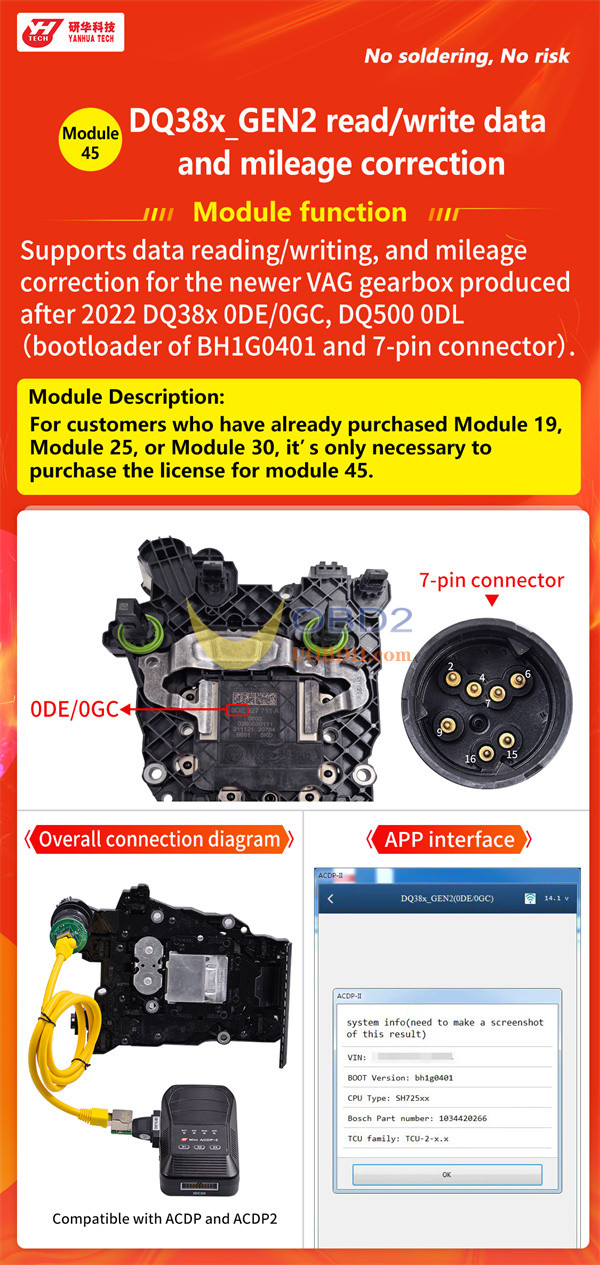
Yanhua ACDP1 and ACDP2 now support data reading/writing and mileage correction for 2022 and newer VAG DQ38x Gen2 gearboxes — all performed conveniently on the bench.
To access this functionality, you will need ACDP Module 45.
Important compatibility note:
1.Yanhua ACDP Module 45 is available in two versions. Both versions offer identical features and performance. The only difference is which ACDP generation they work with:
- ACDP1 Module 45 → Compatible with Yanhua ACDP-1
- ACDP2 Module 45→ Compatible with Yanhua ACDP-2
Choose the version that matches your device.
- If you have already purchased any of the following modules, you do not need to buy a new Module45—only require Module 45 license (A60B) to access the DQ38x Gen2 functionality:
- ACDP Module 19 / ACDP2 Module 19
- ACDP Module 25 / ACDP2 Module 25
- ACDP Module 30 / ACDP2 Module 30
Simply purchase the A60B license, and you can use the new features directly with your existing hardware.
How to read and write 2022– DQ38x_GEN2 Gearbox by ACDP?
Main steps:
Step 1: Verify TCU Type
Step 2: Connect Device
Step 3: Identify Info
Step 4: Full Backup Data
Step 5: Full Write Data
In detail…
Step 1: Verify TCU Type
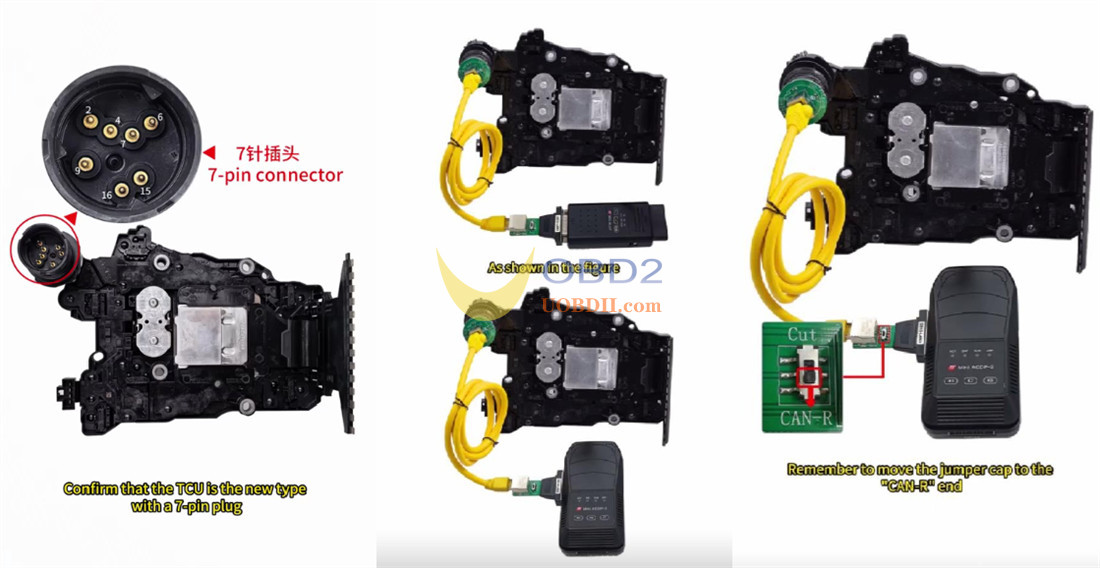
Make sure the TCU is the new version featuring a 7-pin connector.
Older gearboxes use a different connection method and are not suitable for this process.
Step 2: Connect Device
Connect Mini ACDP1 or Mini ACDP2 and the corresponding Module 45 interface board to the VW gearbox.
Move the jumper cap to “CAN-R” end marked on the board.
Supply power to ACDP key programmer
Step 3: Identify Info
Run ACDP APP on Android/IOS mobile phone
Confirm if ACDP device is bound successfully.
Navigate to:
VW/AUDI → Gearbox RD/WR → VW → DQ38x_Gen2 (0DE/0GC)
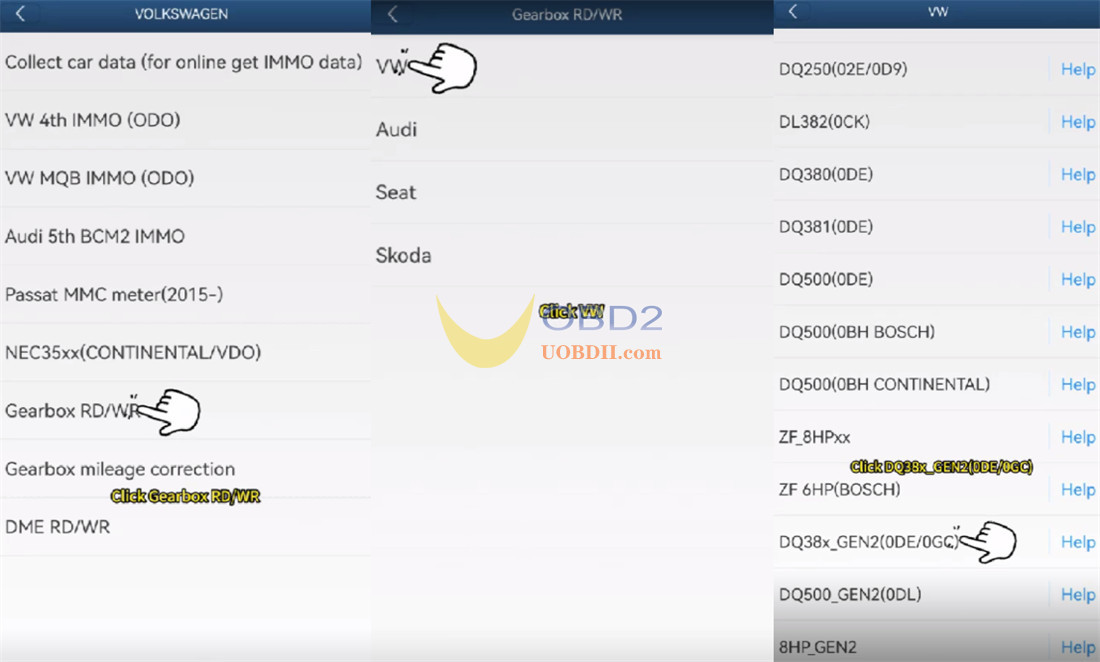
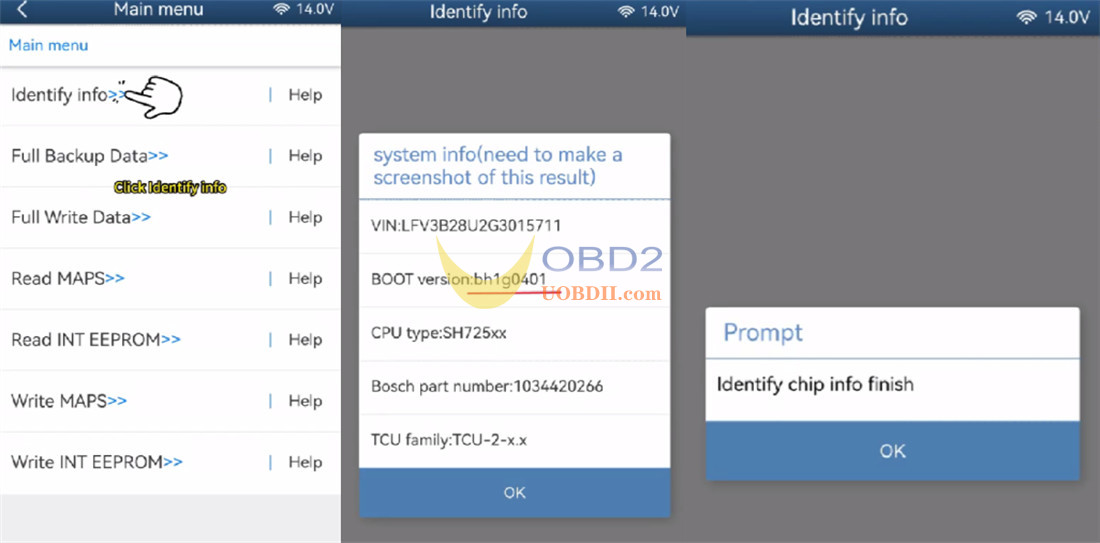
Select [Identify info]
Verify the identification details on the screen (BOOT version is BH1G0401)
Take a screenshot for your records
The app will detect the chip information. Once finished, tap OK.
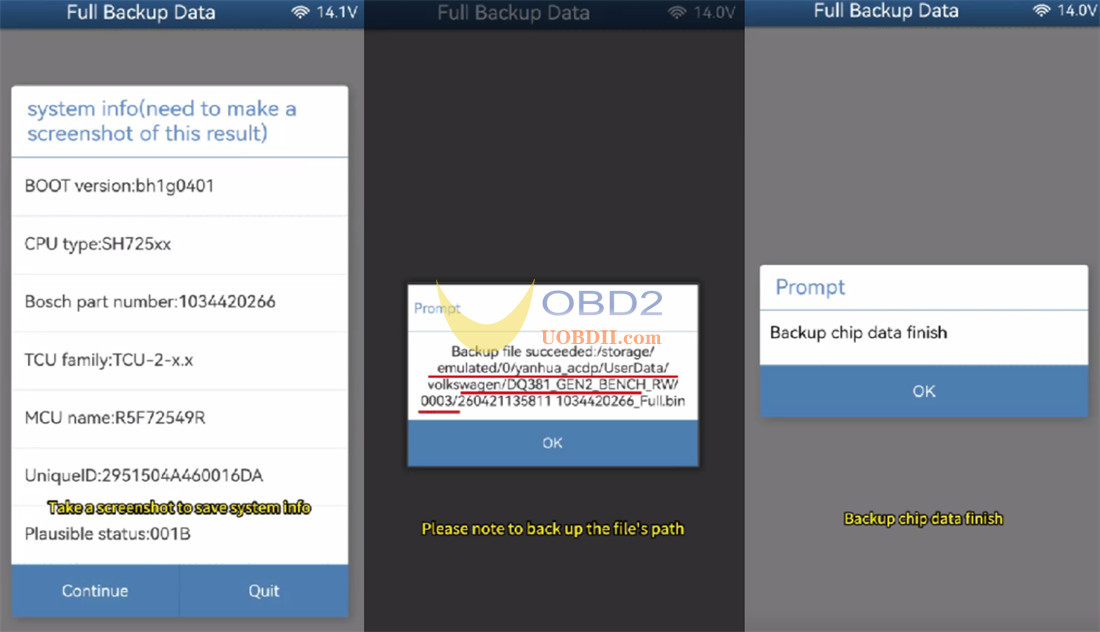
Step 4: Full Backup Data
Select [Full Backup Data]
Take another screenshot to save the system information
Save the chip data.
Wait for backup is complete
Step 5: Full Write Data
Disconnect the first transmission gearbox
Connect Mini ACDP with Module 45 to a new DQ38x_ Gen2 gearbox.
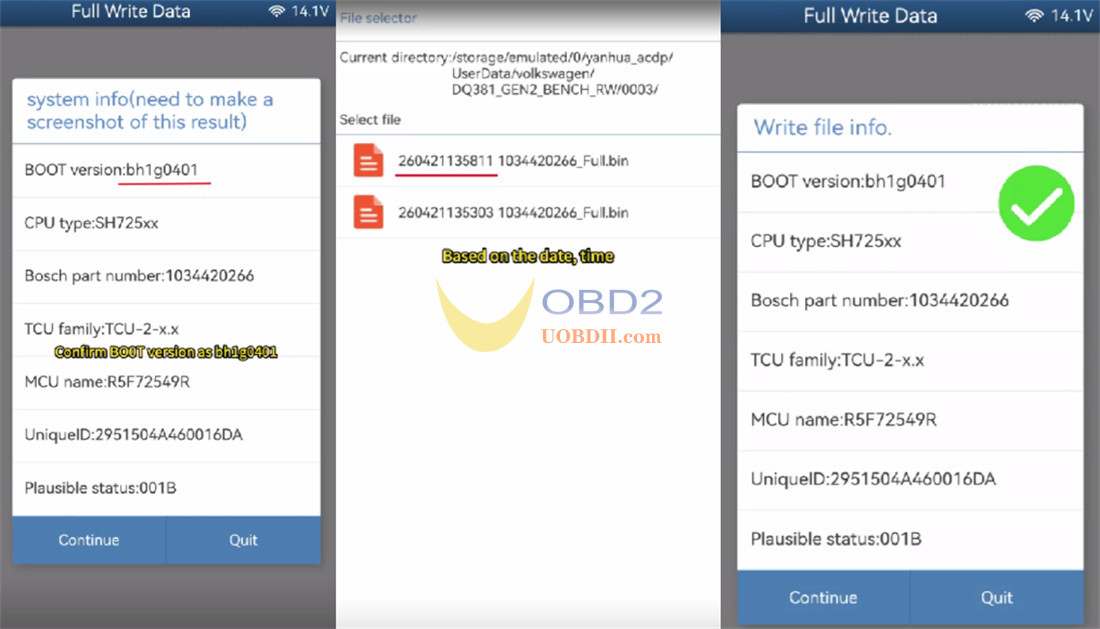
Select [Full write data]
Verify the identification information again. Ensure the BOOT version is also BH1G0401 on this second gearbox.
Take a screenshot to save it
Choose the original chip data file.
Double-check that the information in the selected file is correct for the target gearbox.
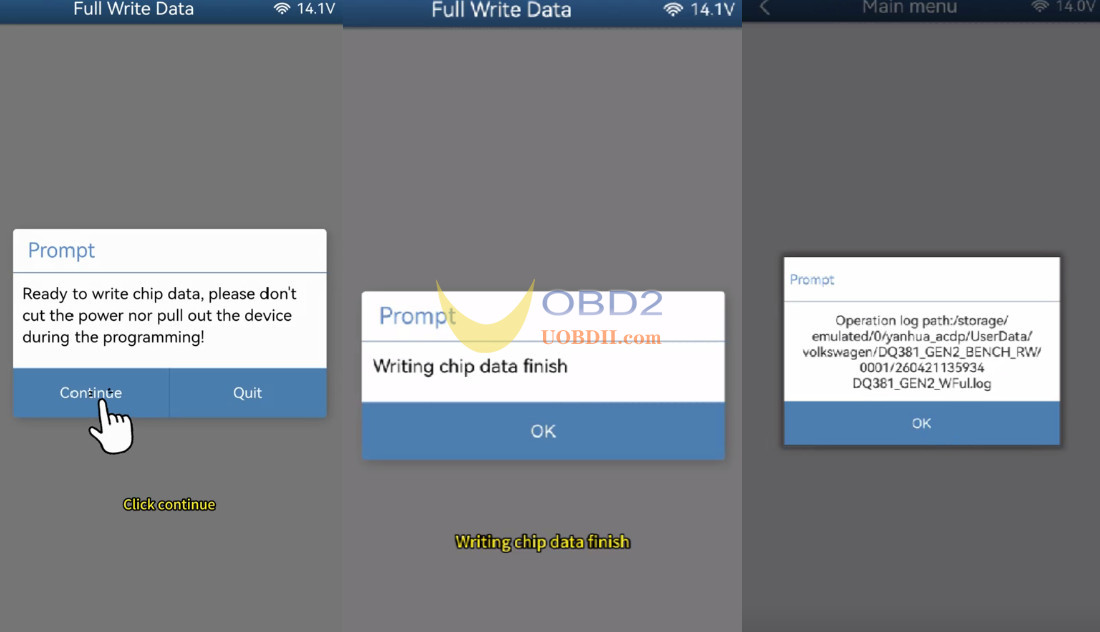
Do not turn off power to Yanhua ACDP device or disconnect any cables during the data writing process, otherwise, the chip may be damaged.
Start to write data
Data writing is complete. A confirmation message will appear on the screen.