

Xhorse Multi Prog key reading function for VAG MQB49 5C and 5D keys is currently under testing.
Please stay tuned for the upcoming official release.
To access and use these test features, you can follow the tips below to operate.
Channel navigation within Multi Prog software:
Help -> Test 180
Required Hardware Modification:
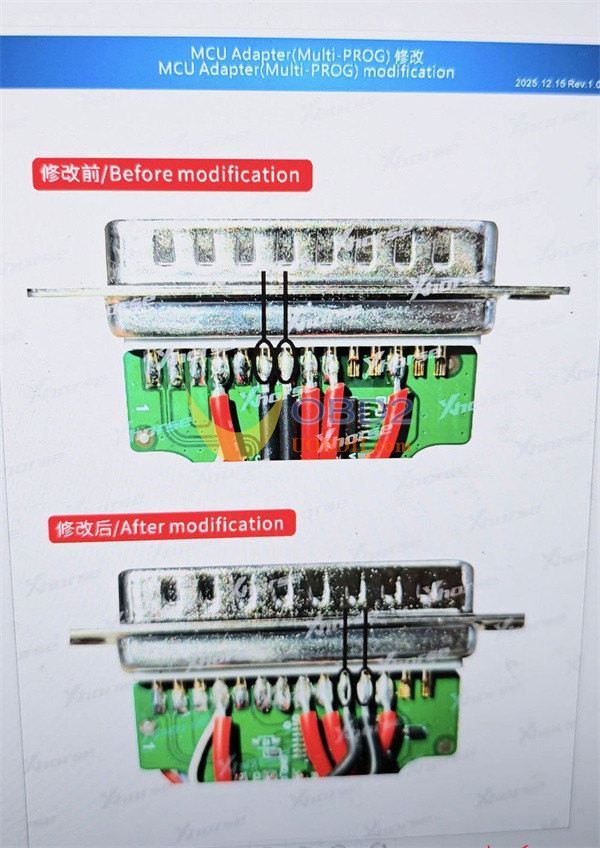
To read data from MQB49 5C/5D keys, you also need to modify your MCU adapter. Follow the instructions below:
1.Modify MCU Adapter:
Modify two black wires (GND Short and GND Long)
2.Wiring Reference:
Refer to Multi Prog wiring diagrams provided below for connecting to MQB49 5C/5D keys.
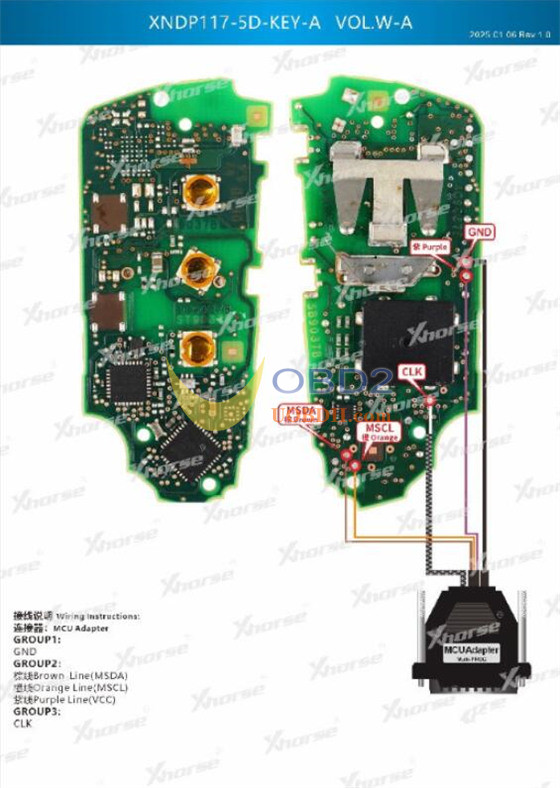
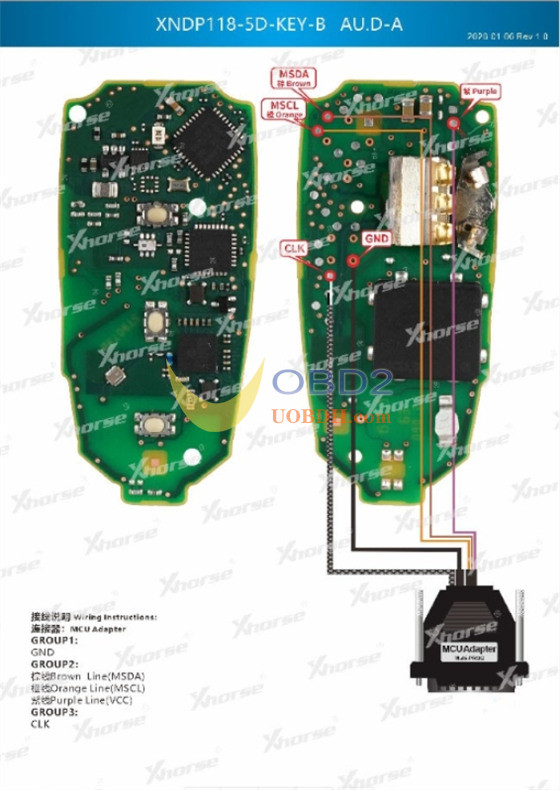
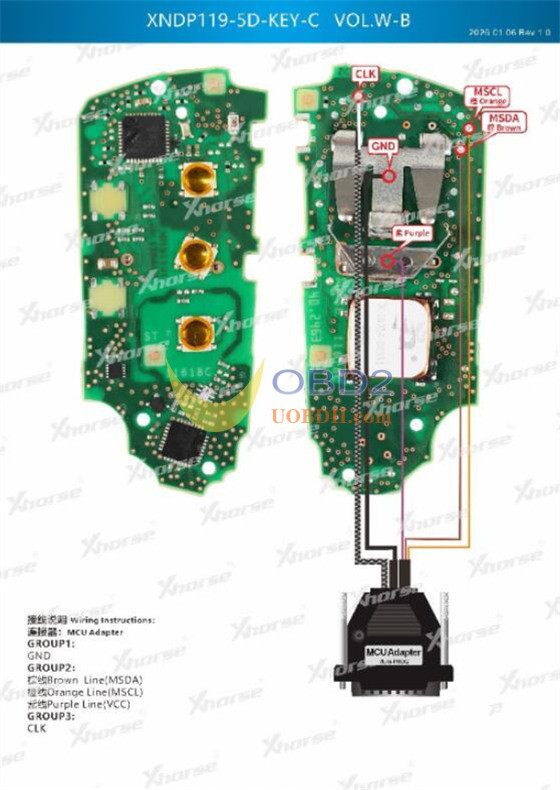
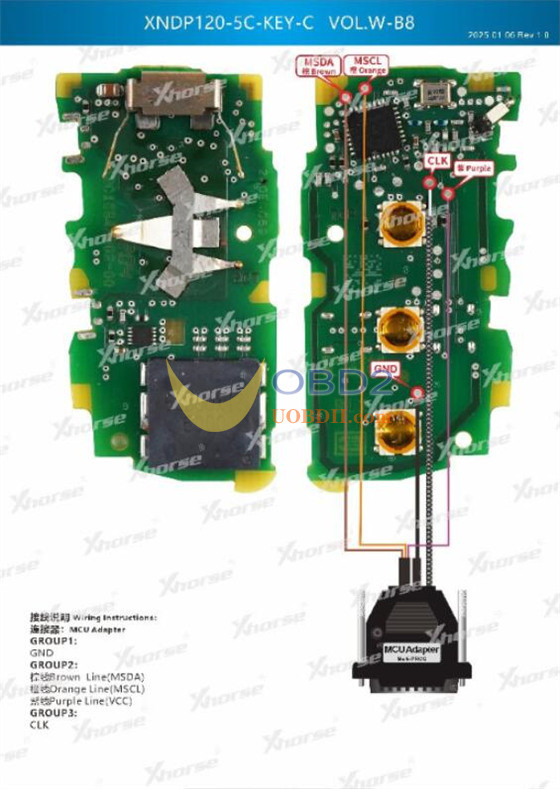
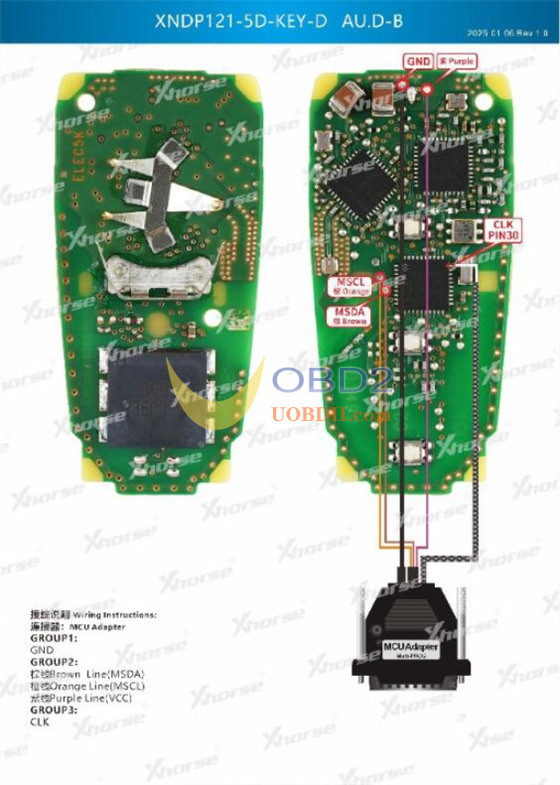
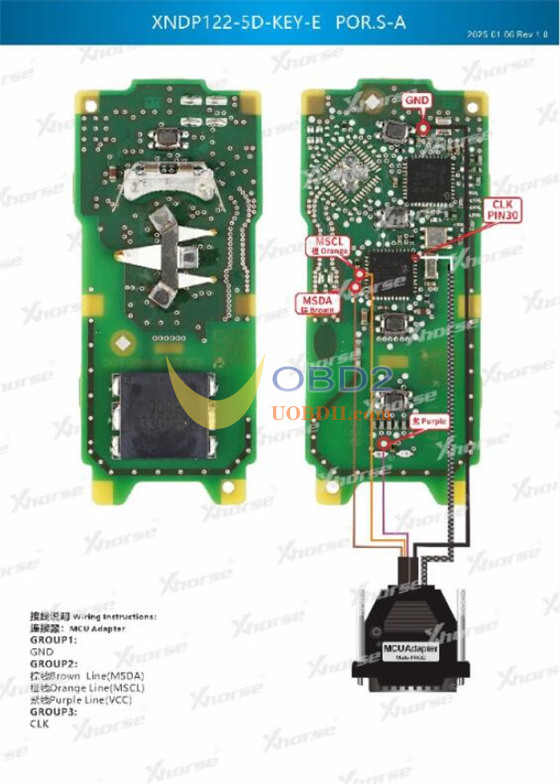
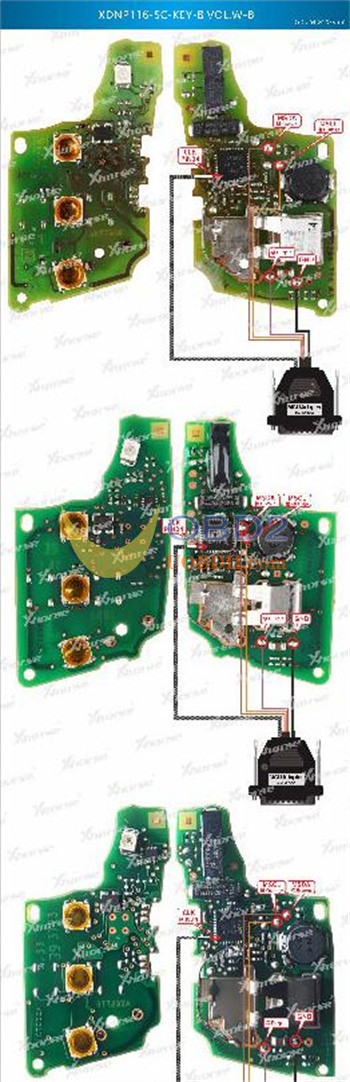
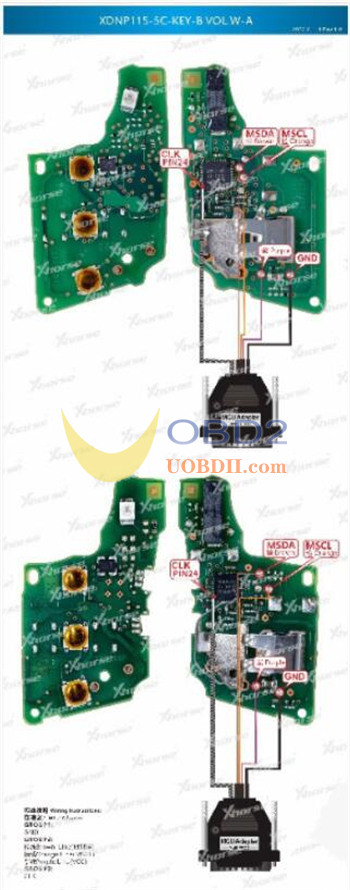
Troubleshooting Tip:
If you encounter failures when trying to read the key data, try connecting a 100-ohm resistor in series with the CLK line.
Kindly notice:
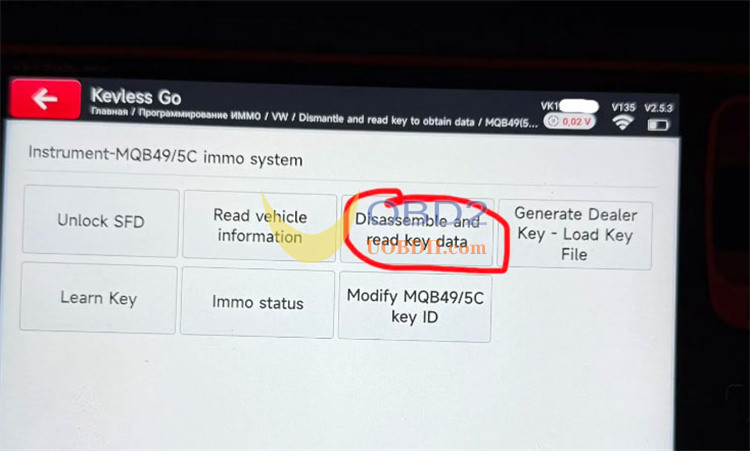
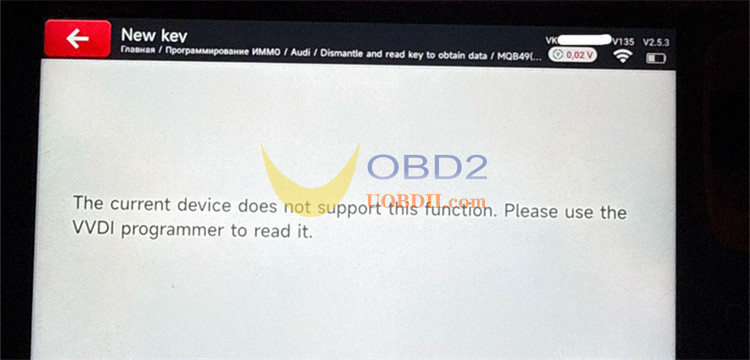
Xhorse Key Tool MIDI currently lacks the capability to read data from disassembled original MQB49 5C and 5D keys.
When attempting to read an original VAG MQB49 5C key after disassembly, Key Tool MIDI will prompt “The current device does not support this function.”. To solve this problem, you must use a VVDI Programmer (such as Multi-Prog) to read the key data first.