

Here is a complete guide about VW MQB49 5C/5D key programming using Yanhua Mini ACDP2 and Module 44.
Vehicle model:
e.g. VW 5C Magotan
Operation guide:
1.Connect device via OBD
Connect ACDP2 to the vehicle’s OBD port using the supplied OBD cable
Turn the ignition on and ensure the instrument cluster is active
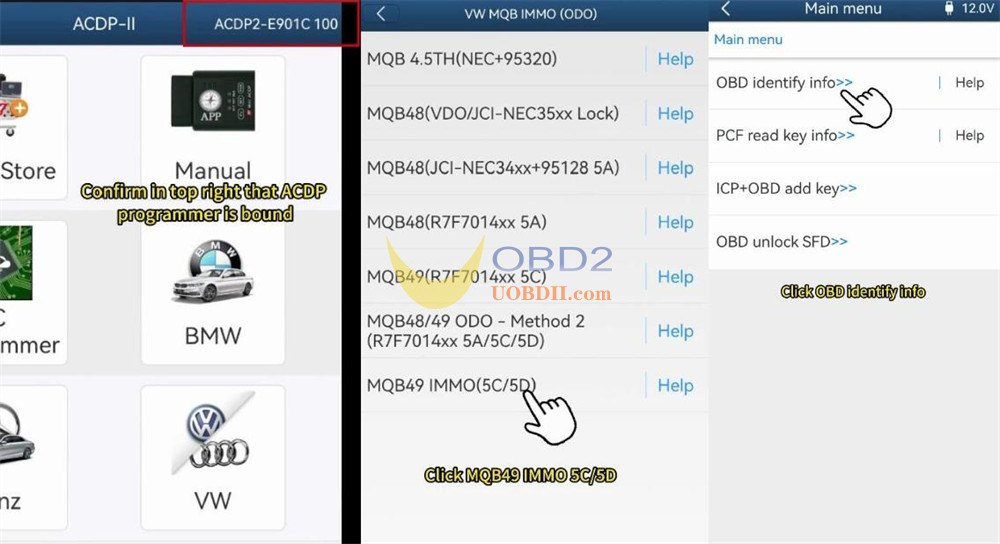
Open ACDP APP to check if that ACDP2 key programmer is bound
2.Identify vehicle info via OBD
Navigation path:
VW → VW MQB IMMO (ODO) → MQB49 IMMO 5C/5D → OBD identify info
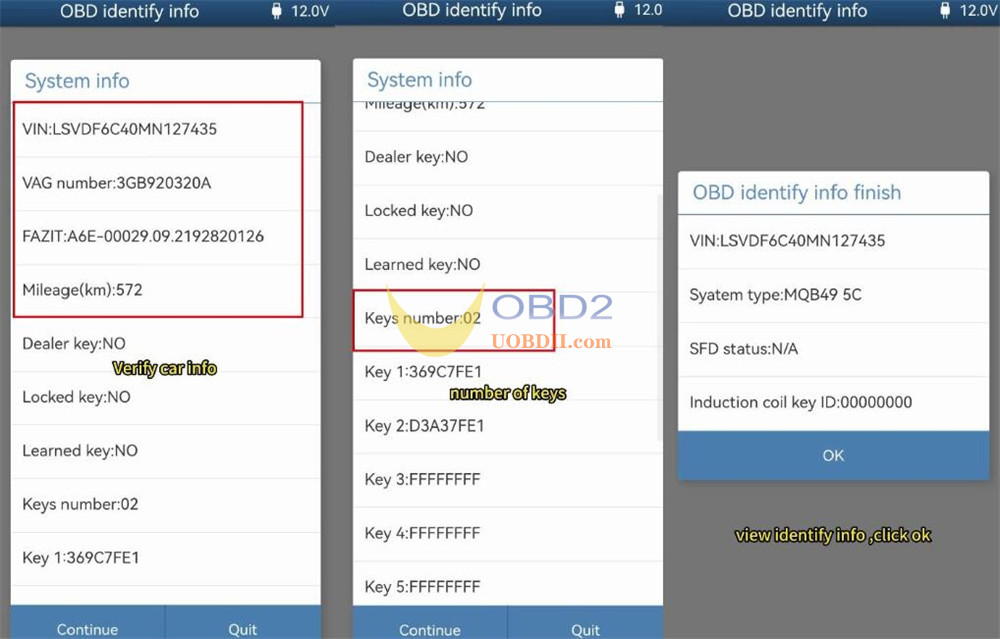
Verify the displayed vehicle information, including the number of keys and their IDs.
Taking screenshots at this stage is recommended for backup.
OBD identify info finish
3.Read PCF Key
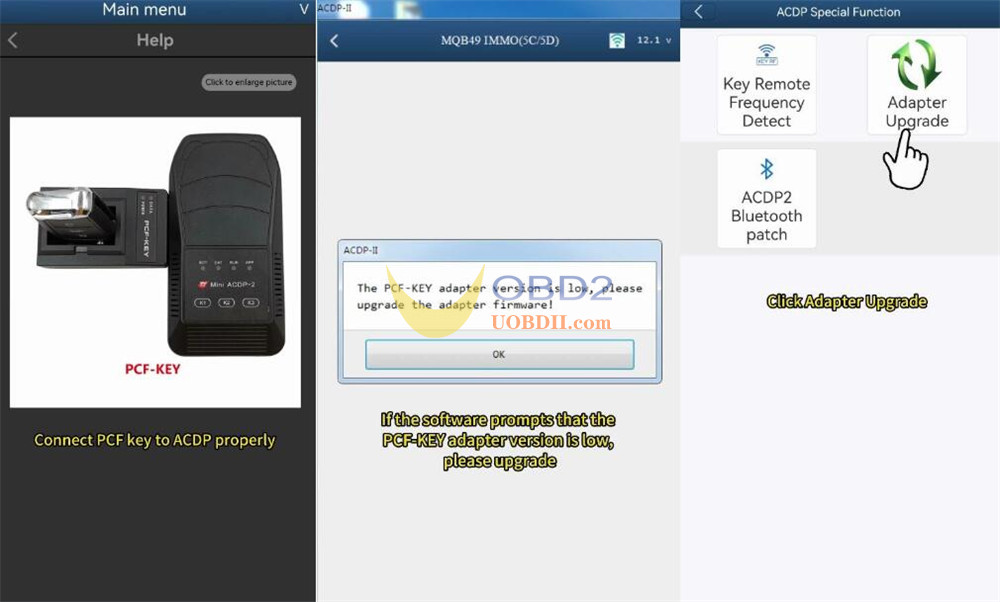
Use PCF help function to properly connect the PCF key to Yanhua ACDP2
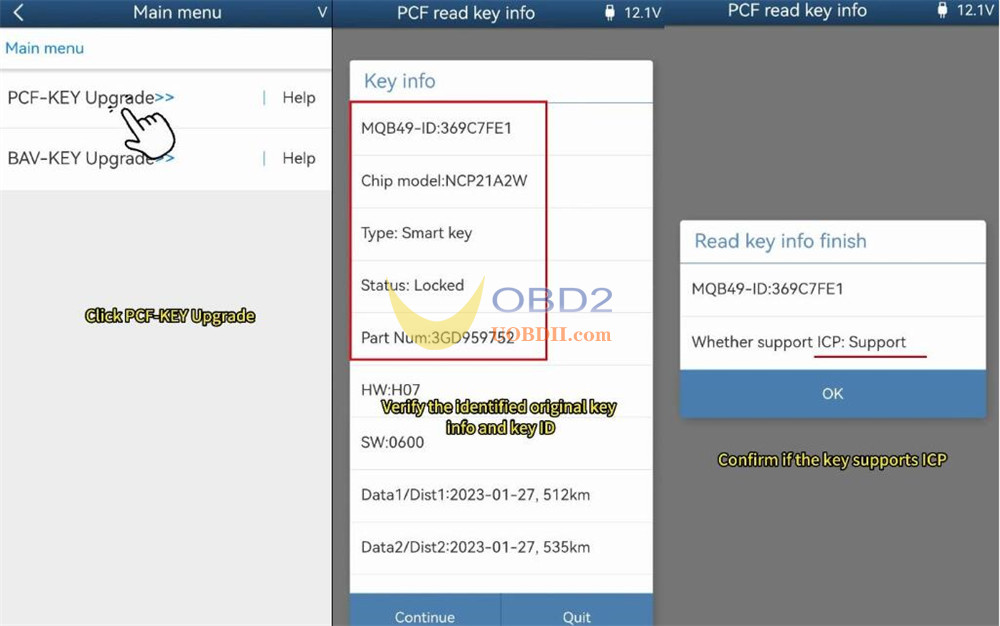
Insert original key into the PCF and select PCF read key info
If software appears “The PCF-KEY adapter version is low, lease upgrade the adapter firmware!”
Go to Special function → Adapter Upgrade → PCF-Key Upgrade
Once upgraded, verify the original key information and key ID, and save a screenshot.
4.Program Key via ICP
Carefully disassemble both the original and new keys
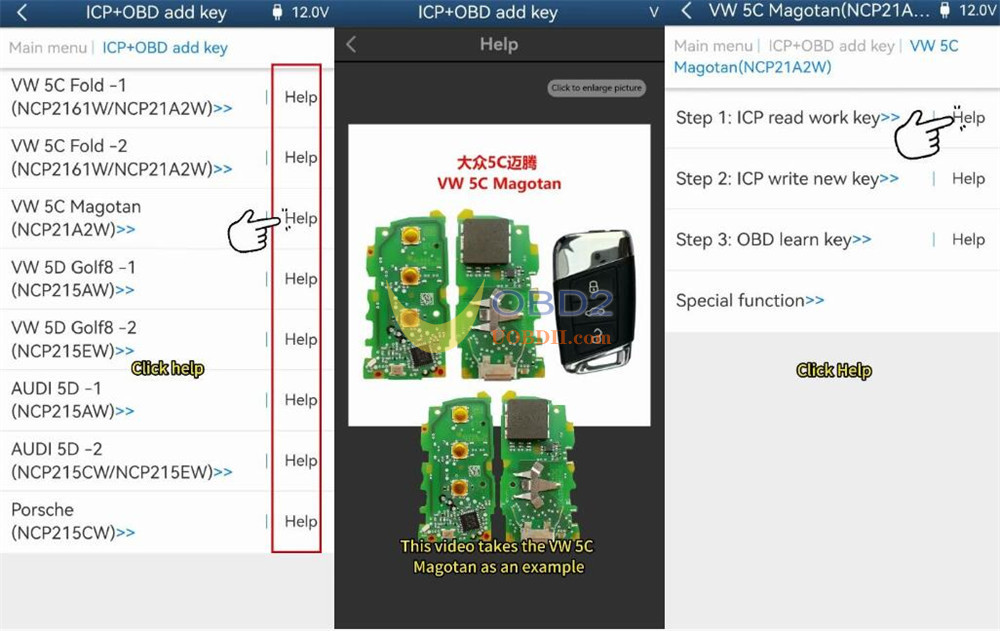
Select “ICP + OBD add key”
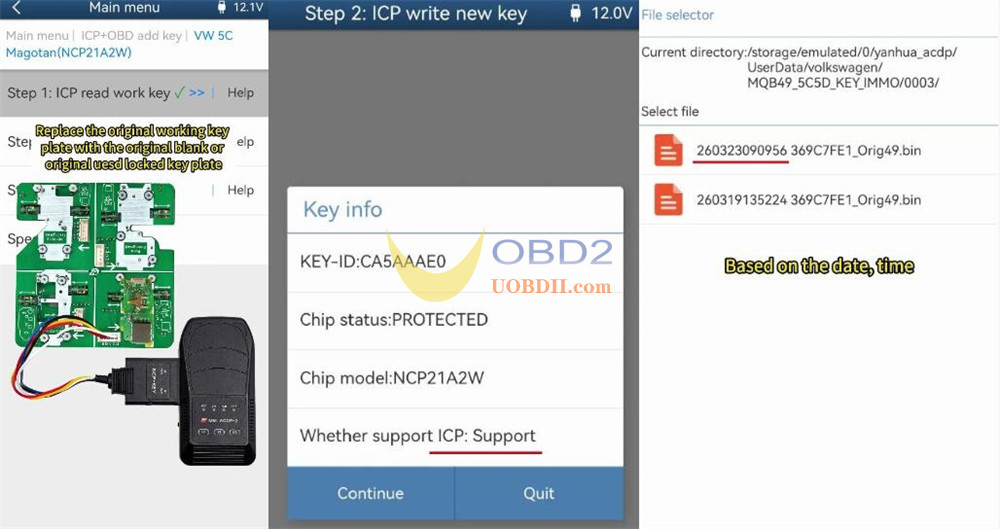
First, perform “Step 1: ICP read work key”
Tap “Help” to choose VW 5C Magotan
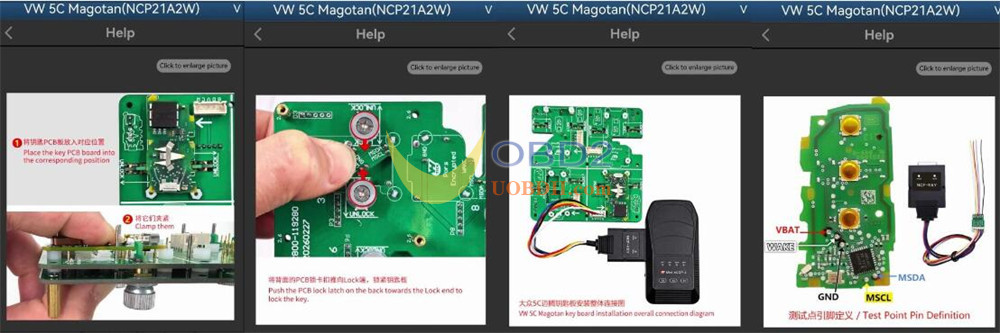
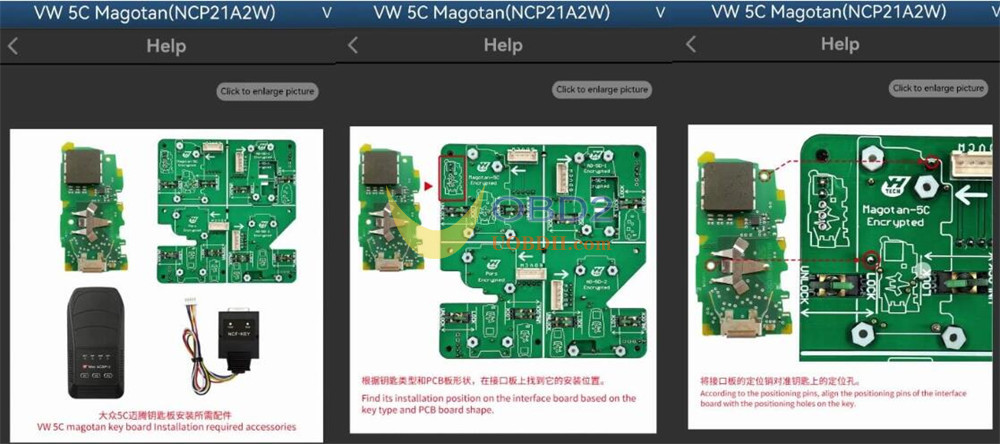
Follow the wiring diagrams to connect the original key board to ACDP Module 44 interface board and Mini ACDP2 properly
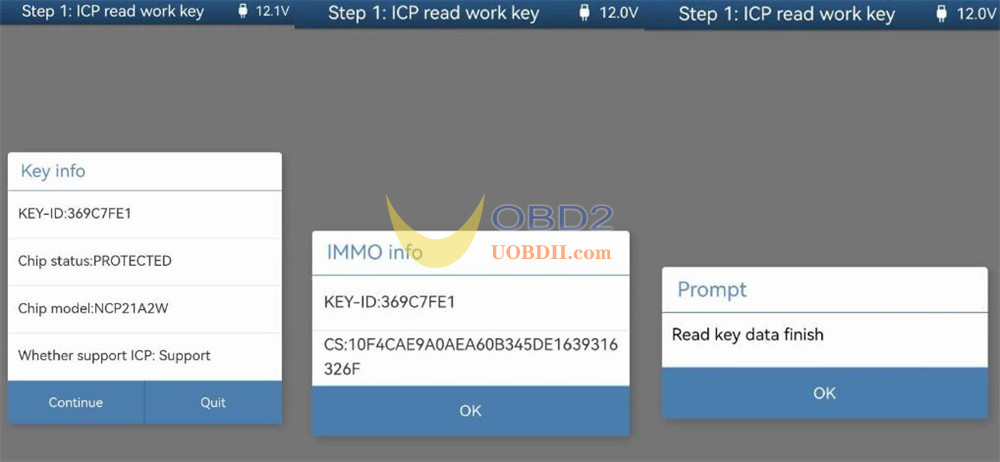
Click “Step 1: ICP read work key” to read key info and IMMO info
Save the original key data after reading
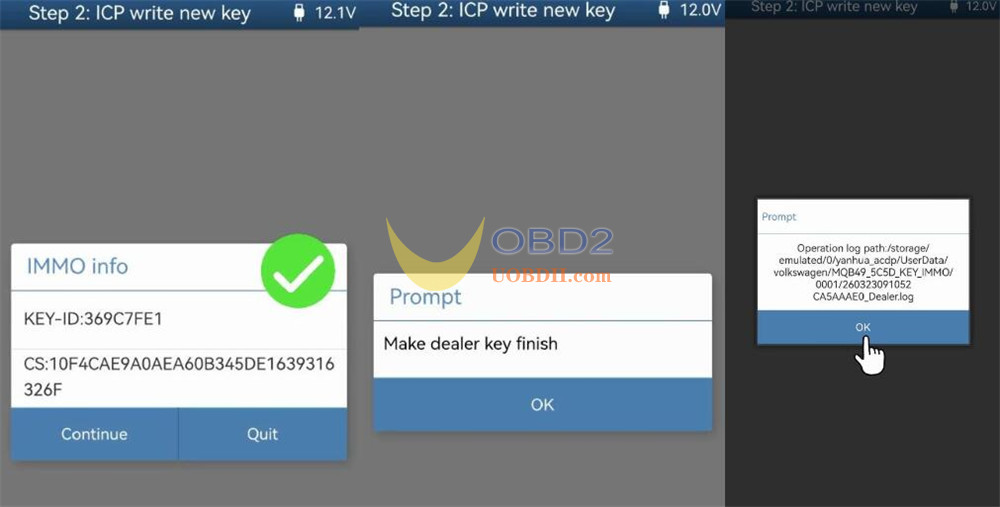
Then, perform “Step 2: ICP write new key”
Replace the original key board with a blank or used locked key board
Verify key details and ICP support
Select the original file to make dealer key
5.Modify New Key ID (Optional)
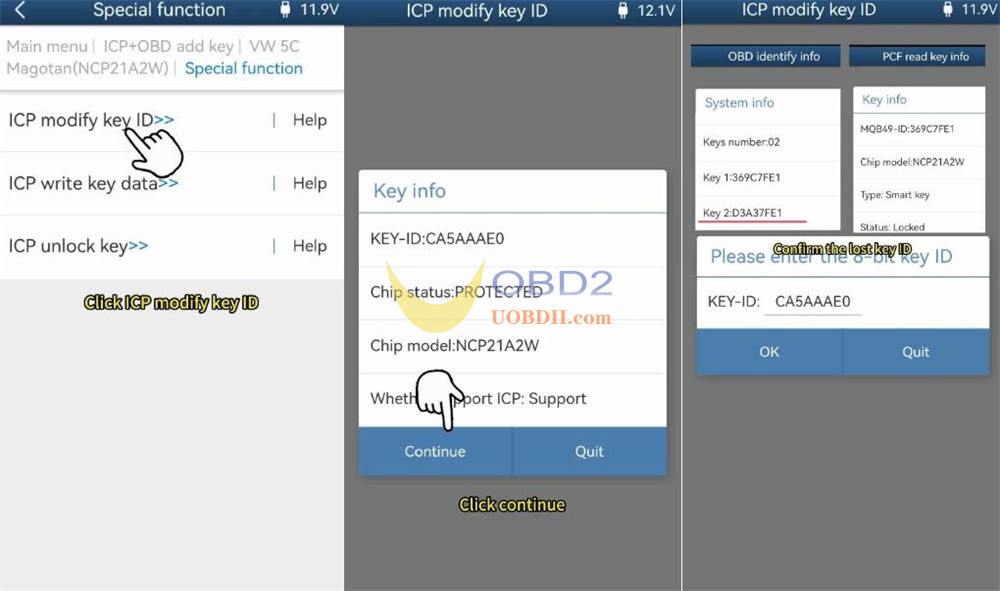
To facilitate future programming, you may change the new key ID to that of a lost key.
Navigate to Special function → ICP modify key ID
Read key info
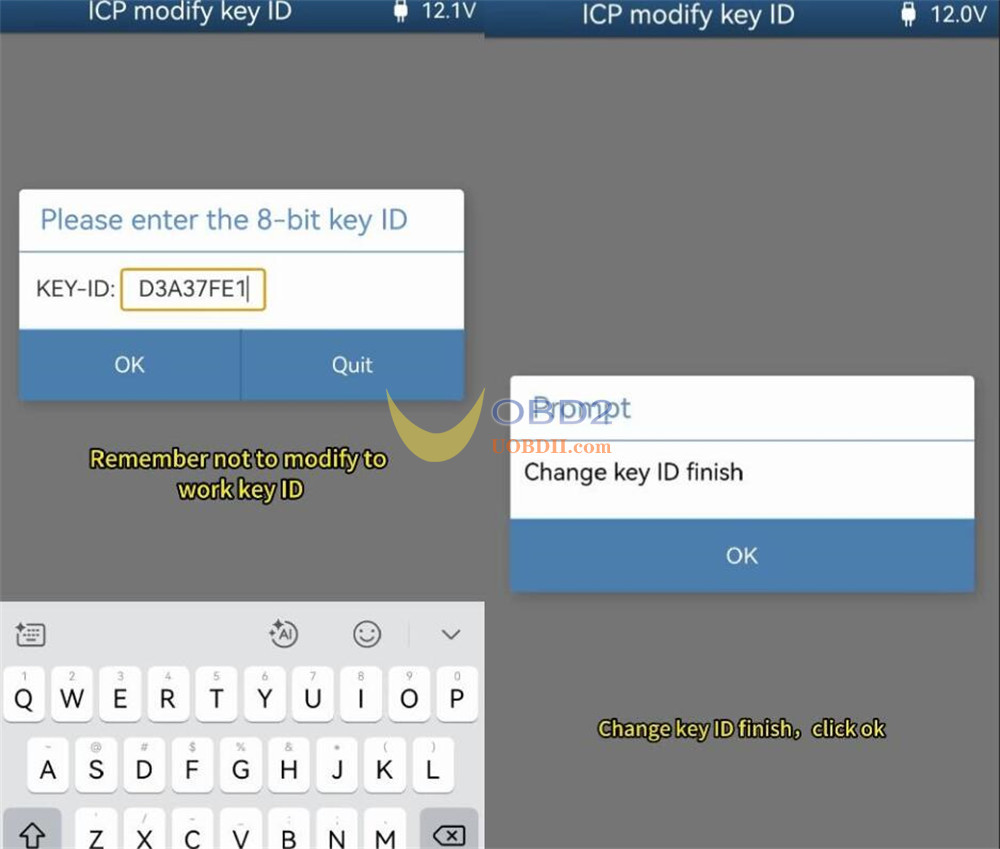
Using the OBD and PCF data saved earlier, identify a lost key ID, enter it (ensuring it is not a working key ID)
Change key ID finish
6.Learn Key via OBD
Disconnect Yanhua ACDP Module 44 interface board
Reconnect ACDP2 to the vehicle’s OBD port
Reassemble the key shells, install batteries, turn the ignition on, and open the hood
Tap “Step 3: OBD learn key”
Verify vehicle details and key count
Choose “Load orig key data, select the original file.
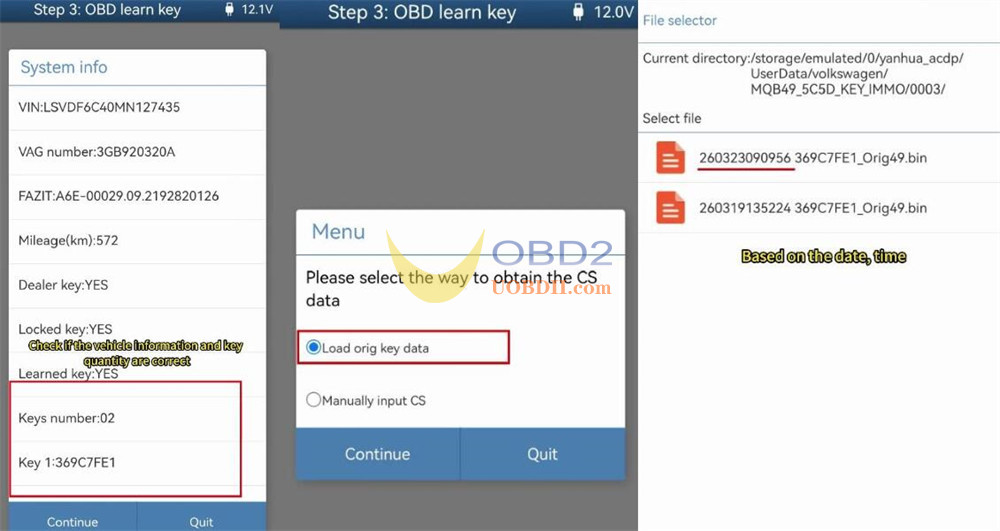
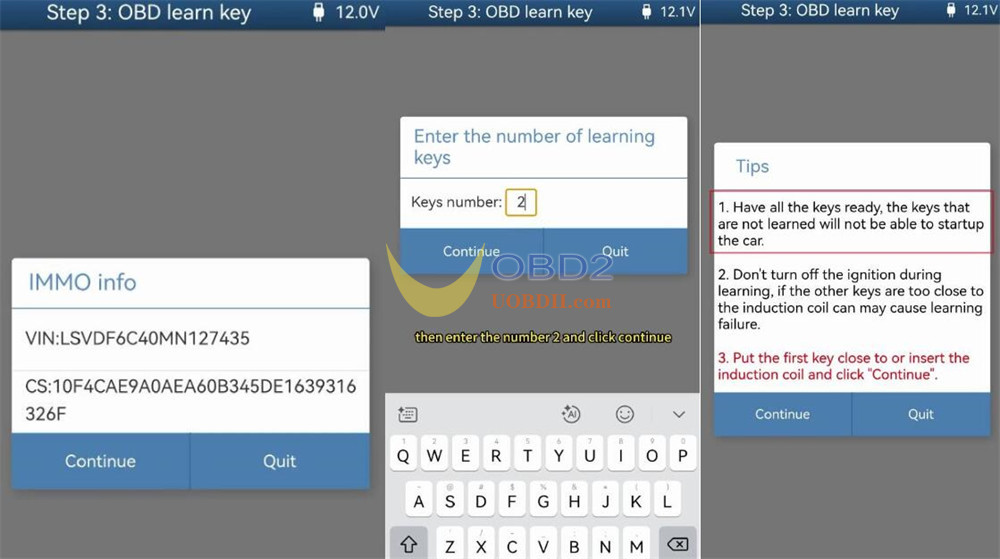
Enter the number of keys to learn (e.g., 2)
Place the first key near or into the induction coil
The cluster will display “1/2.”
Repeat for the second key to see “2/2.”
Wait for the learning process is complete
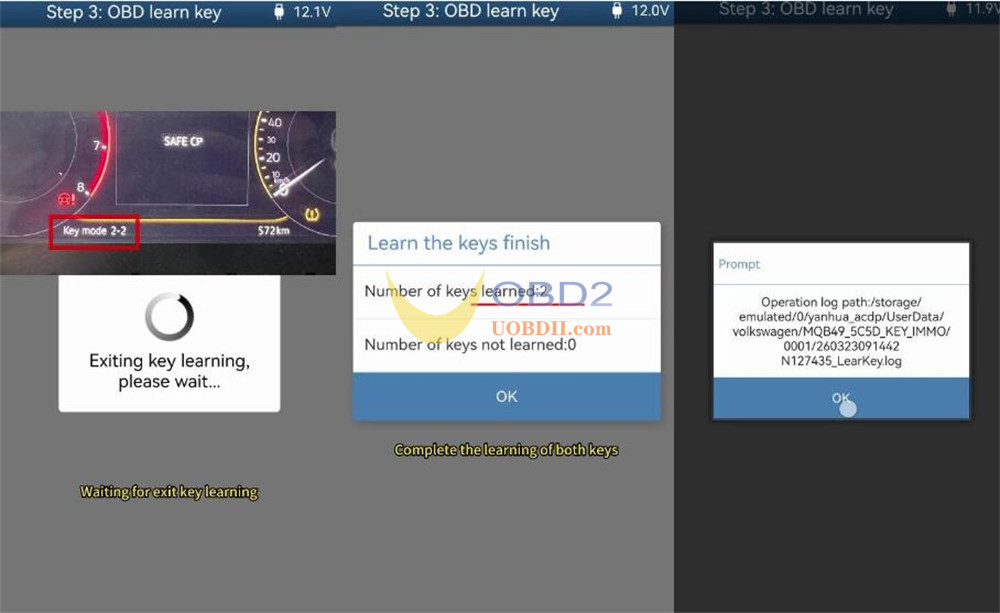
Finally, test if both original and new programmed keys can work normally.
Done!
Read also:
Yanhua Mini ACDP Add module44 for VW Audi Porsche 5C/5D IMMO
