
This post will guide you how to use Xhorse VVDI Key Tool Plus Pad to add VAG 5C/5D key.
Key Tool Plus Software Requirements:
- Confirm that the latest database update is installed (e.g., version 100 or above).
- The software mode should be set to version 140, 142, or 143.
- The programmer (prog) version must be 187 or 188.
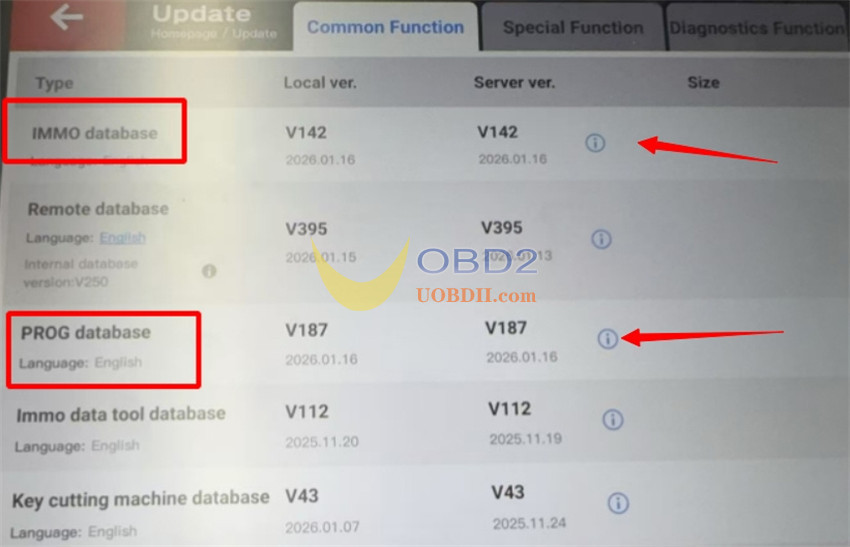
Note: If certain options disappear after an update, attempt to download and reinstall the update package again, as batch updates may occasionally be incomplete.
Xhorse Key Tool Plus V143 Update Details
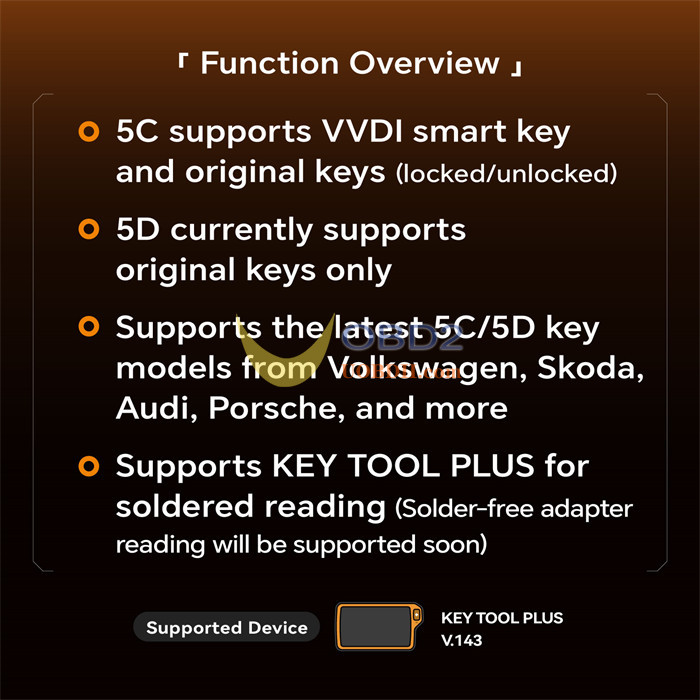
- 5C supports VVDI smart key(XS series) and original keys (locked/unlocked)
- 5D currently supports original keys only
- Supports the latest 5C/5D key models from Volkswagen, Skoda, Audi, Porsche, and more
- Supports VVDI Key Tool Plus for soldered reading (Solder-free adapter reading will be supported soon)
Supported device:
Only VVDI Key Tool Plus Full version and VAG version are supported
More Xhorse tools will be supported in the future. Stay tuned for updates!
How to add VW 5C 5D key:
1.Navigation path:
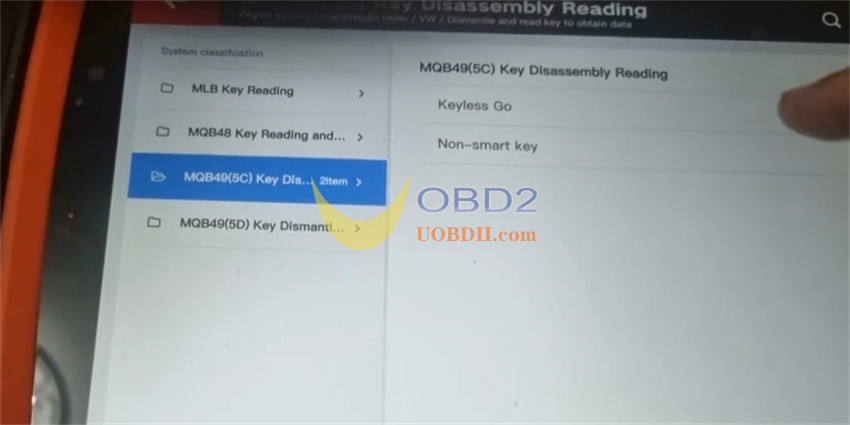
Select IMMO Programming-> VW-> Select by Type-> MQB Instrument-> Dismantle and read key to obtain data-> MQB49 (5C) Key Disassembly Reading or MQB49 (5D) Key Dismantling and Reading
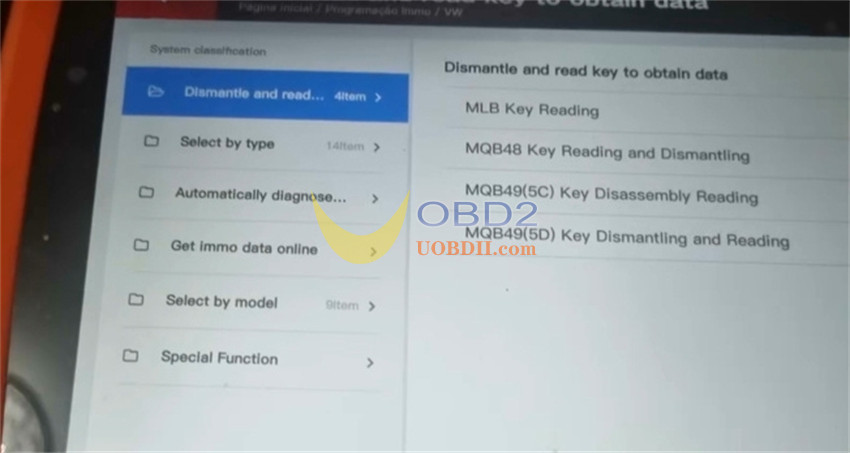
2.Connection
1).Critical Hardware Warning
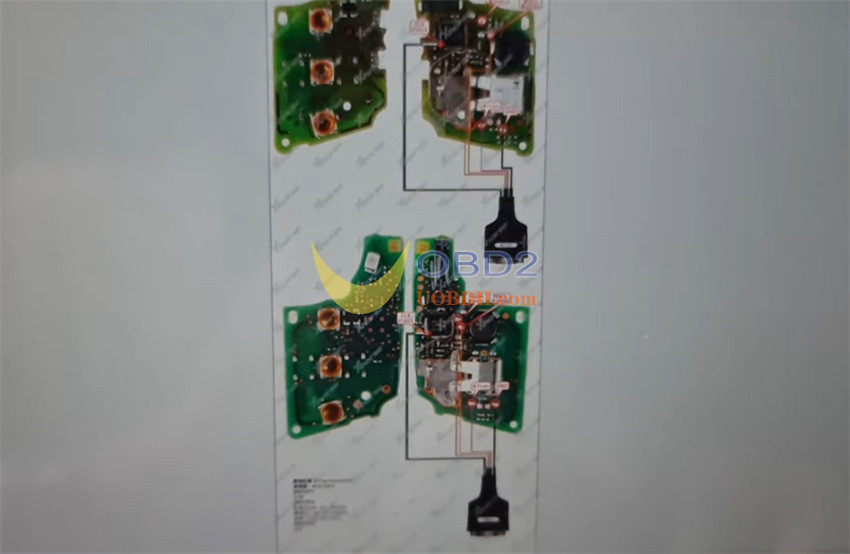
This procedure involves attaching cables to the circuit board of the key. An important warning must be emphasized: cable colors can be deceptive.
Two versions of the cable are available: MCU V1.0 and MCU V1.1.
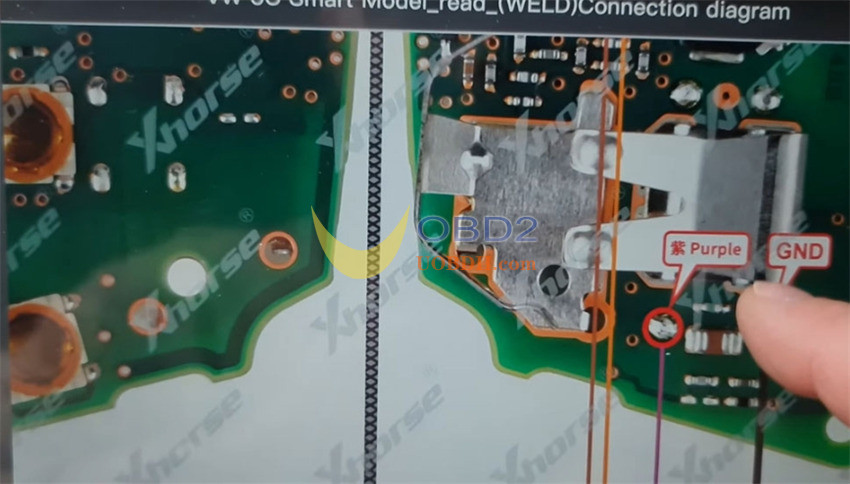
- In the V1.1 cable set, one wire is labeled “RED” on its insulation but is actually purple in appearance. Using this purple wire based solely on the “red” label will result in permanent damage to the key.
- Always adhere to the printed label on the connector (such as “MCU V1.1”) and the pinout diagram displayed on screen—never rely on the physical color of the wire.
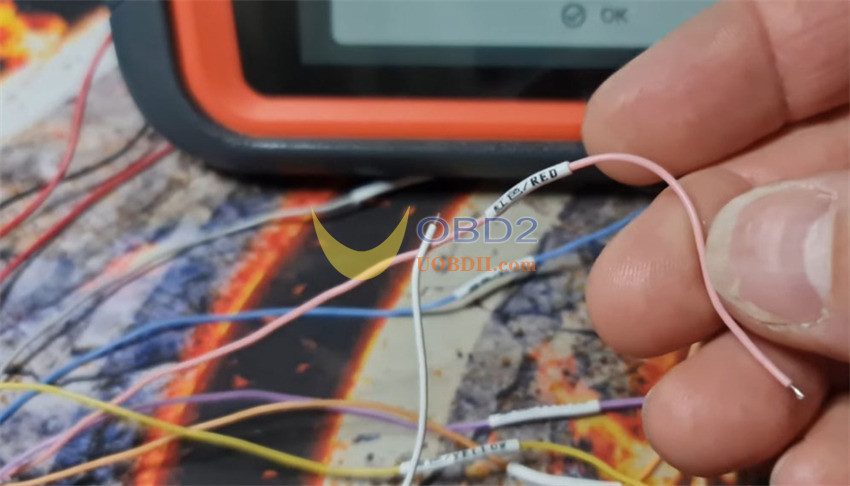
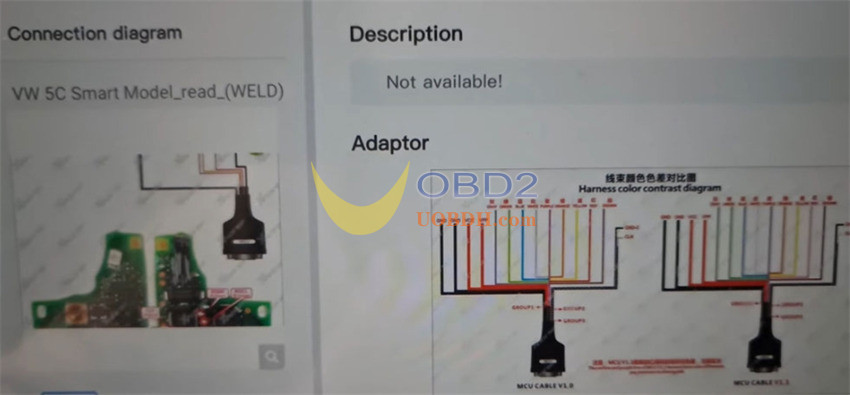
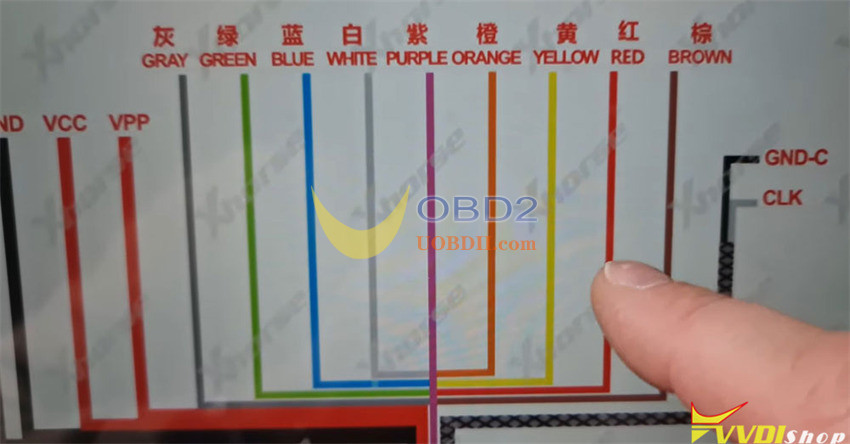
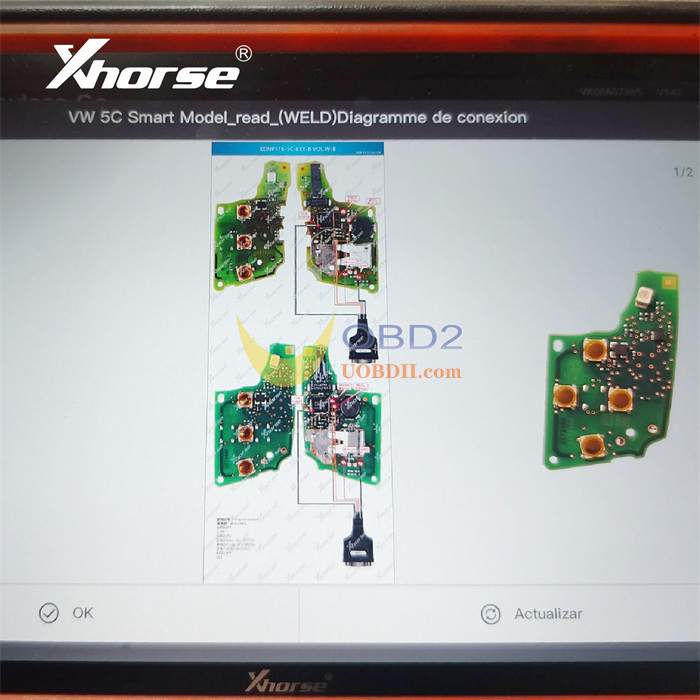
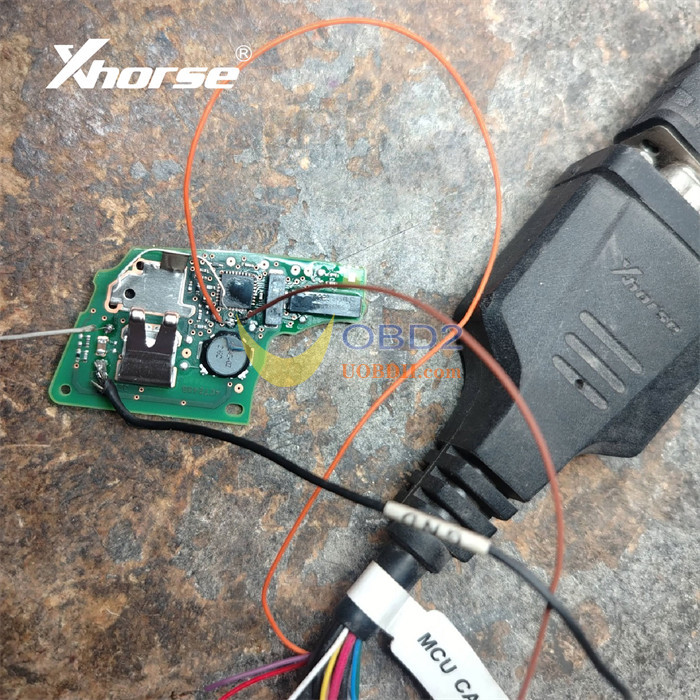
2).Soldering the Connection
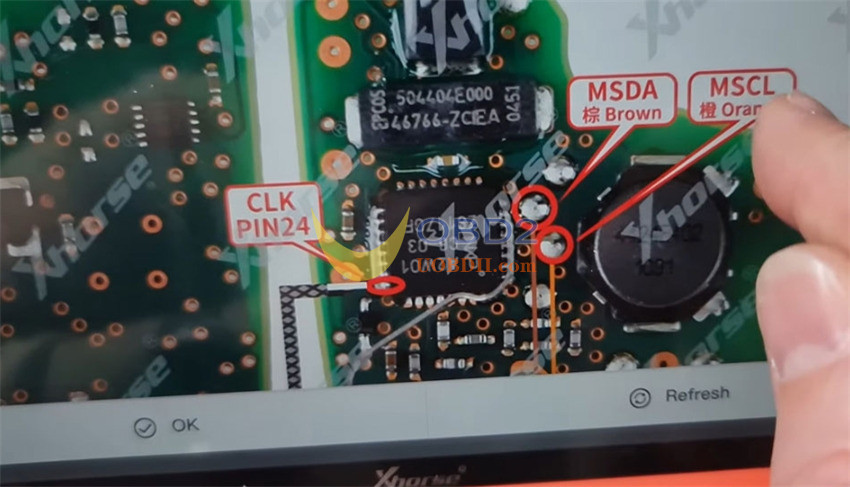
The CLK (clock) cables are extremely short and must not be lengthened. They require precise soldering to designated processor pins (for example, pin 24), as illustrated in the software diagram. Accuracy is crucial to prevent short circuits.
3.Read Original Key Data
Two main options appear for reading the key data:
- Keyless Go
- Non-smart key
The correct choice depends on your key type.
The crucial step is selecting the “Disassemble and read key data” option.
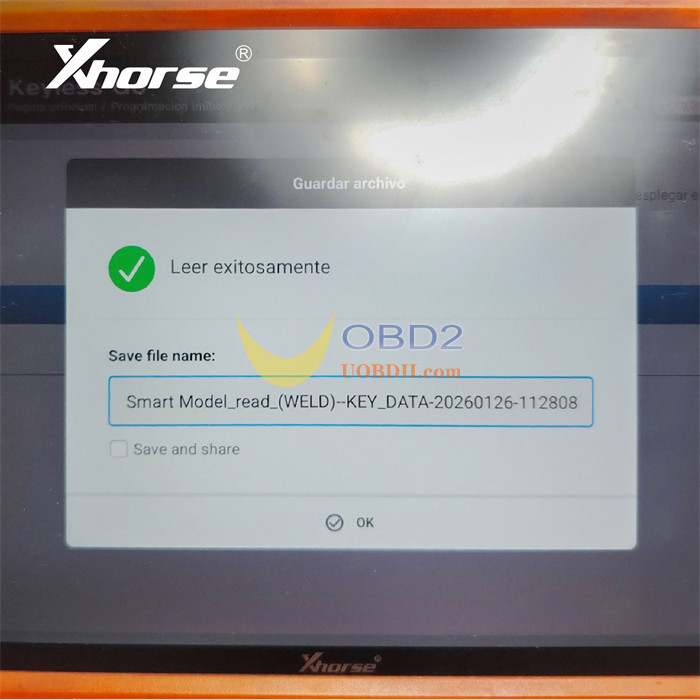
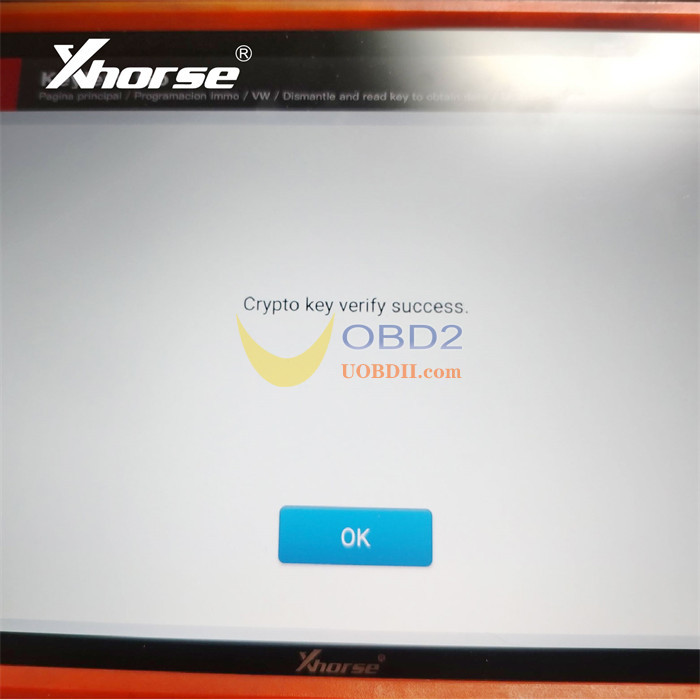
Read and save the key data file.
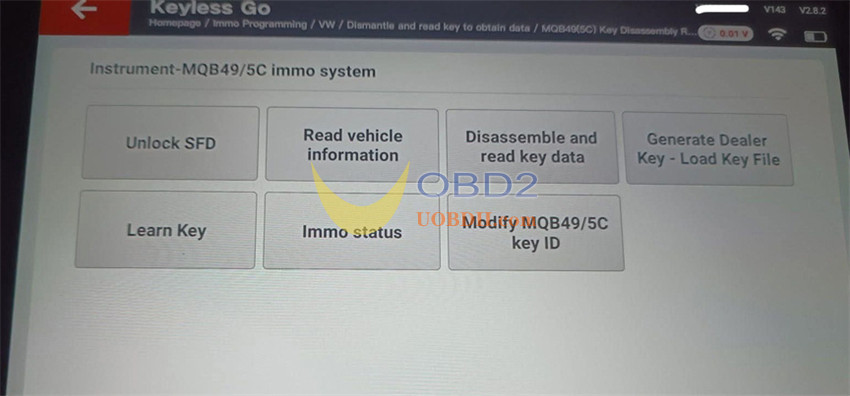
- Generate Dealer Key
Use the saved key file to generate a new key.
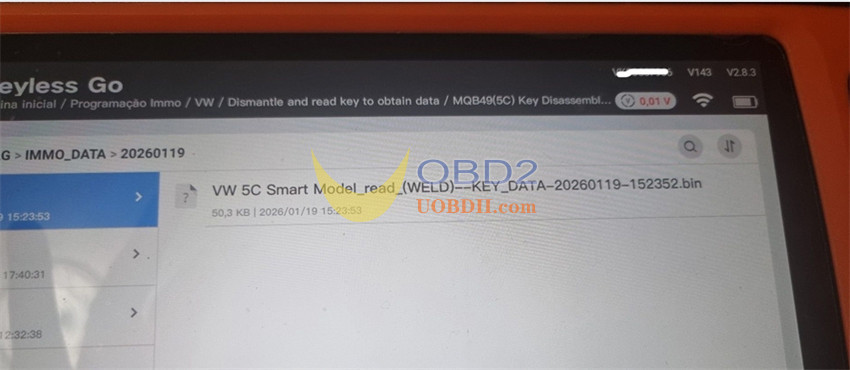
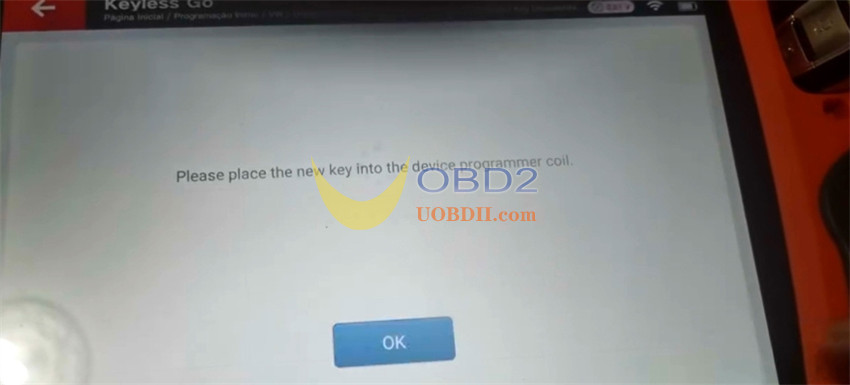
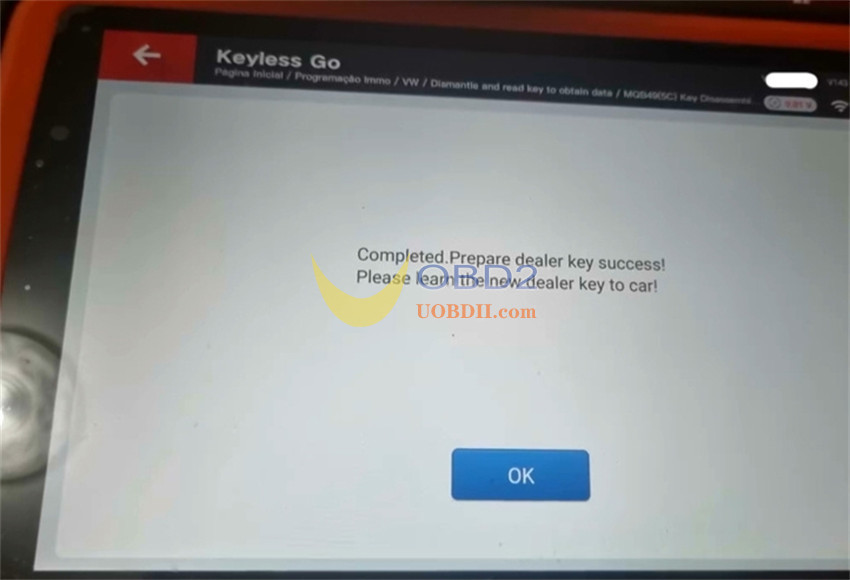
- Learn Key in Car
Perform in-car key learning.
Note:
Some 2023+ models require SFD Gateway unlocking before learning in car.
Key Considerations for MQB 5D Keys
The procedure for newer 5D system keys (frequently encountered from 2023 onward) follows a comparable approach, though the key design itself differs. The same essential wiring precaution remains: always use the appropriate purple wire from the V1.1 cable set—avoid the incorrectly marked “red” wire.
User feedback:
𝟓𝐂 𝐤𝐞𝐲 𝐚𝐝𝐝 𝐬𝐮𝐜𝐜𝐞𝐬𝐬𝐟𝐮𝐥𝐥𝐲 — 𝐜𝐨𝐦𝐩𝐥𝐞𝐭𝐞𝐝 𝐬𝐦𝐨𝐨𝐭𝐡𝐥𝐲.
Programming went smoothly with fast and stable performance.
With KEY TOOL PLUS, 5C/5D now supports both original key and VVDI XS smart key, making daily work more efficient.
Credits to @Eduardo Martinez
