
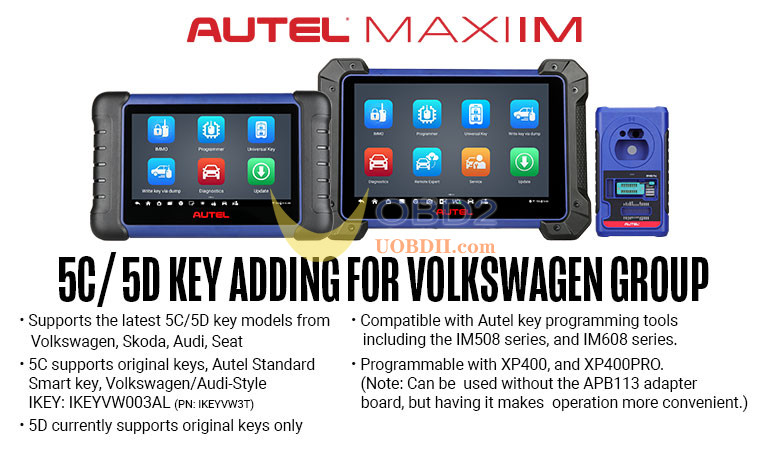
Autel MaxiIM new update 5C/5D key adding for Volkswagen Group.
1. Supports the latest 5C/5D key models from Volkswagen, Skoda, Audi, Seat
2. 5C supports original keys, Autel Standard Smart key, Volkswagen/Audi-Style IKEY: IKEYVW003AN (P/N: IKEYVW3T)
3. 5D currently supports original keys only
4. Compatible with Autel key programming tools including the IM508 series, and IM608 series.
5. Programmable with XP400, and XP400PRO.
(Note: Can be used without the APB113 adapter board, but having it makes operation more convenient.)
Cautions:
1.The original car key needs to be present on-site.
2.Required accessories: XP401/XP401Pro/XP400/XP400Pro/XP1 Pro and other programmers, APB113 adapter board, new key.
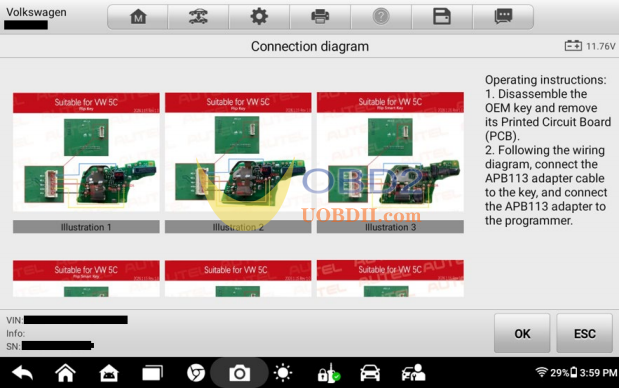
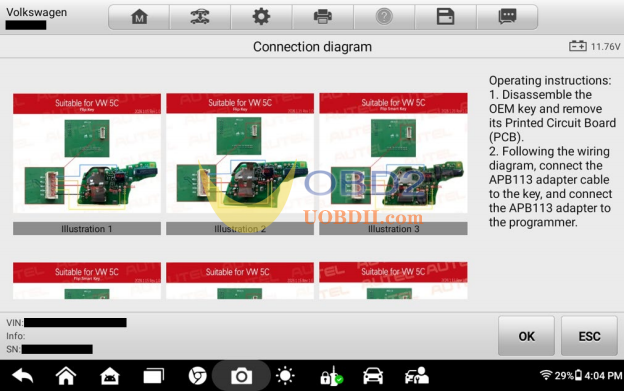
3.Pay attention to identifying the key board type and choose different wiring methods accordingly.
4.During the key learning process, keep other keys outside the vehicle to avoid interference.
Scope of Support:
1.Audi:
A3 2021-、A5 2025-、A6 2026-、Q4 2022-、Q5 2025-、Q6 2023-、Q8 2024-
2.Skoda:
Fabia 2022-、Superb 2020-、Kodiaq 2020-、Octavia 2021-、Enyaq 2021-、Kushaq 2021-、Kamiq 2021-、Karoq 2020-
3.Seat:
Leon 2020-、Tarraco 2019-、Formentor 2021-、Born 2022-、Tavascan 2024-、Ibiza 2018-、Arona 2018-、Ateca 2020-
4.Volkswagen:
Multivan 2020-、Arteon 2020-、Atlas 2020-、Caddy 2021-、CC 2019-、Crafter 2020-、Golf 2020-、 Jetta 2019-、Nivus 2021-、Passat 2022-、Polo 2020-、Taigo 2022-、Taos 2021-、T-Cross 2019-、 Teramont 2019-、Tiguan 2019-、Touran 2020-、Transporter 2020-、T-Roc 2020-、Vento 2020-、 Virtus 2020-、ID.3 20220-、ID.4 2021-、ID.5 2021-、ID.7 2024-、ID.Buzz 2023-
Function Flow:
1.Read vehicle information : Includes reading VIN, key ID, and other information.
2.Read IMMO data : Disassemble and read the original car key to obtain the vehicle’s immobilizer data.
3.Make dealer key : Generate a dealer key; requires loading the immobilizer data obtained from the original car key.
4.Vehicle Diagnostic Protection (SFD) unlock : SFD unlock (for models from 2024 onwards, this function needs to be executed to unlock SFD).
5. Key learning : Once both the immobilizer data and the dealer key are ready, execute this function to start learning the key.
Complete Key Learning Process:
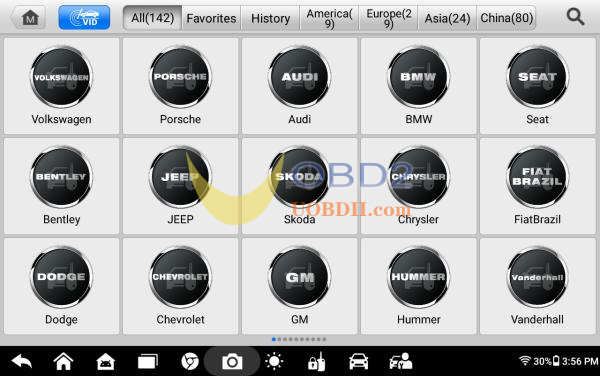
- Select Volkswagen
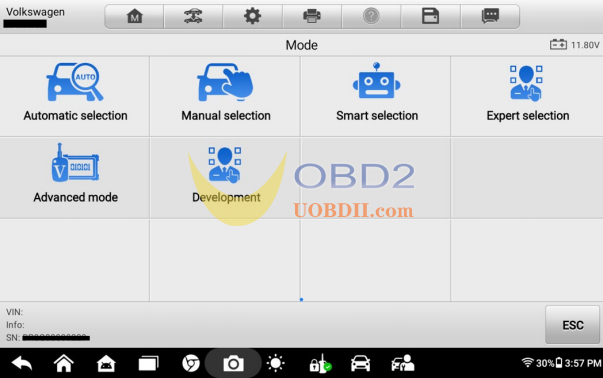
- Select Expert selection
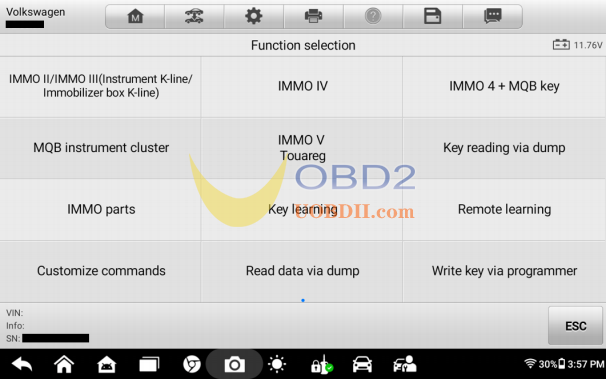
- Key reading via dump
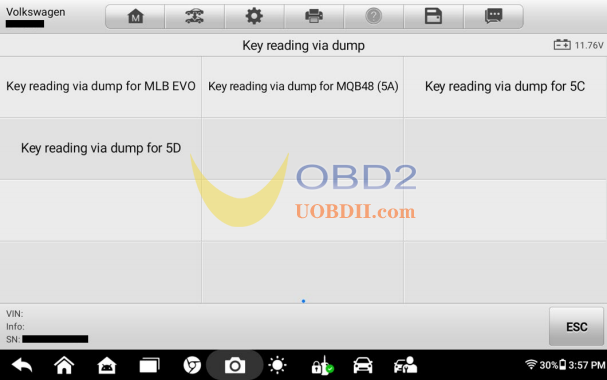
- Key reading viadump for 5C
- Read vehicle information
Connect the device to the vehicle via OBD, and execute the function to read the vehicle information (including Current key ID, Key ID1(hex), Key ID2(hex), VIN, and other information). Strictly follow the prompt messages during the execution of the function.
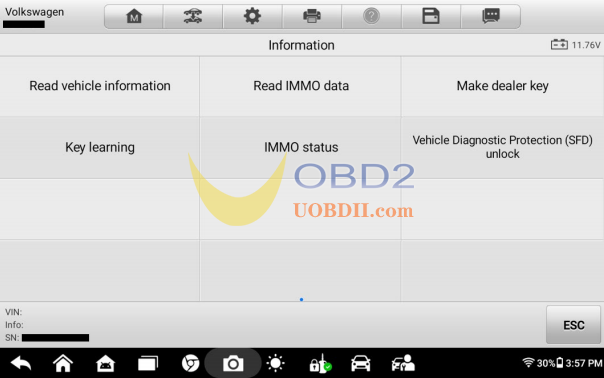
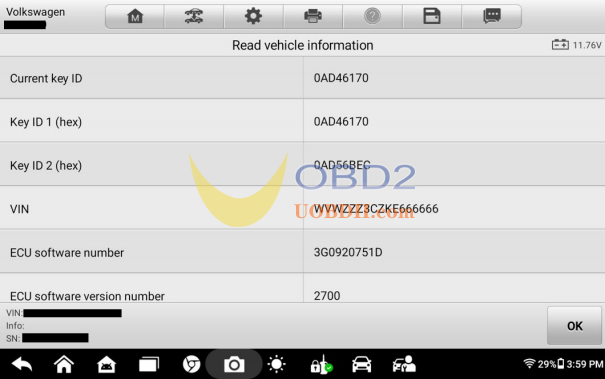
6.Read IMMO data
1.There are two methods to perform this function:
- Programmer(APB113)— Programmer with APB113
- Programmer(direct connection)— Programmer direct connection
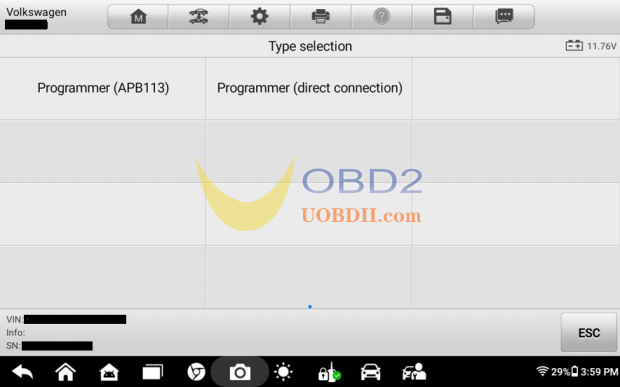
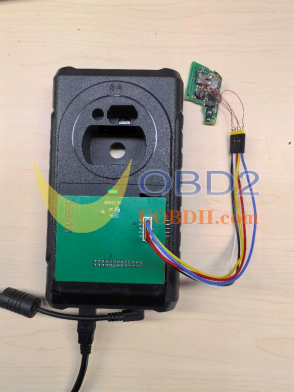
2.Using the programmer with an APB113 as an example, select [Programmer(APB113)] to execute the function. The operation guide content will be displayed as shown in the picture on the right. At this point, please remove the PCB board from the original car key. Find the corresponding key board type in the operation guide and connect the original car key’s PCB board and adapter board according to the wiring method shown in the key board type image. Then, install the adapter board onto the programmer, such as XP401/XP401Pro/XP400/XP400Pro/XP1 Pro (as shown in Figure 3). Click [OK] to start reading the data.
Note: The programmer must be connected to a 12V power supply and connected to the tablet device.
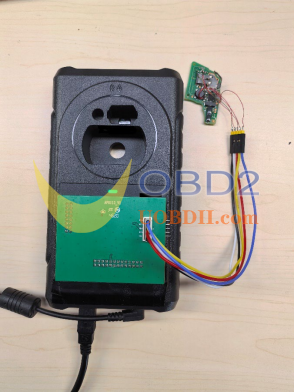
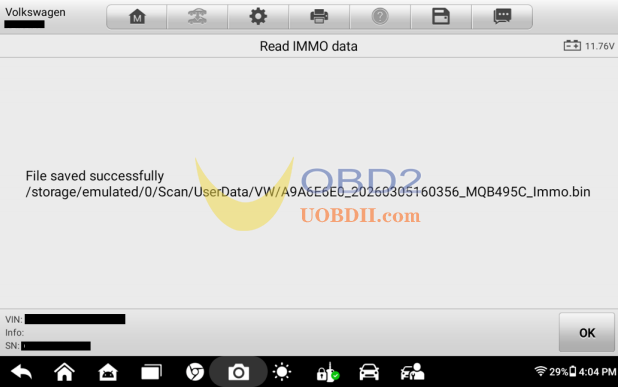
3.After successfully reading the data, the path and name of the saved file will be displayed, as shown in the picture on the right. Please record this information carefully, as you will need to load this file when executing the [Make dealer key] and
[Key learning] functions later.
7.Make dealer key
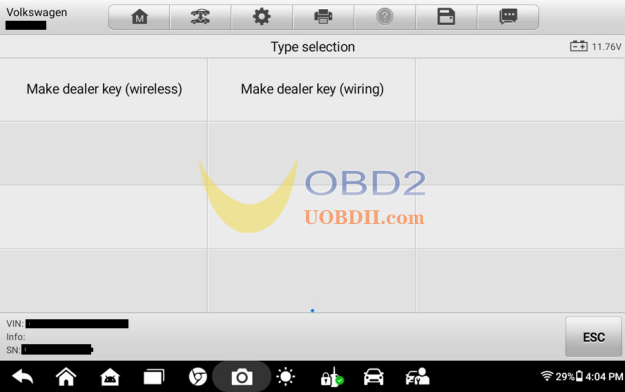
1.Both wireless and wired methods are supported. Please choose the menu according to your needs. For example, using the wired method, select [Make dealer key (wiring)] to enter the submenu (as shown in the picture on the right).
2、Select [Programmer(APB113)]
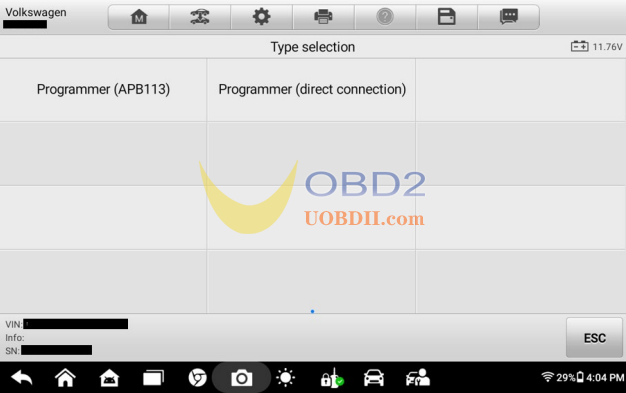
3.According to the operation guideinterface,please remove the PCB board of the new key at this time. Connect the wires according to the wiring diagram, then connect the key’s PCB board, APB113, programmer, and tablet device. Click [OK] to continue.
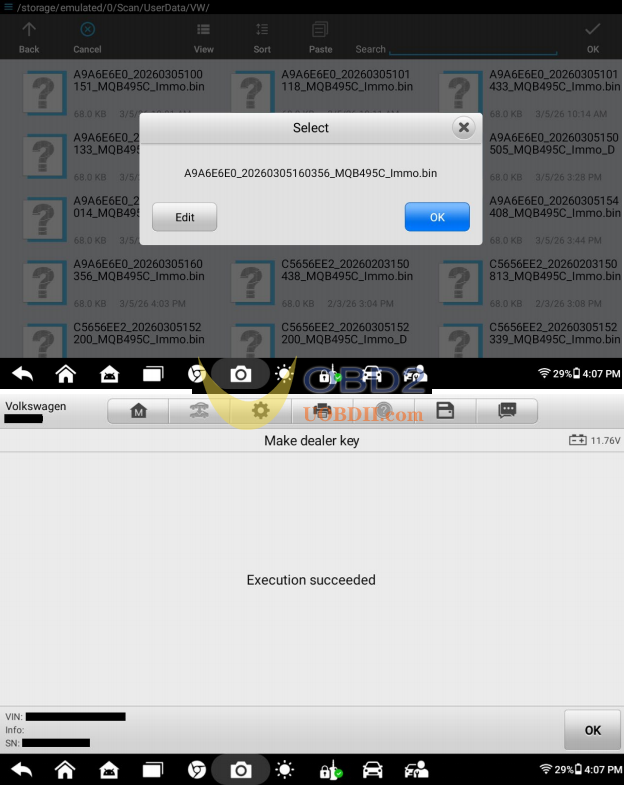
4.Load the immobilizer data bin file saved by the [Read IMMO data] function, as shown in the picture on the right. Click [OK] to continue.
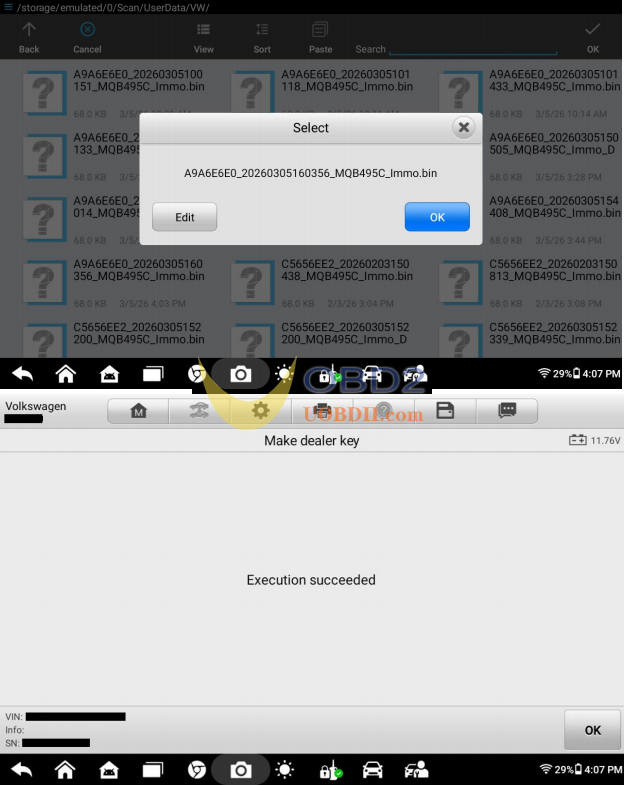
8. Key learning
- Loadthe immobilizer data bin file saved by the [Read IMMO data] function, as shown in the picture on the right. Click [OK] to continue.
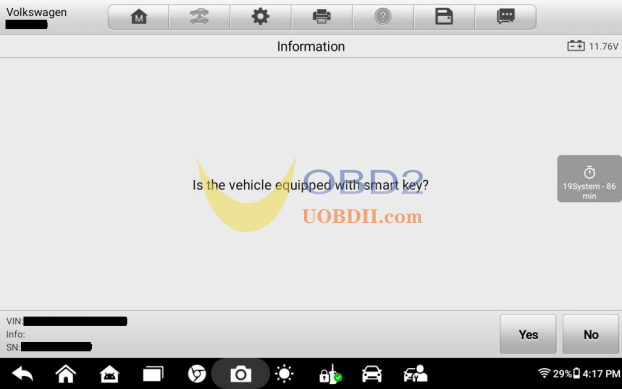
- Select thekey type: click [YES] for a smart key and [No] for a mechanical key.
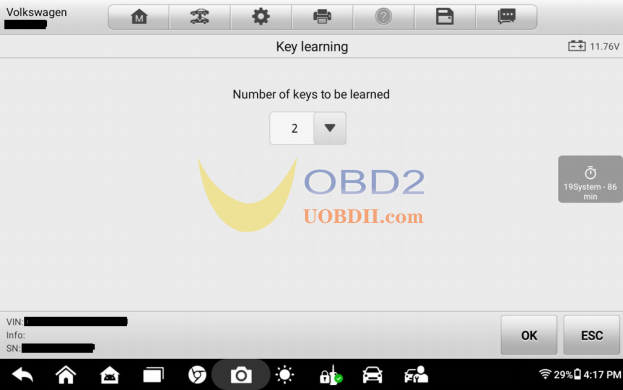
- Enter thenumber of keys to be programmed, including the original car key, and click [OK].
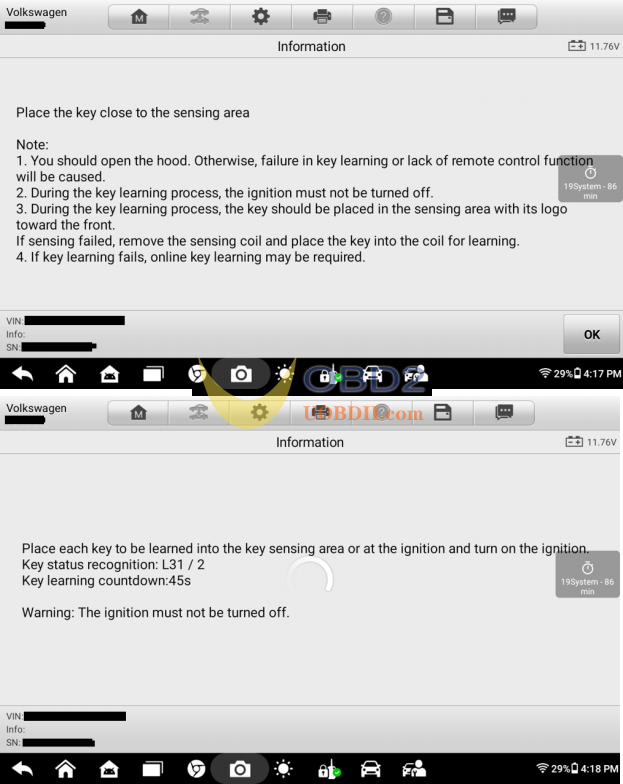
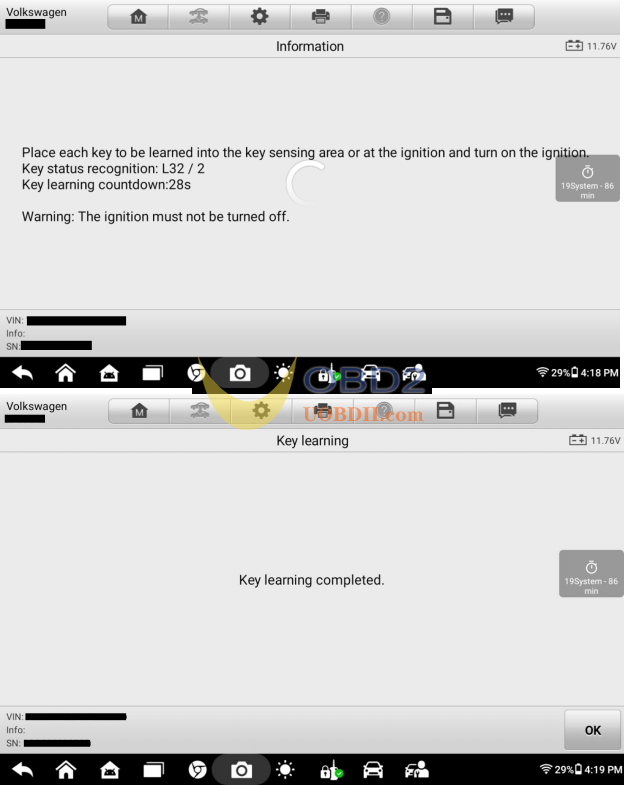
- Strictly follow the prompt messages to program each key. During the programming process, please take any other keys out of the vehicle to avoid potential interference.
Video Guide:
