

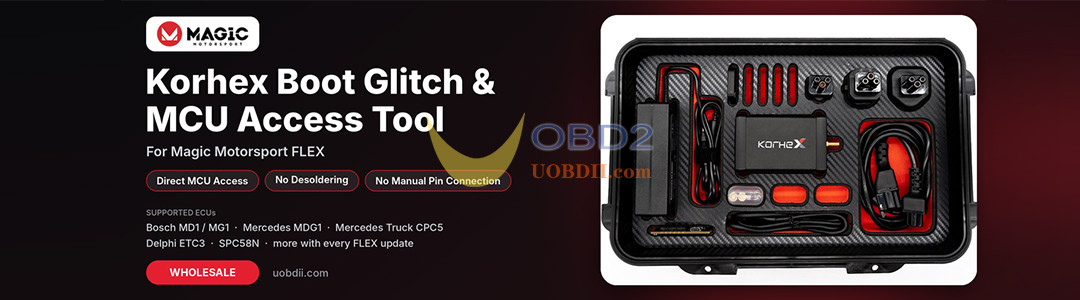
A Quick Guide to Getting the Most Out of Your Korhex
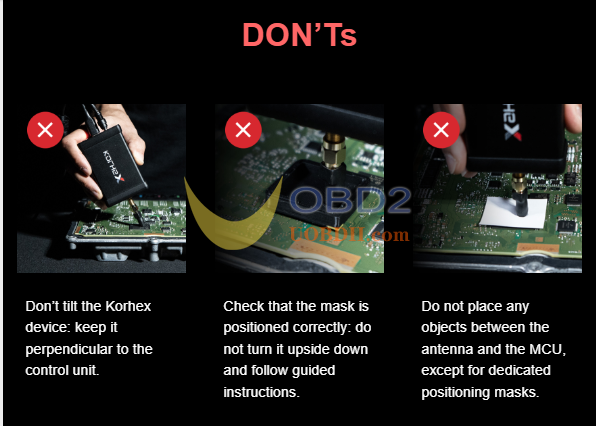
Small differences in antenna positioning can affect how consistently Korhex performs during a FLEX Boot Glitch operation. Before you begin, check three things: the antenna angle, its contact with the MCU, and its alignment with the designated point.
Three Things to Check Before Use
| Check | What to do | Common mistake |
|---|---|---|
| 1. Antenna angle | Keep the Korhex body perpendicular to the control unit and verify the actual orientation of the antenna. | Tilting Korhex or judging antenna alignment by the housing angle alone. |
| 2. Antenna contact | Make sure the antenna is seated correctly against the intended MCU surface. Use only the dedicated positioning mask when the setup instructions call for one. | Placing any other object between the antenna and the MCU. |
| 3. Antenna positioning | Align the antenna with the designated contact point. If a positioning mask is required, check its orientation against the setup instructions. | Installing the mask upside down or assuming the antenna is aligned once the mask is in place. |
Check the Antenna Itself
The antenna’s shape and mounting position can affect where it meets the MCU. With the Korhex housing upright, look at the antenna itself and confirm that it lines up with the designated contact point for the MCU you’re working on.
If Boot Glitch Execution Is Inconsistent
Recheck the antenna’s orientation, contact, and alignment. If you’re using a positioning mask, confirm that it is seated in the correct orientation. Follow the MCU-specific setup instructions when adjusting the device position.
Learn more:
