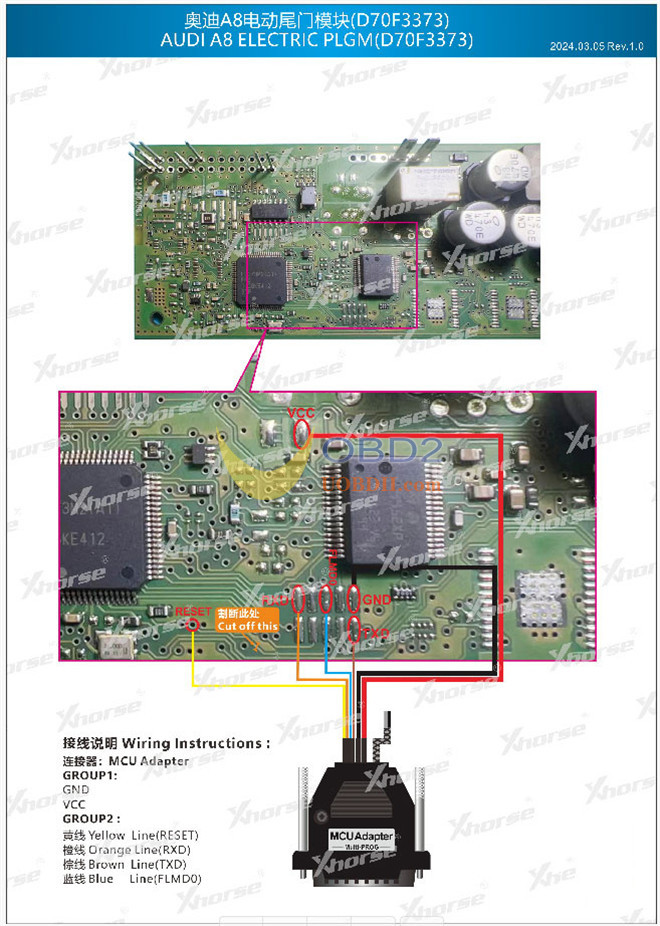



If you are dealing with an Audi A6 (C7), A7, or A8 (D4) where the electric rear liftgate has completely stopped responding, you aren’t alone. While mechanical failure is possible, the culprit is frequently the electronic control module. These modules often succumb to water ingress, faulty latch sensors, or wiring issues. Instead of a costly module replacement, you can often restore functionality by repairing the Renesas D70F3373 MCU processor using CGDI CG100X Programmer with PRO V2 Adapter.
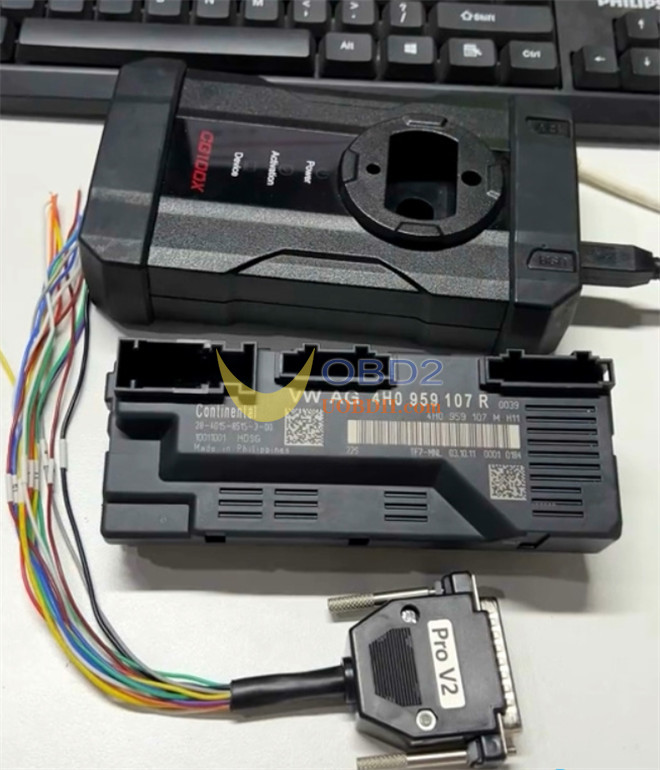
Step-by-step guide:
1.Preparation:
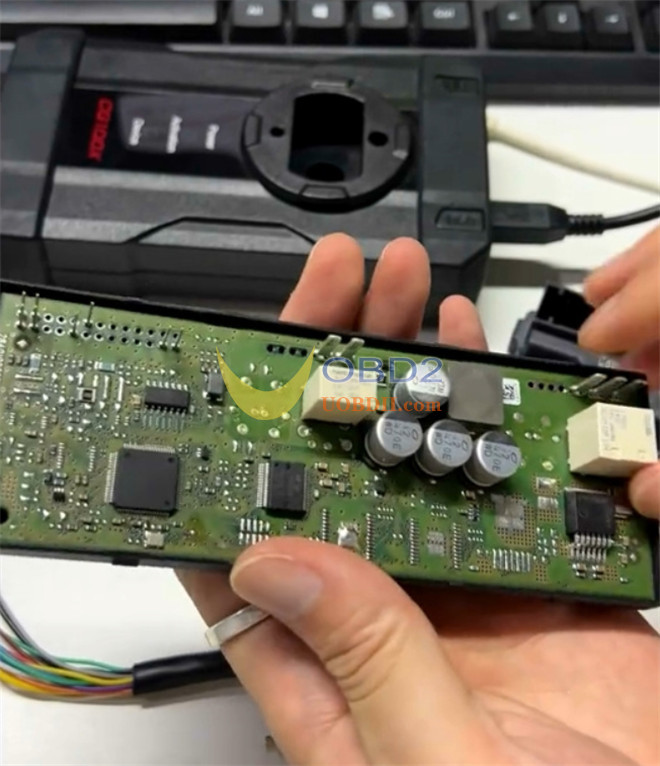
Disassemble the tailgate module to access the internal PCB.
2.Hardware Connection:
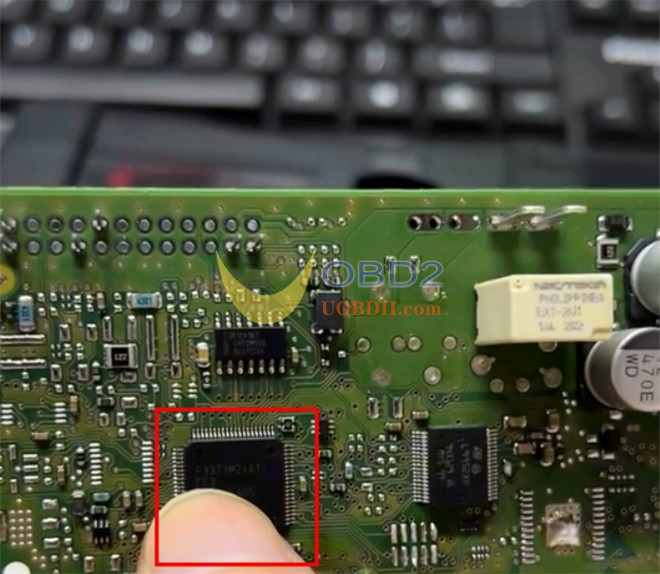
Connect CG100X to the D70F3373 MCU using the standard CG100X PRO V2 cable.
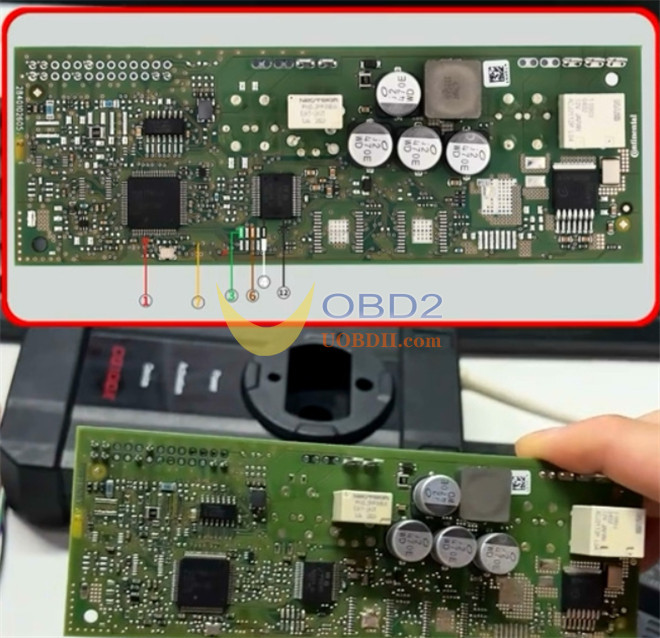
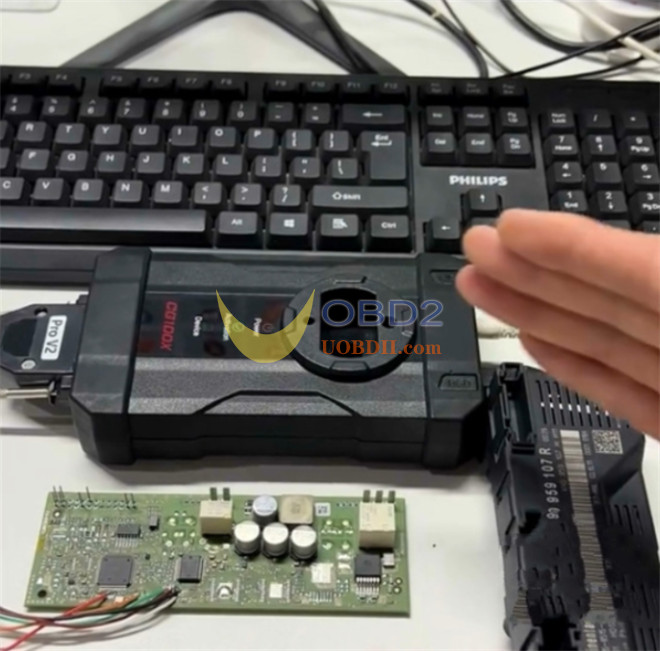
Note: You will need to carefully cut a specific section of the circuit for access; ensure you weld this back once the repair is complete.
3.Data Extraction:
In CG100X software, navigate to “Programmer,” search for D70F3373, and perform a full read of the Pflash and Dflash data.
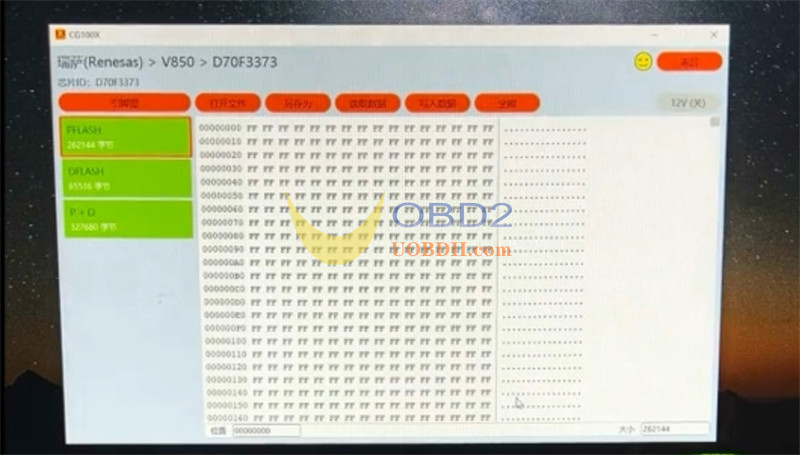
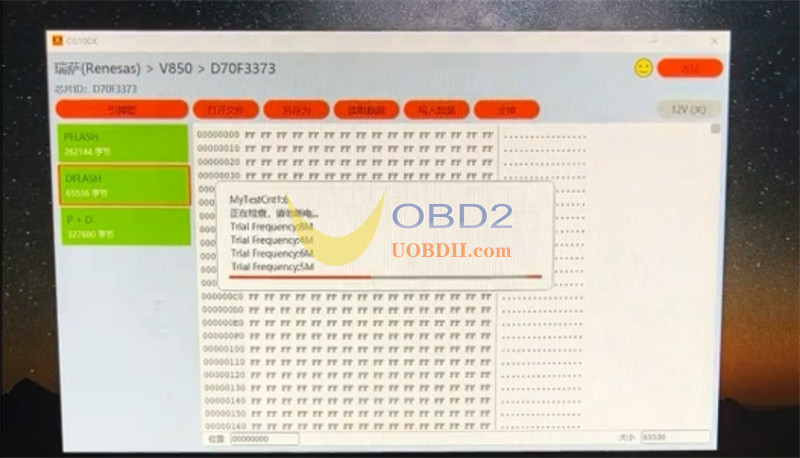
4.Modification:
Manually modify the hex data to clear the fault state.
5.Restoration:
Write the modified files back to the MCU and reinstall the module in the vehicle.
Pro Tip:
If you prefer using Xhorse tool, Multi Prog will also support this specific MCU (need MCU Adapter). Refer to Multi-Prog diagram for the alternative pinout.