


Learn how to update MUCAR 892BT Pro Software and Firmware in minutes.
Step 1: Connect to WiFi
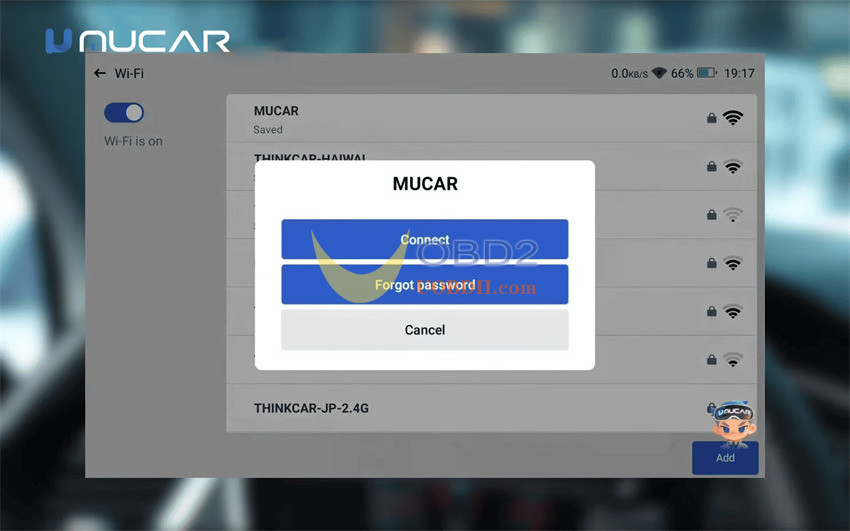
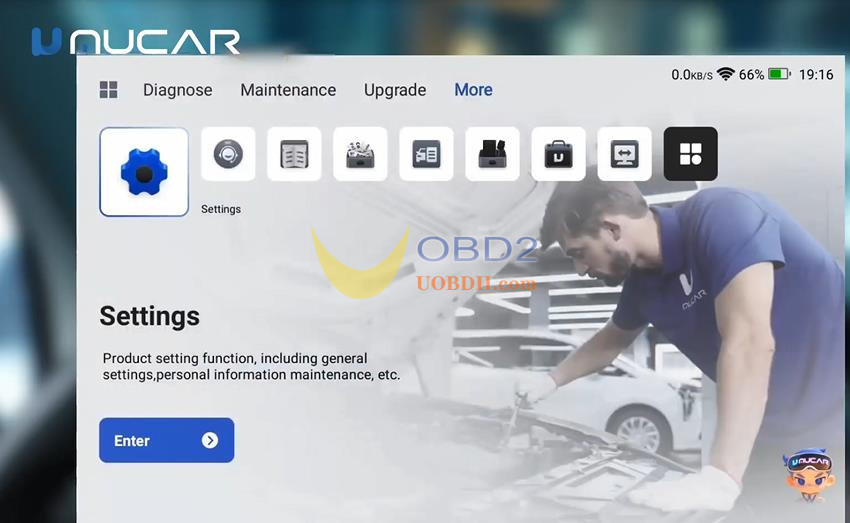
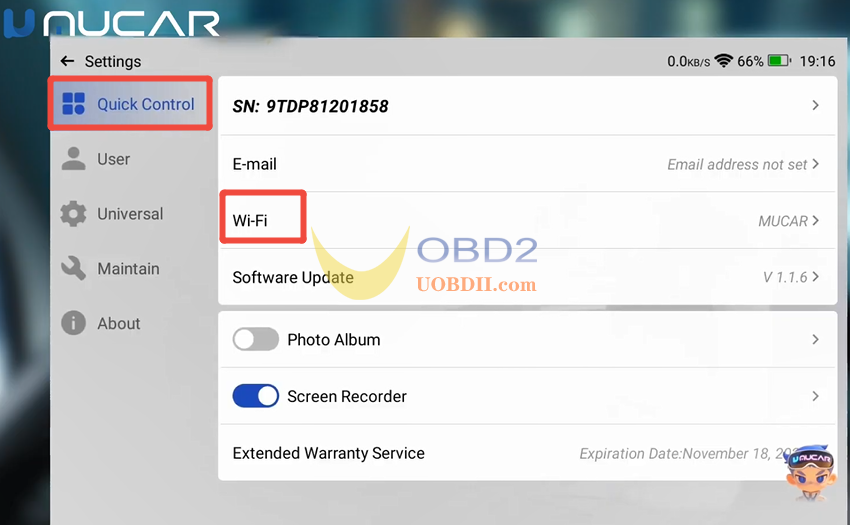
Open MUCAR software, select Settings-> Quick Control-> WiFi
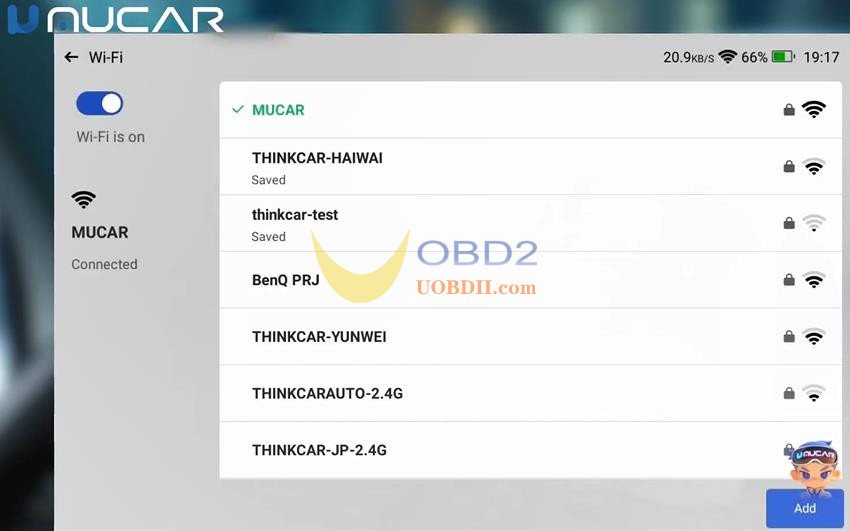
Select an available WiFi with good signal and click “Connect” to connect
Step 2: Fix Firmware and Update System
The tablet separates core device updates into two distinct menus:
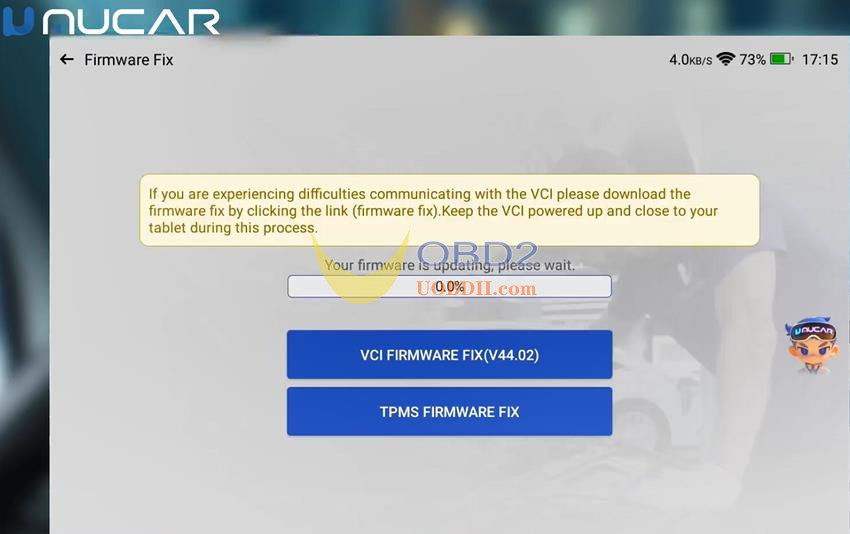
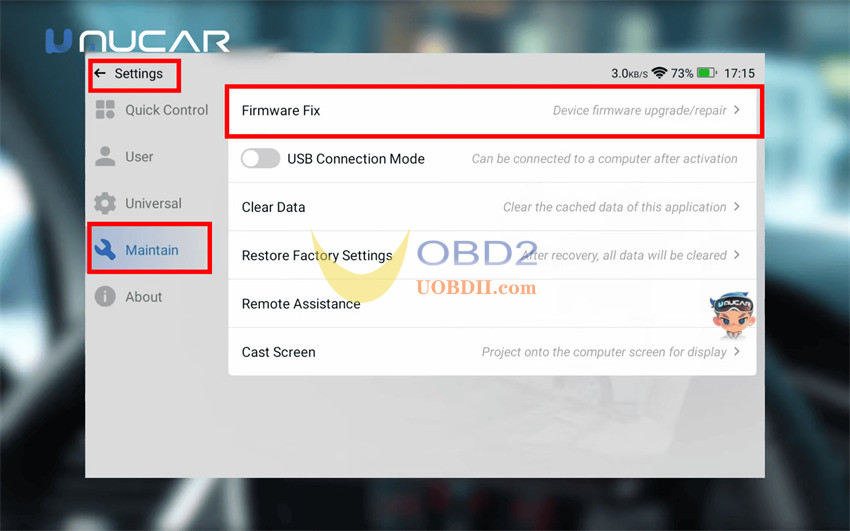
- Firmware Fix (Settings > Maintain > Firmware Fix):Handles underlying hardware communication repairs, USB connection modes, and remote assistance functions
- System Update (Settings > About > System Update):Installs the latest operating system patches and tablet interface improvements
Step 3: Download Vehicle & Maintenance Software via Upgrade Center
Open the Upgrade Center from the main screen to access approximately 87 vehicle software packages and 34 maintenance functions
- Batch Car Downloads:Save time by selecting multiple vehicle manufacturers simultaneously and queuing a batch download rather than installing each brand individually.
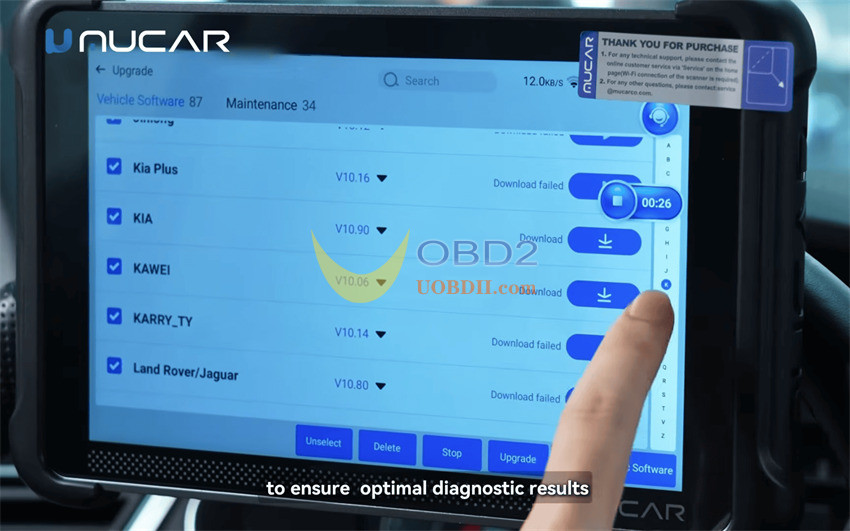
- Specialized Service Functions:Download essential workshop reset modules—including Gearbox Learning, ABS Bleeding, Injector Coding, and IMMO Matching—based on your repair needs.
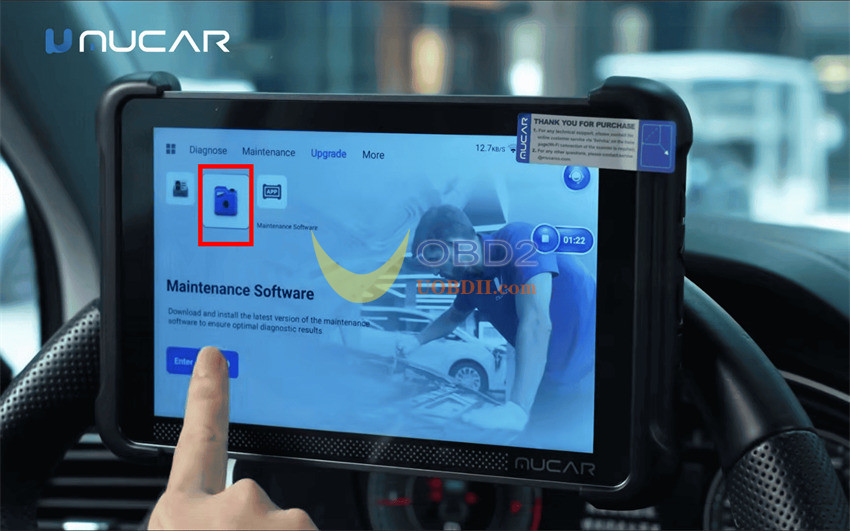
- Review Changelogs:Always check the release notes prior to updating to see newly added vehicle models and bug fixes
Common Questions & Important Precautions
To avoid interruptions or confusion during updates, keep these key points in mind:
- Wi-Fi Is Mandatory:Never rely on the OBD cable for updates; a reliable Wi-Fi connection is required for all downloads.
- Do Not Confuse Firmware with OS:Use System Update for tablet OS upgrades and Firmware Fix strictly for VCI/hardware communication repairs and USB settings.
- Check Updates Monthly:Checking the Upgrade Center at least once a month is recommended to stay prepared for newer car models.
- Batch Queuing Saves Time:You can select multiple car brands at once; the system automatically manages the download queue.
- Model Variations:While this menu layout applies to MUCAR 892BT Pro, exact menu labels may differ slightly across other MUCAR tablet models.
