
This post will guide you how to add new Mercedes Benz FBS4 full keyless keys using Keydiy PAK09 Phone as Key and KD-X4 together.
Requirement:
- Keydiy KD-X4with APP
- Keydiy PAK09 Phone as KeyBBA Box
- Original car key
- Keydiy ZB smart remote
Operation guide:
First, unpack the product box.
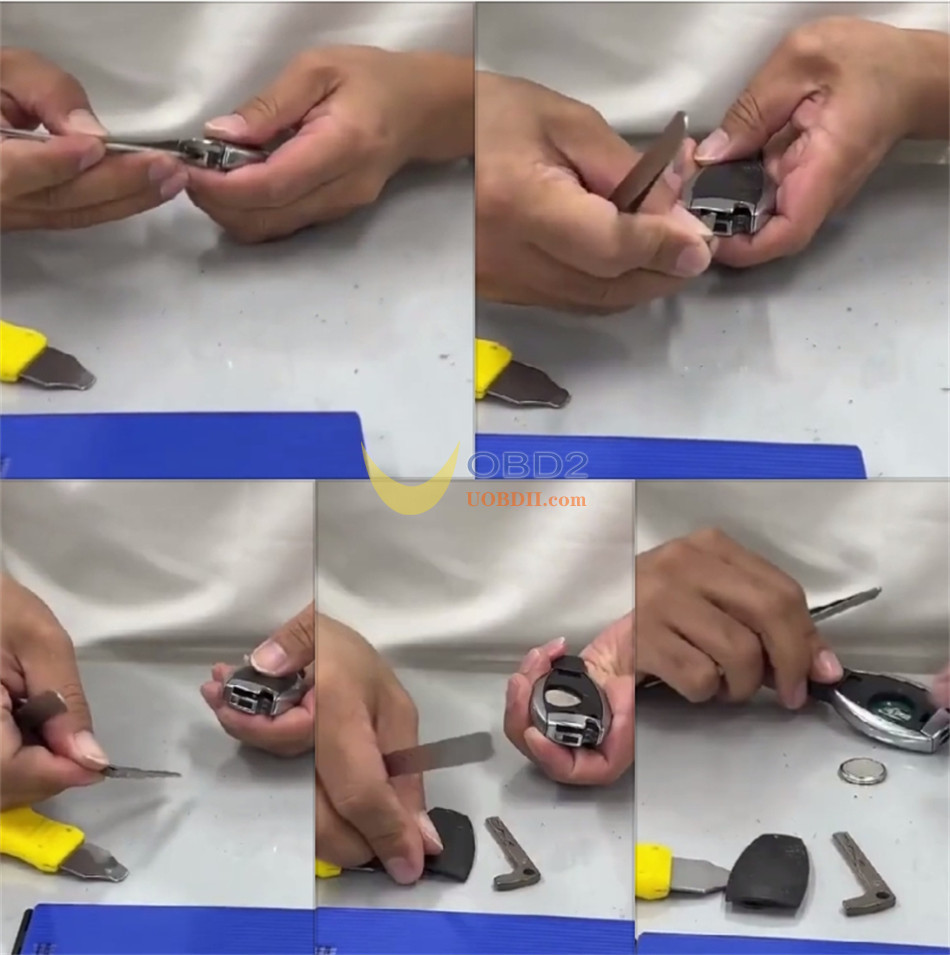
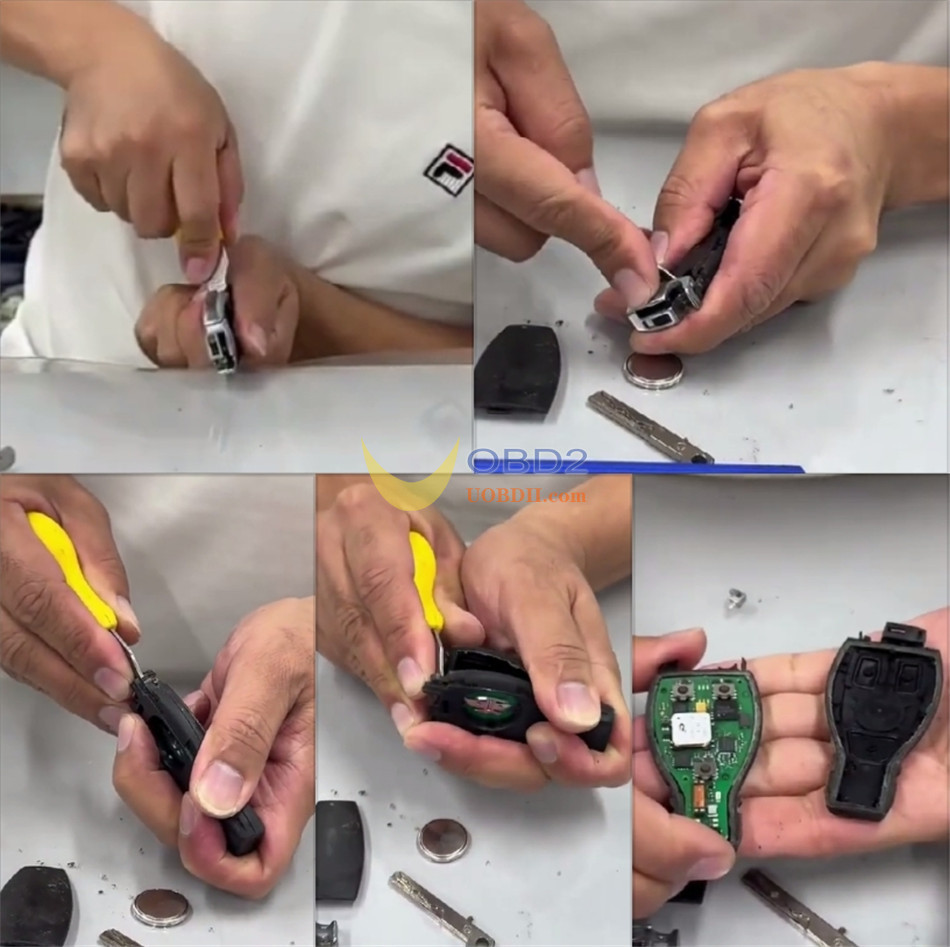
Step 1: Remove PCB
Take out the PCB from the original car key.
Step 2: Prepare KD APP
The wiring diagram can be checked by the methods below:
Method 1:
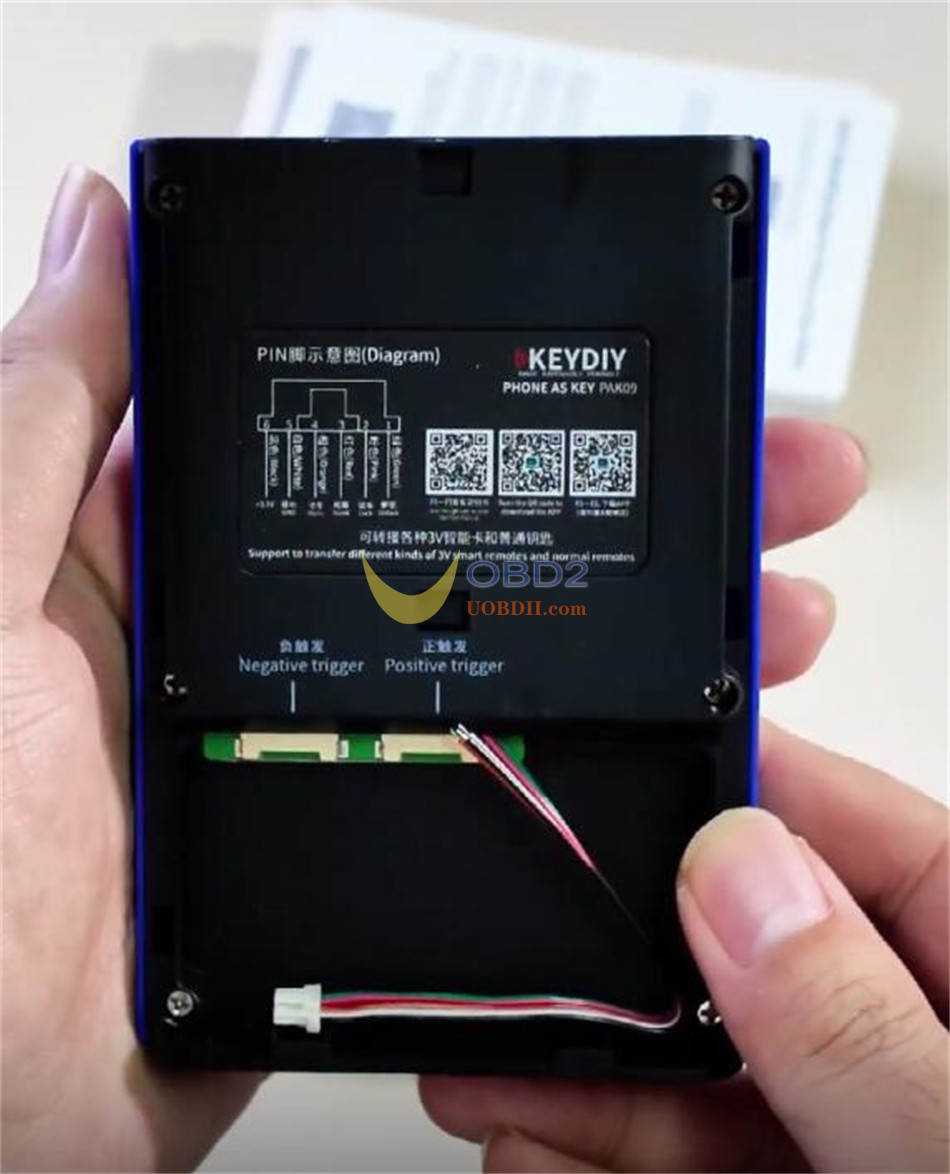
Remove the shell of KEYDIY PAK09, then scan the QR code inside to obtain the soldering diagram
Method 2:
Open KD APP software.
Navigate to Learning Center-> Help Center-> Wiring Diagram for Original Remotes
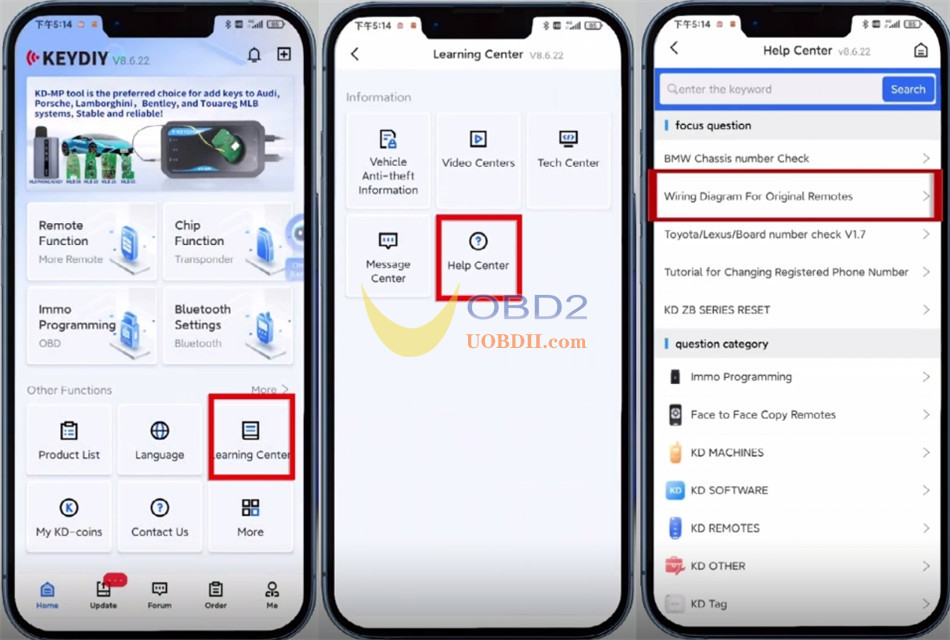
Then you can view the car key wiring method.
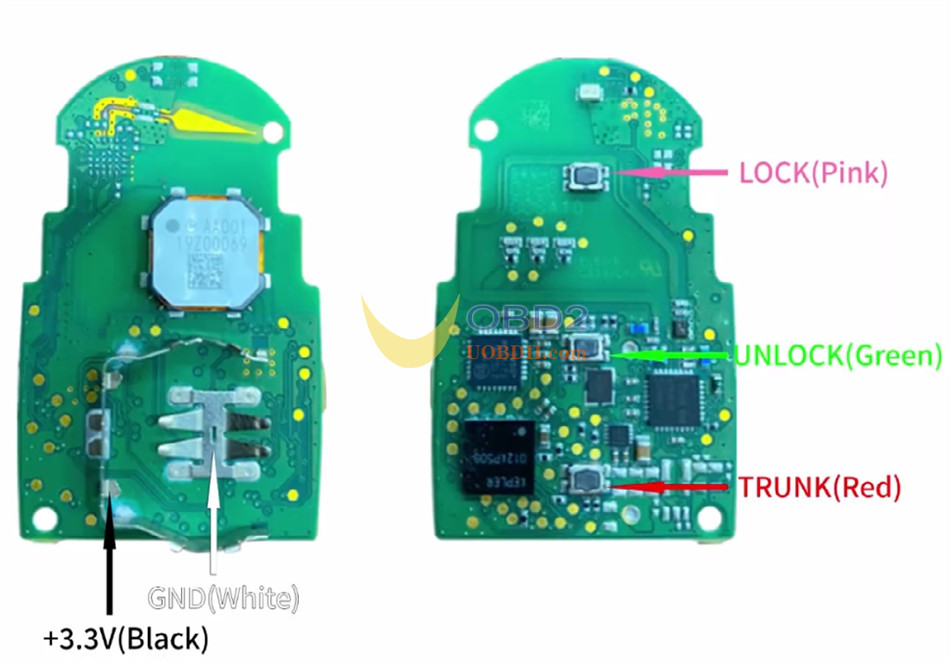
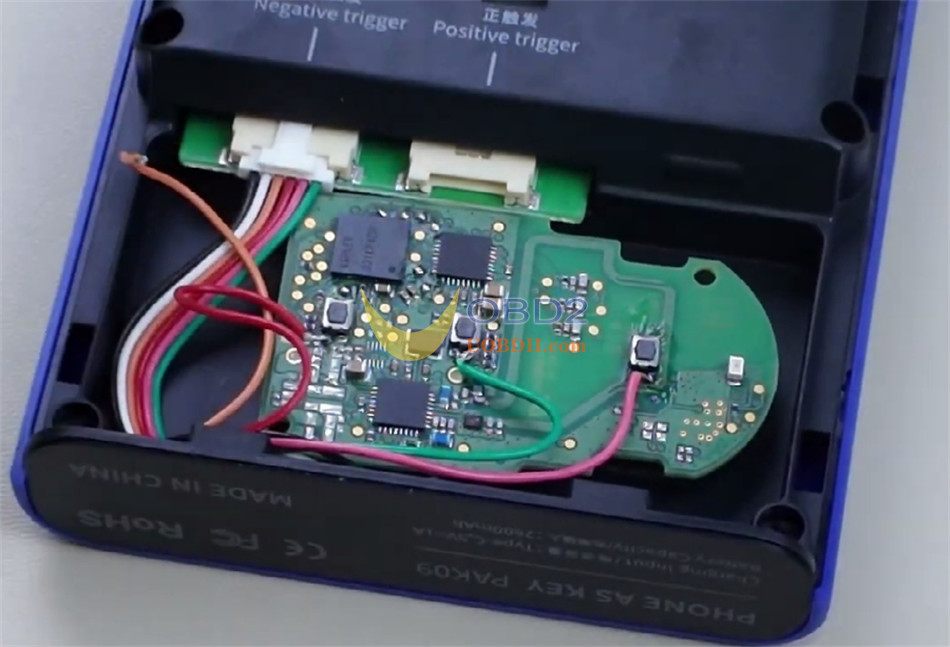
Solder the PCB according to the wiring diagram.
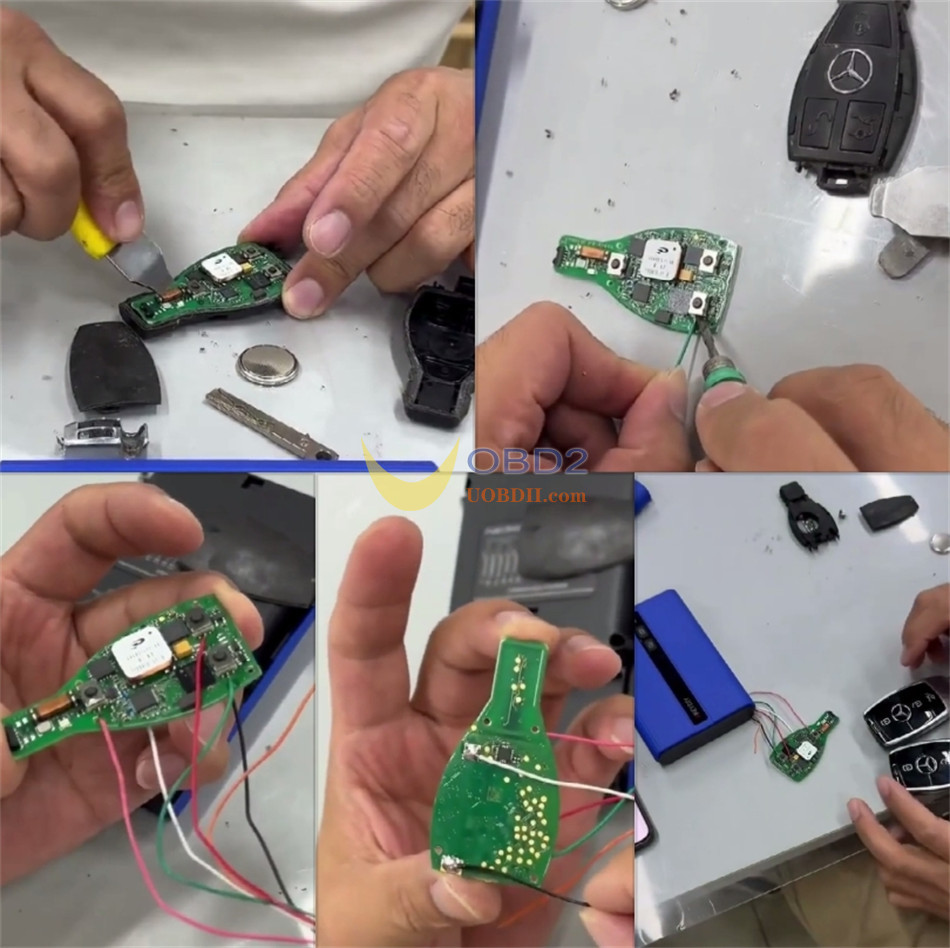
After soldering, insert the adapter cable connector into the corresponding trigger connector.
Place the soldered PCB into PAK09 device.
Close the back cover.
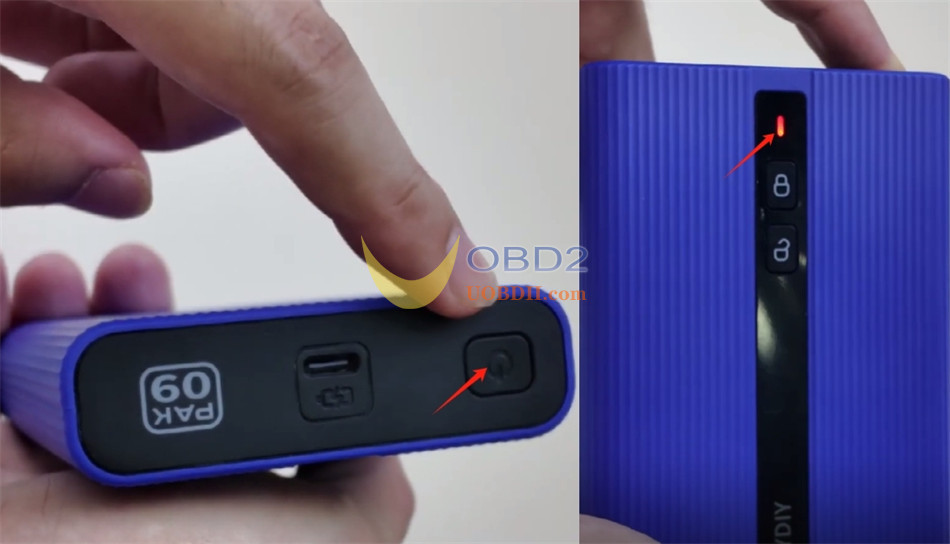
Power on KEYDIY PAK09
Short press the power button once, then long press for 3 seconds.
The indicator light will flash, indicating successful power-on.
Step 3: Generate Program
Generate the corresponding program for PAK09 to add physical car key support using KEYDIY KD ZB31 Universal Smart Remote Key
Place KD remotes unit into KEYDIY KD–X4 key programmer
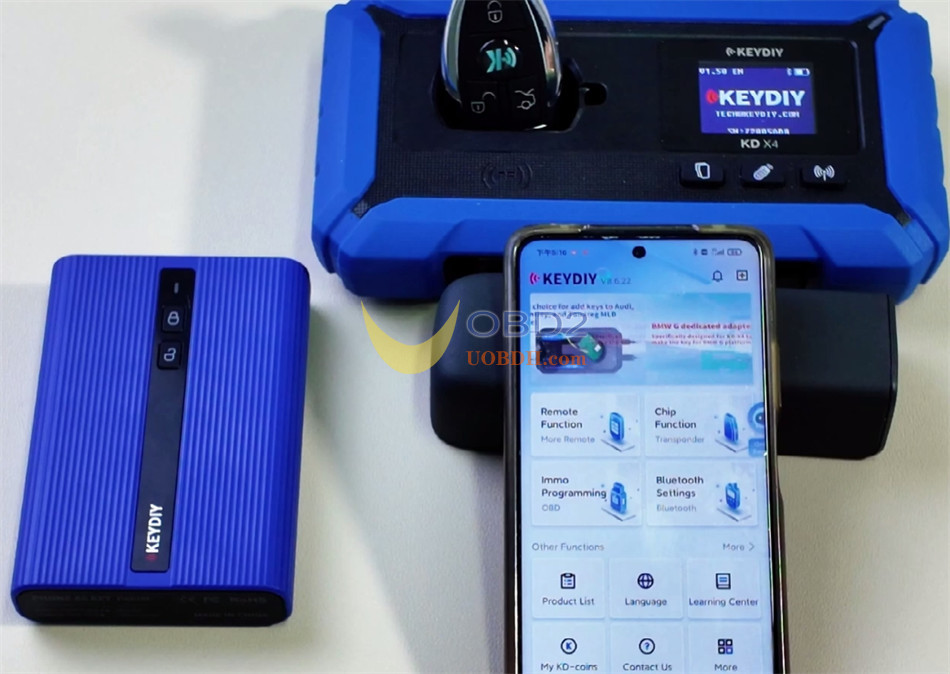
Open KD AP software
Select Remote Function-> Vehicle Remote.
Select the corresponding remote control program (e.g. PAK09 PHONE KEY (ZB)
Click “Generate”
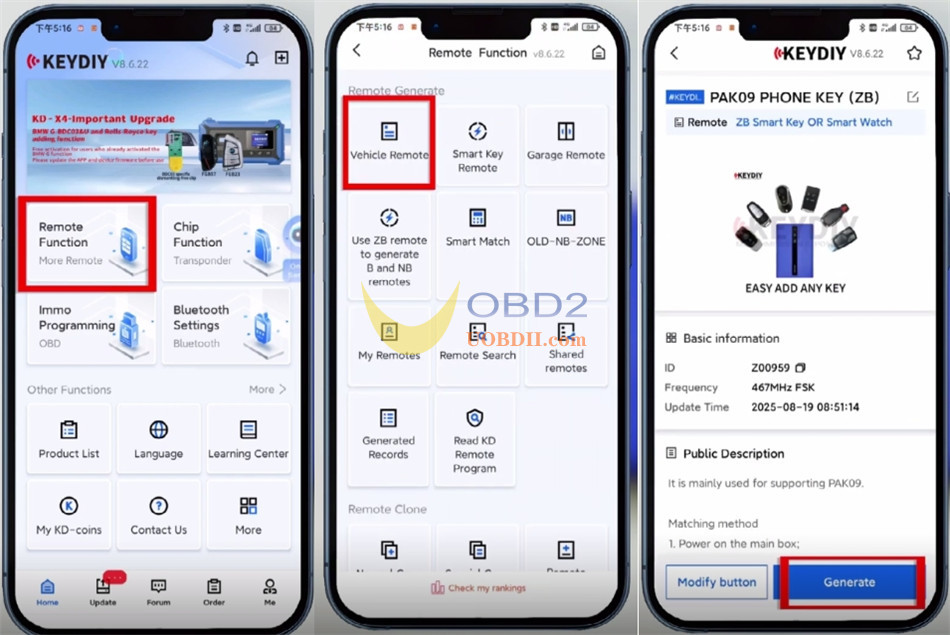
Then select “Wireless Generation”
Wait for the “Generate successfully, KD-coins collected” message
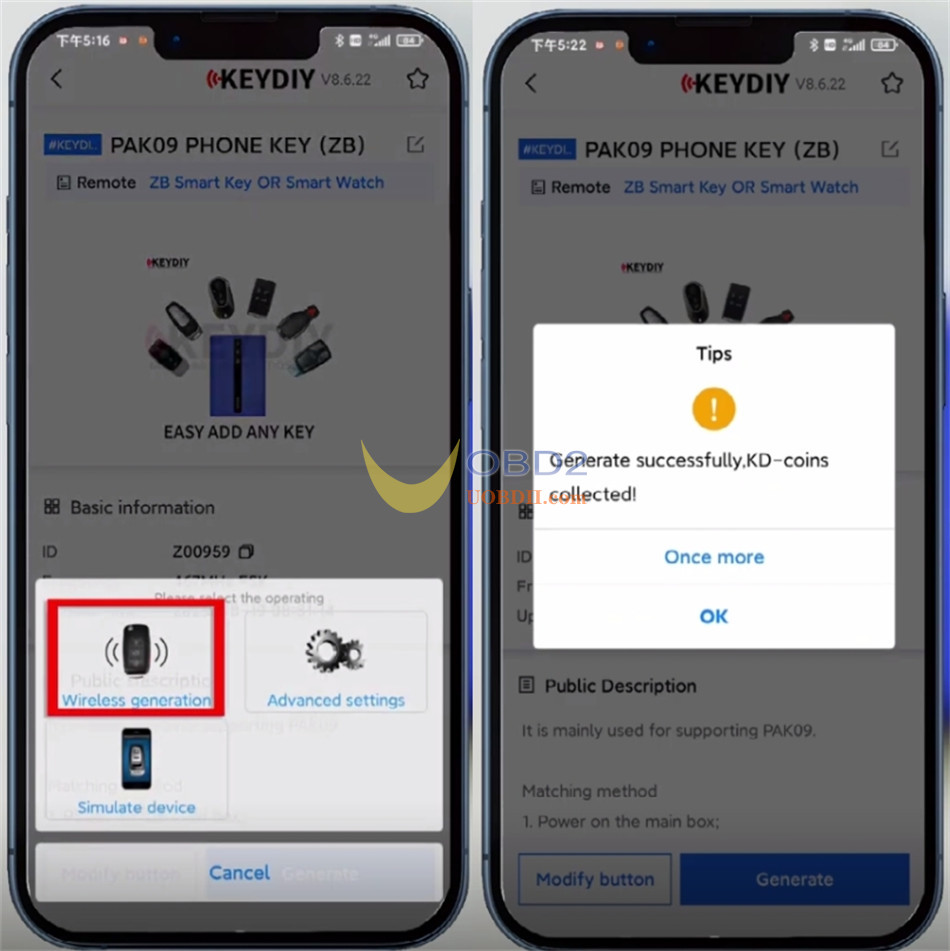
Function Demonstration
Click “Settings” in the top right corner.
Go to “Device Management”, then click the search icon to scan for devices.
Select PAK09 Phone as Key you want to connect.
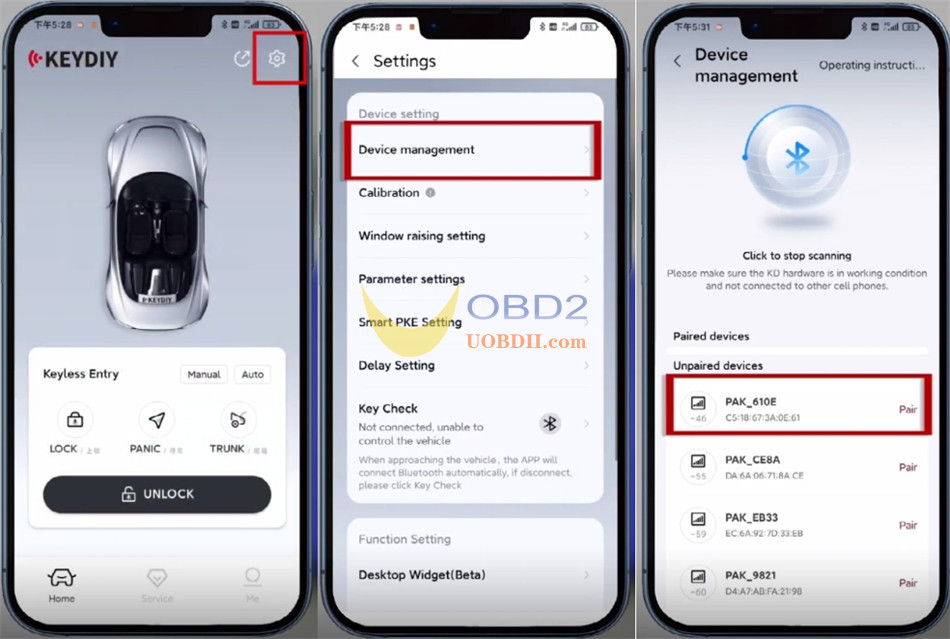
Enter the initial password: 000000.
Change the password when prompted for first-time pairing.
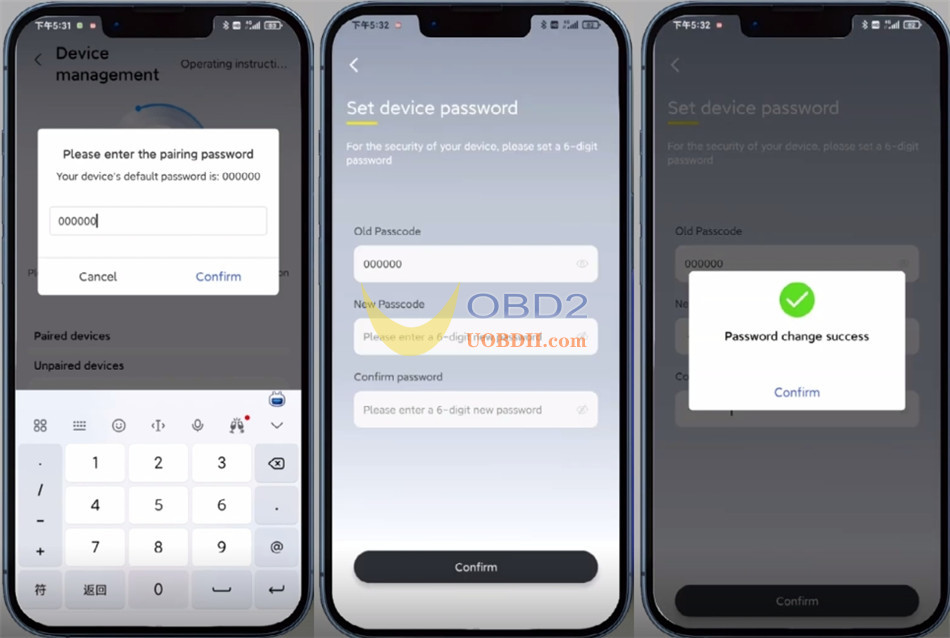
Start adding the key:
Click Settings-> Key management.
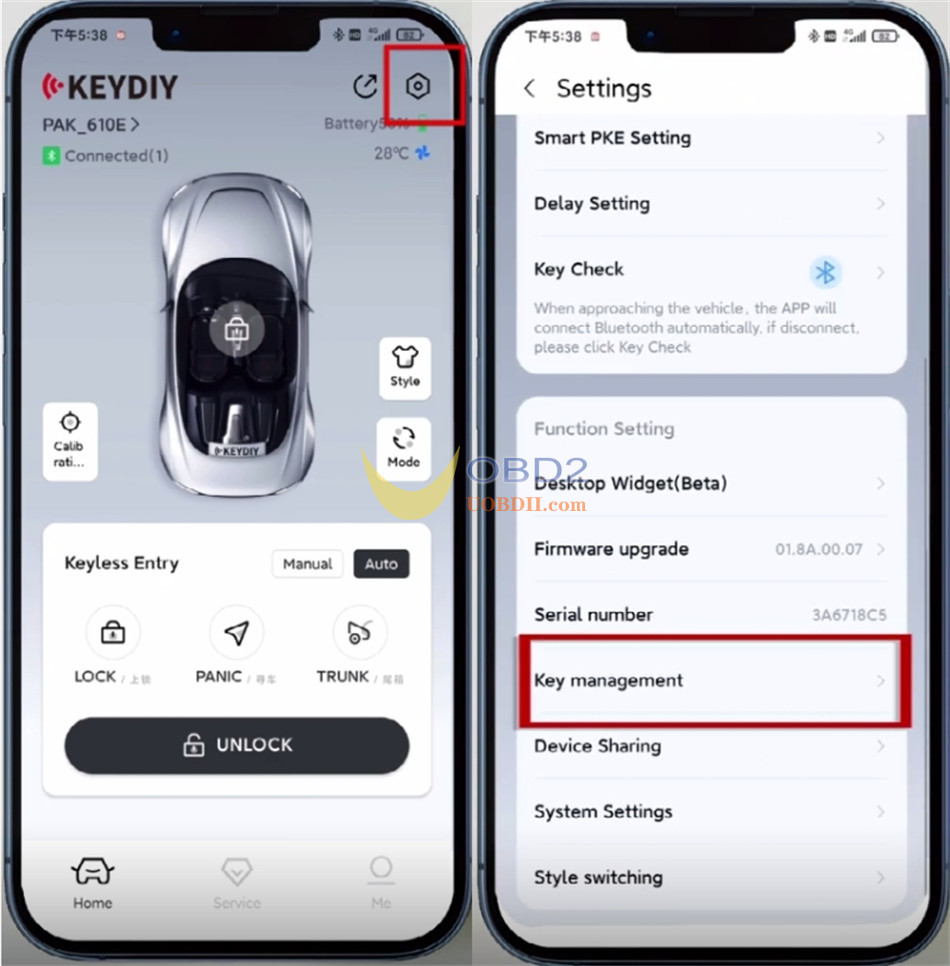
Click “Enter Matching Mode”
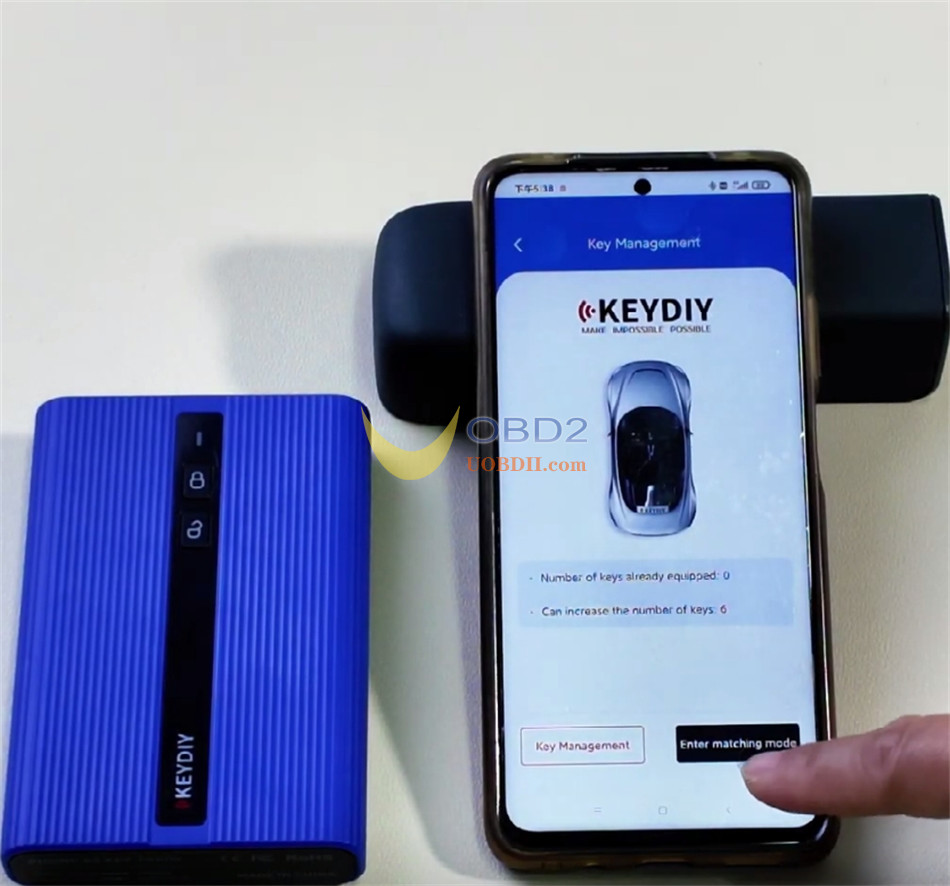
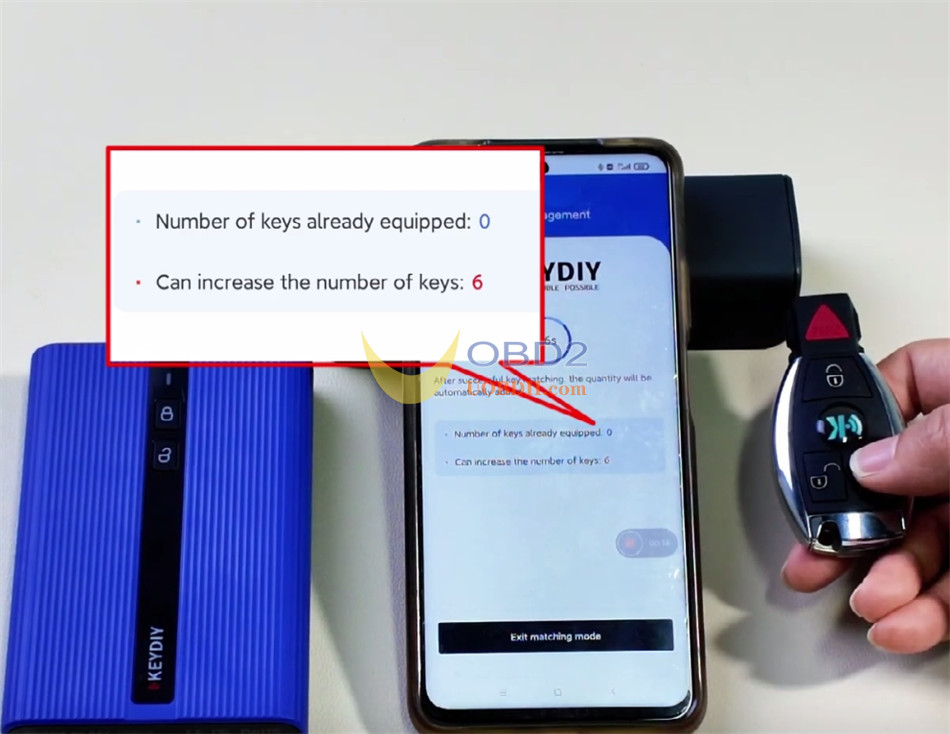
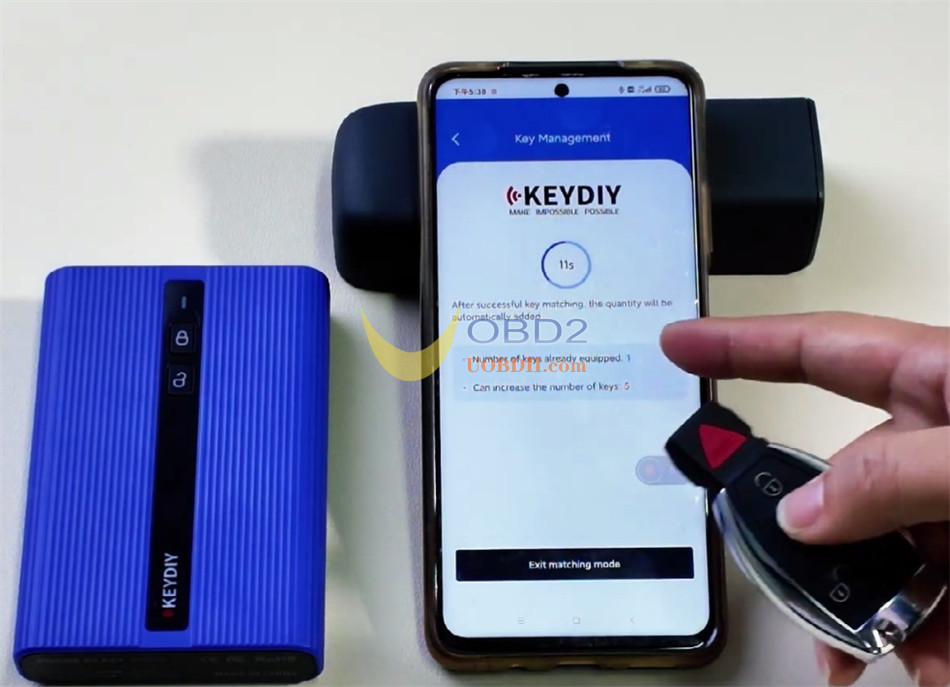
Before the countdown ends, press any key on the remote to add the key.
The key number will be change synchronously.
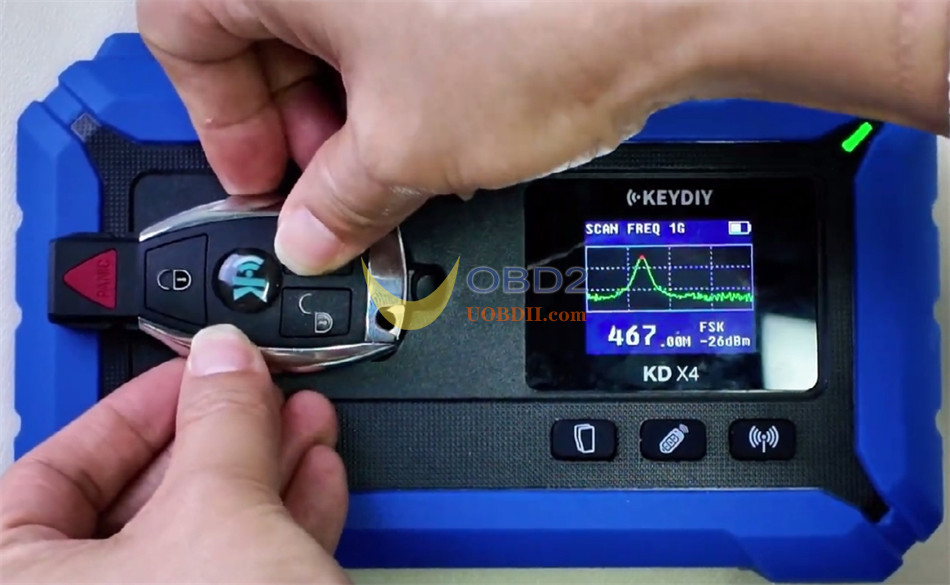
Once addition is complete, put the KEYDIY KD ZB31 smart key on the sensing area of KD-X4 key programmer to test the remote frequency.
Done!
